CUKTECH 15 Ultra PB200U 20000mAh Power Bank Review
CUKTECH PB200U#
- Specifications
- Introduction
- Powerbank in use
- Cable
- Size and comparison
- Compatibility
- User interface
- Tests
- Thermal Images
- Conclusion
- Price
- Product page
Specifications#
| Brand/model | CUKTECH 15 Ultra PB200U |
|---|---|
| Batteries | Li-ion cells |
| Capacity | 20,000 mAh |
| Energy (Rated/Typical) | 70.56Wh/72Wh (14.4V 4900mAh/5000mAh) |
| Rated Capacity | 4,900 mAh |
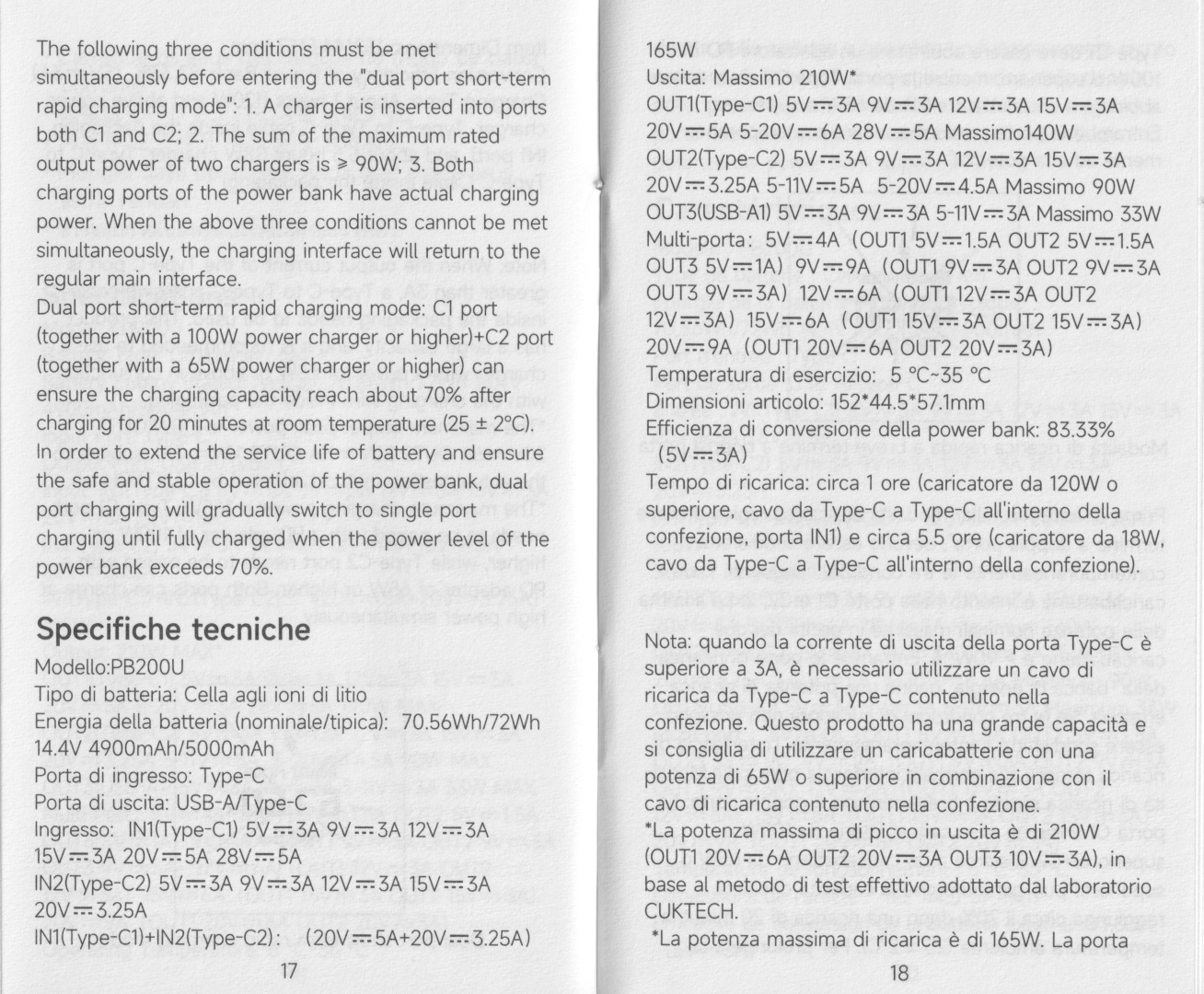
| IN1 USB-C | 5V/3A, 9V/3A, 12V/3A, 15V/3A, 15V/3A, 20V/5A, 28V/5A 140W MAX |
| IN2 USB-C | 5V/3A, 9V/3A, 12V/3A, 15V/3A, 15V/3A, 20V/3.25A 65W MAX |
| IN1 + IN2 | 20V/5A + 20V/3.25A 165W MAX |
| OUT1 USB-C | 5V/3A, 9V/3A, 12V/3A, 15V/3A, 20V/5A, 5-20V/6A, 28V/5A 140W MAX |
| OUT2 USB-C | 5V/3A, 9V/3A, 12V/3A, 15V/3A, 20V/3.25A, 5-11V/5A, 5-20V/4.5A 90W MAX |
| OUT3 USB-A | 5V/3A, 9V/3A, 5-11V/3A 33W MAX |
| Multi-port | 5V/4A 20W (OUT1 5V/1.5A, OUT2 5V/1.5A, OUT3 5V/1A), 9V/9A 81W (OUT1 9V/3A, OUT2 9V/3A, OUT3 9V/3A), 12V/6A 72W (OUT1 12V/3A, OUT2 12V/3A), 15V/6A 90W (OUT1 15V/3A, OUT2 15V/3A), 20V/9A 180W (OUT1 20V/6A, OUT2 20V/3A) |
| Max Multi-port | 210W (OUT1 20V/6A, OUT2 20V/3A, OUT3 10V/3A) |
| Cable | CUKTECH 1m USB-C to USB-C 6A with e-marker (50V 5A, 240W EPR) |
| Low-current mode | Yes |
| Pass-through charging | Yes |
| 3C mark | No |
| Dimensions | 152*44.5*57.1mm |
| Weight | 594g |
| Review date | October 2025 |
Introduction#
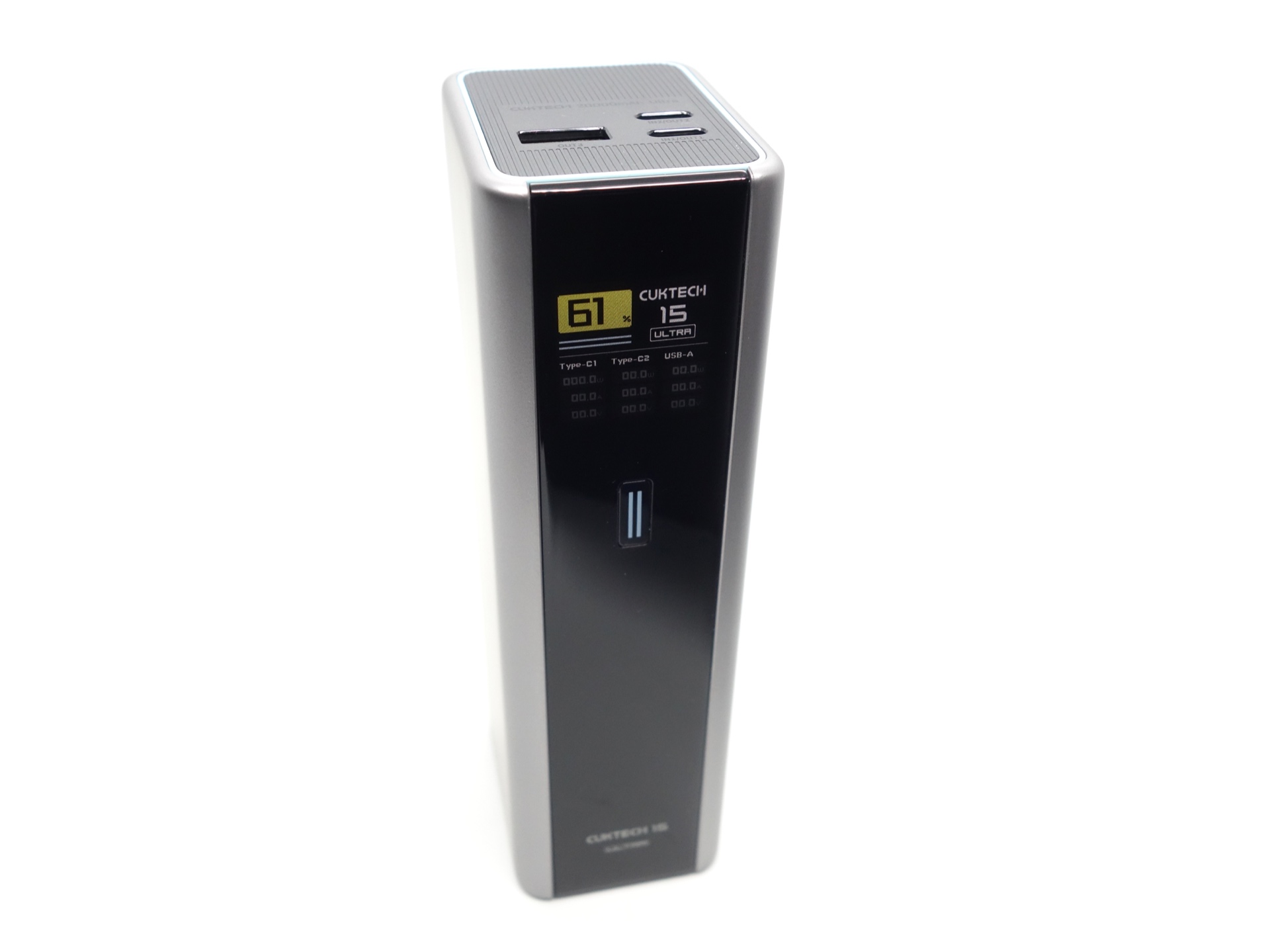
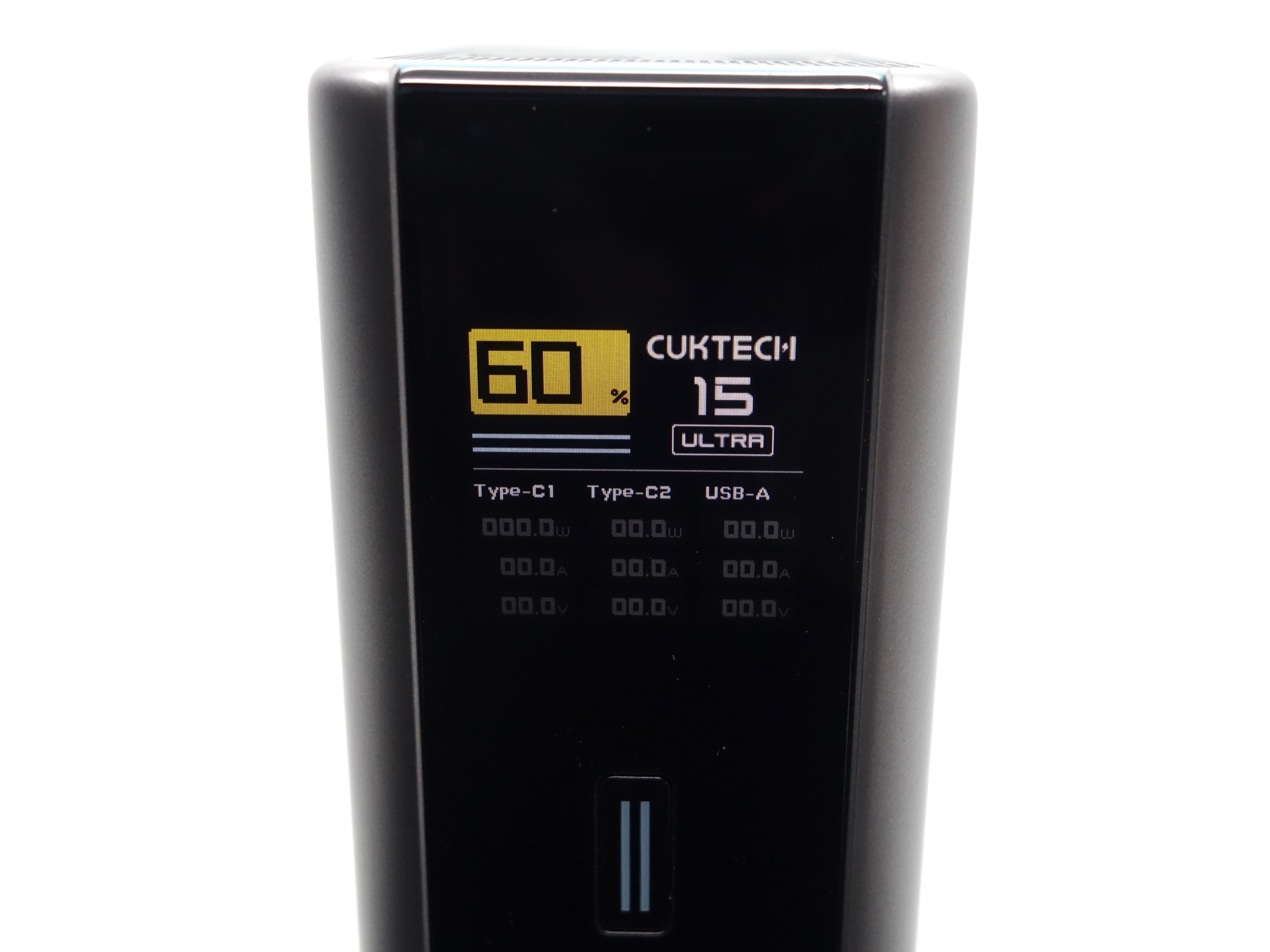
The CUKTECH 15 Ultra PB200U Power Bank has two USB-C ports and one USB-A port for fast charging and discharging, a colour display, and a button to control it.
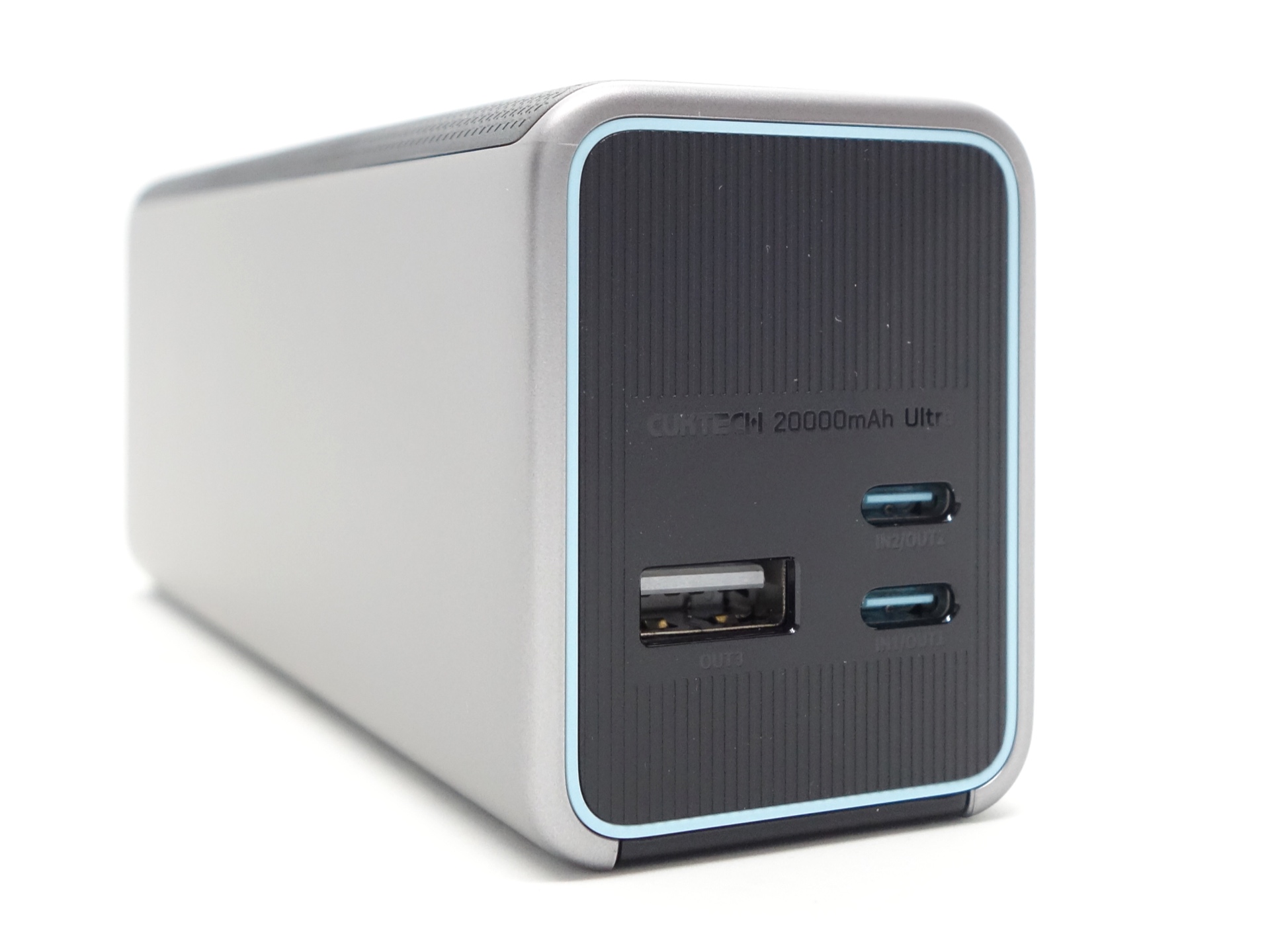
You can get 210W output by using all three ports: OUT1 20V/6A, OUT2 20V/3A, OUT3 10V/3A.
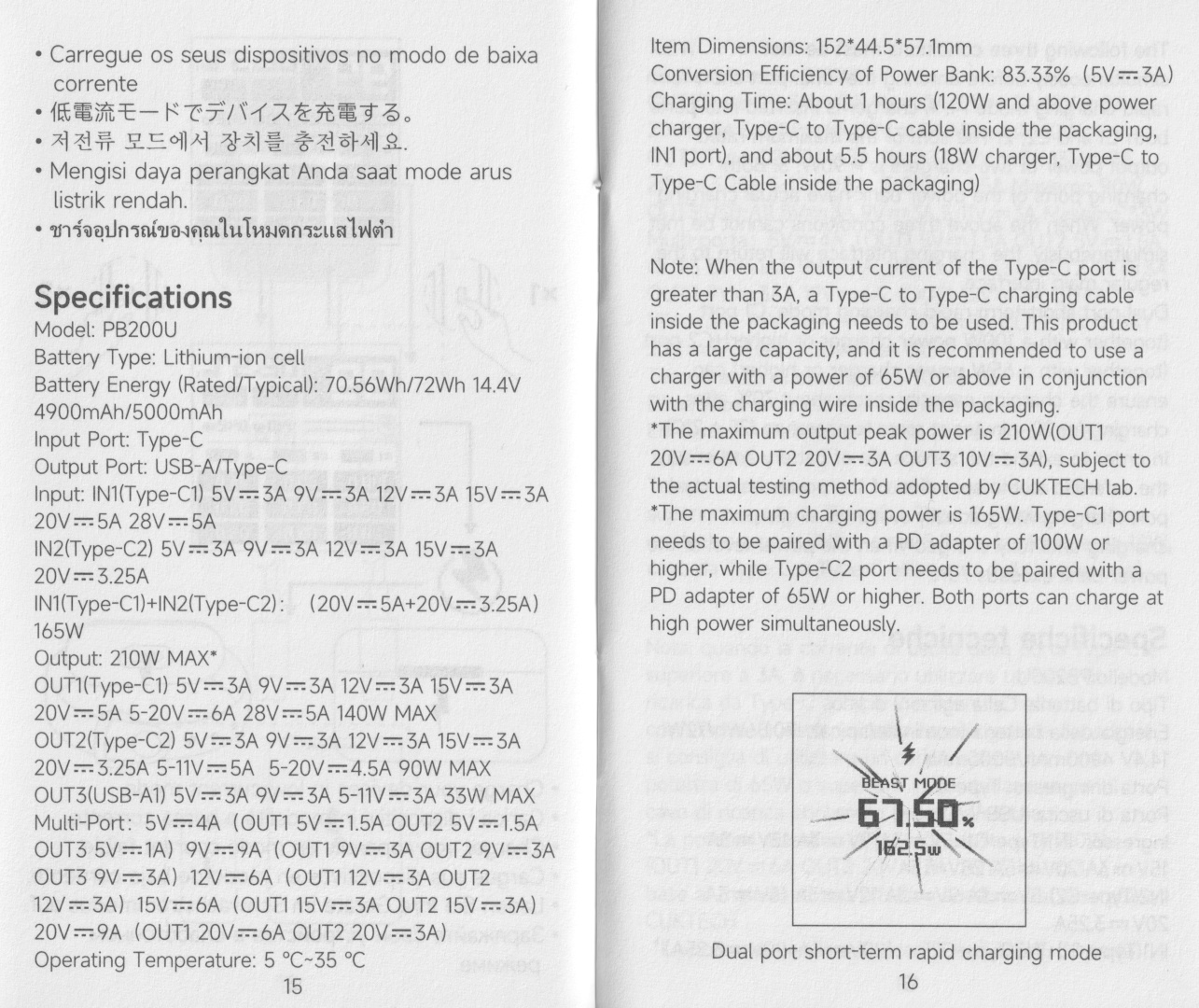
Beast Mode is impressive! The power bank supports 165W input by combining two USB-C ports.
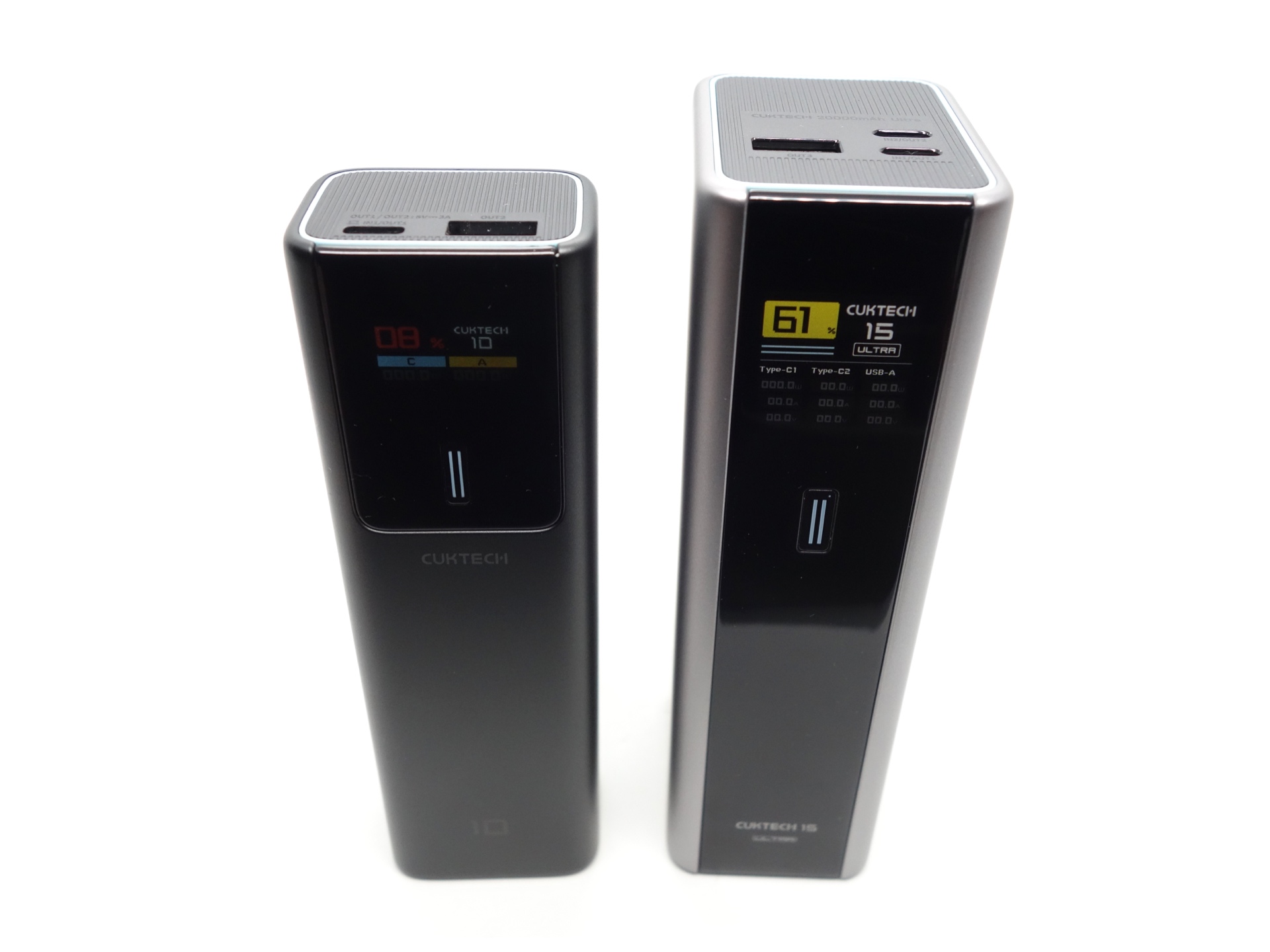
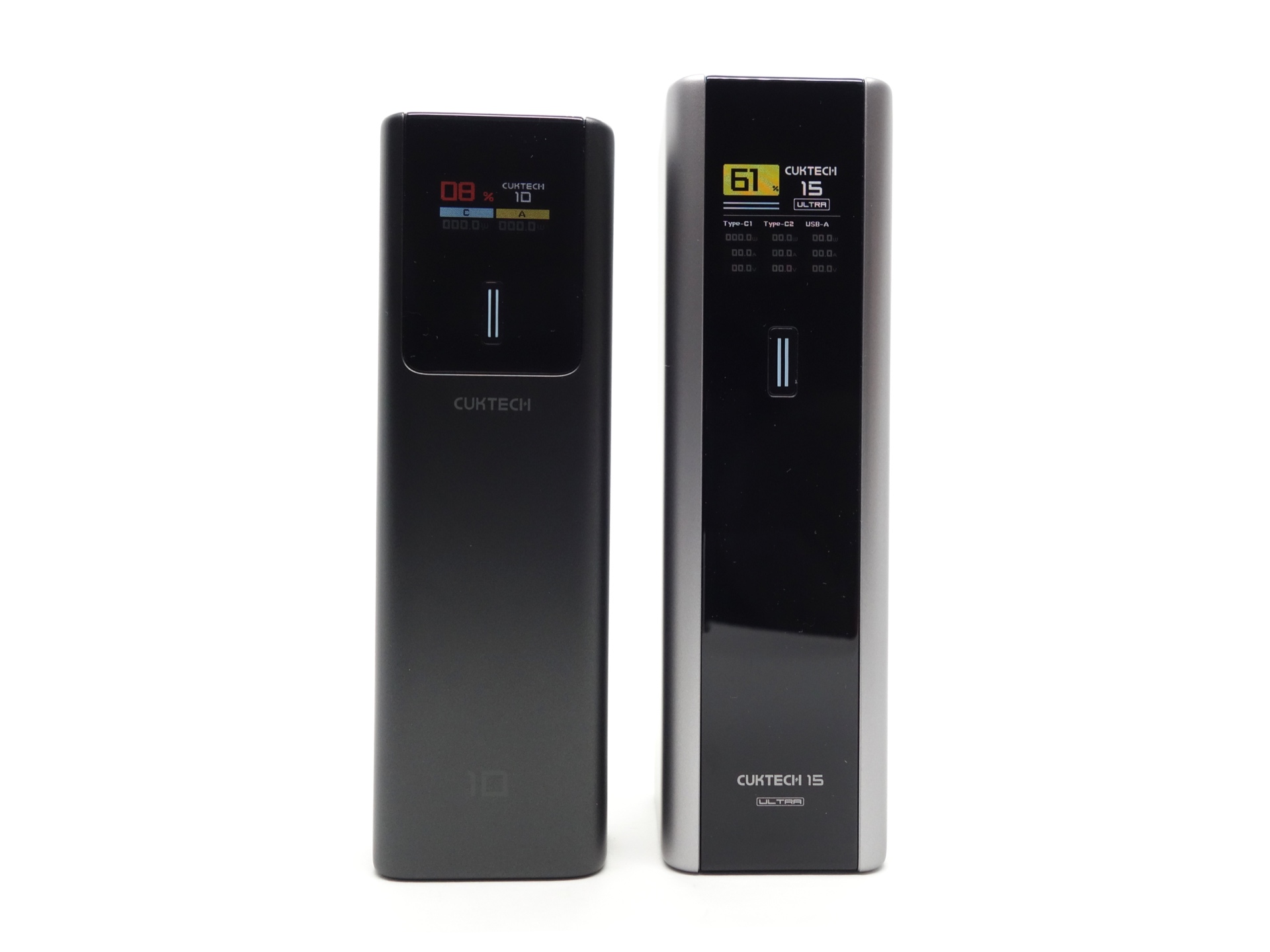
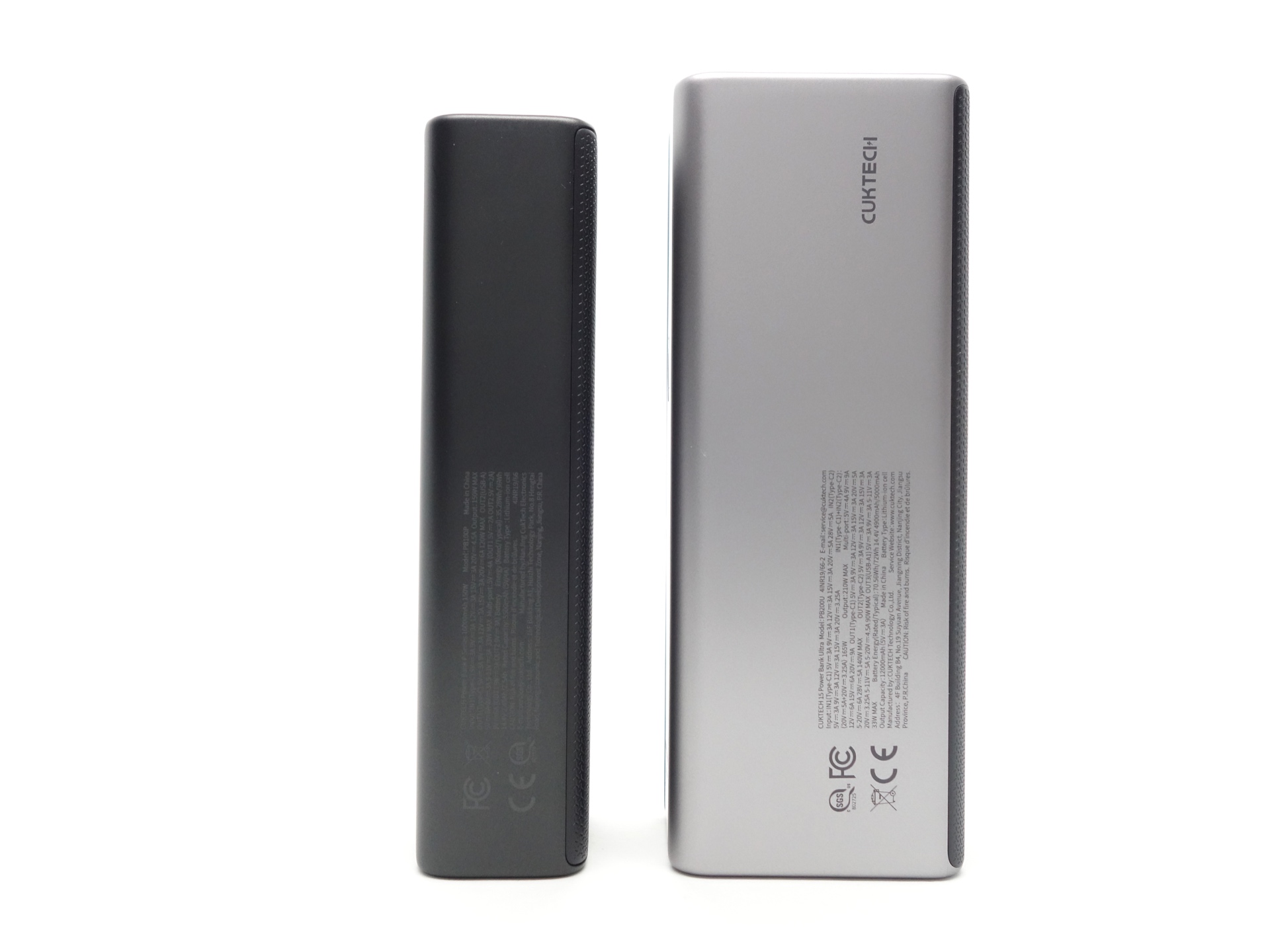
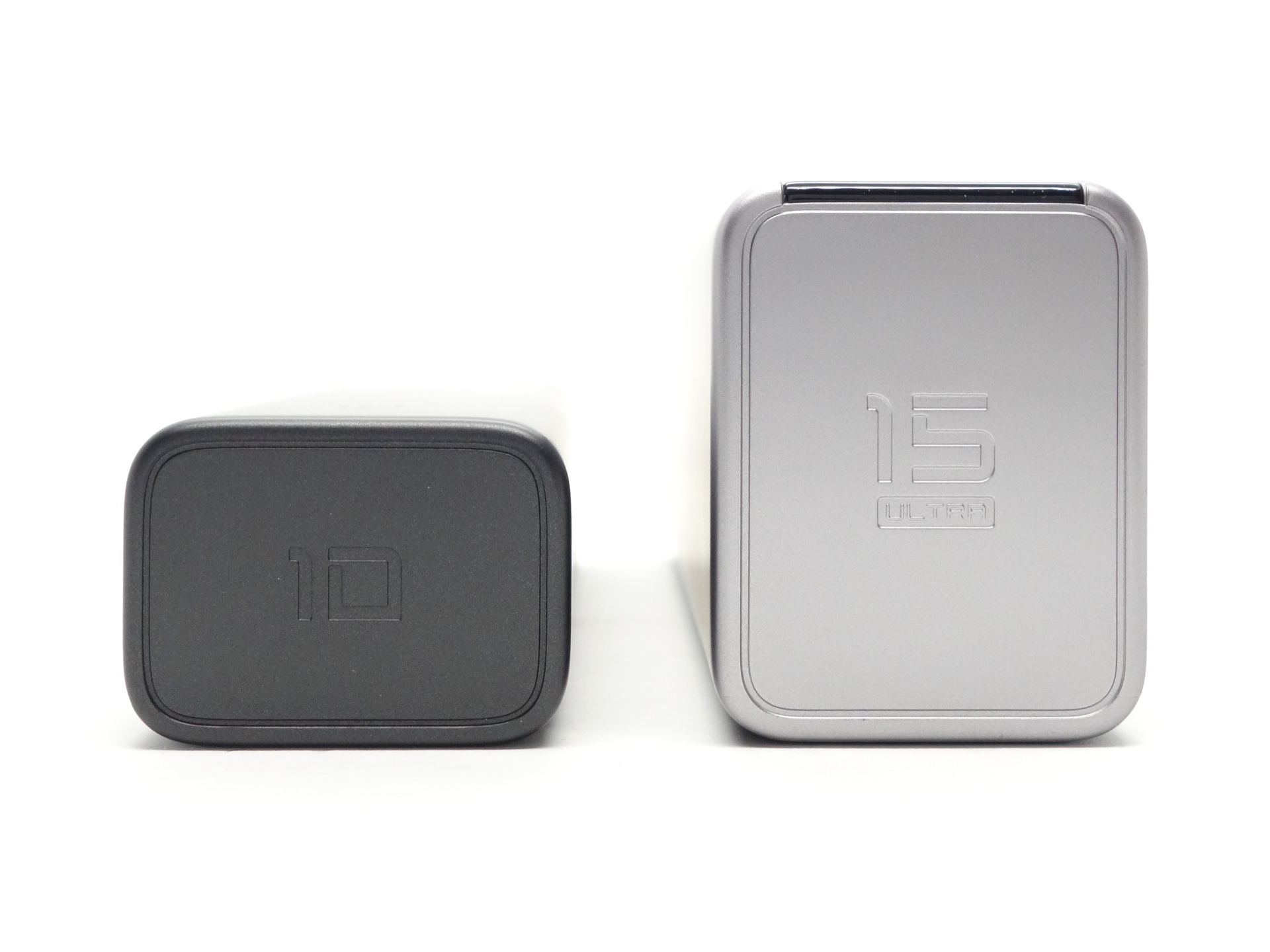
The PB200U is pretty big compared to the CUKTECH PB100P that I recently reviewed.
The power bank has a conversion efficiency of 83.33% at 5V/3A.
Battery pack: 14.4 V * 5 Ah = 72 Wh total energy.
USB output: 5 V * 12,000 mAh = 60.0 Wh usable energy.
Conversion efficiency: 60 Wh / 72 Wh = 83.33%
The side of the power bank mentions an Output Capacity of 12,000mAh (5V/3A).
The typical energy is 72 Wh (14.4V*5000mAh), as noted on the power bank, the box and the user manual. This is useful for airlines. That said, the power bank does not have a 3C mark for flying within China.
Mostly Melbourne kindly sent this power bank for review. I have not been paid for this review nor have I held back my opinions of this power bank.
Packaging#
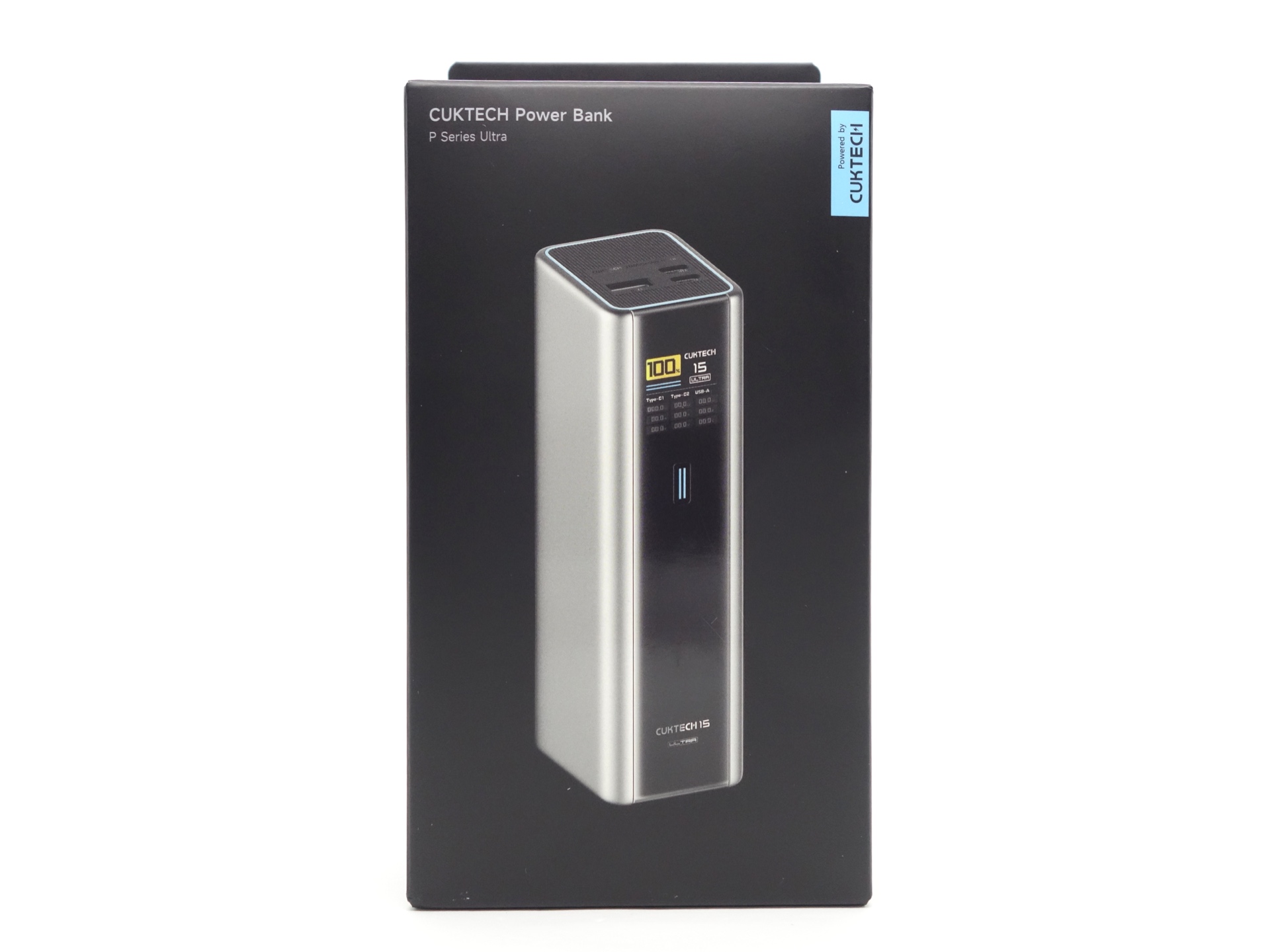
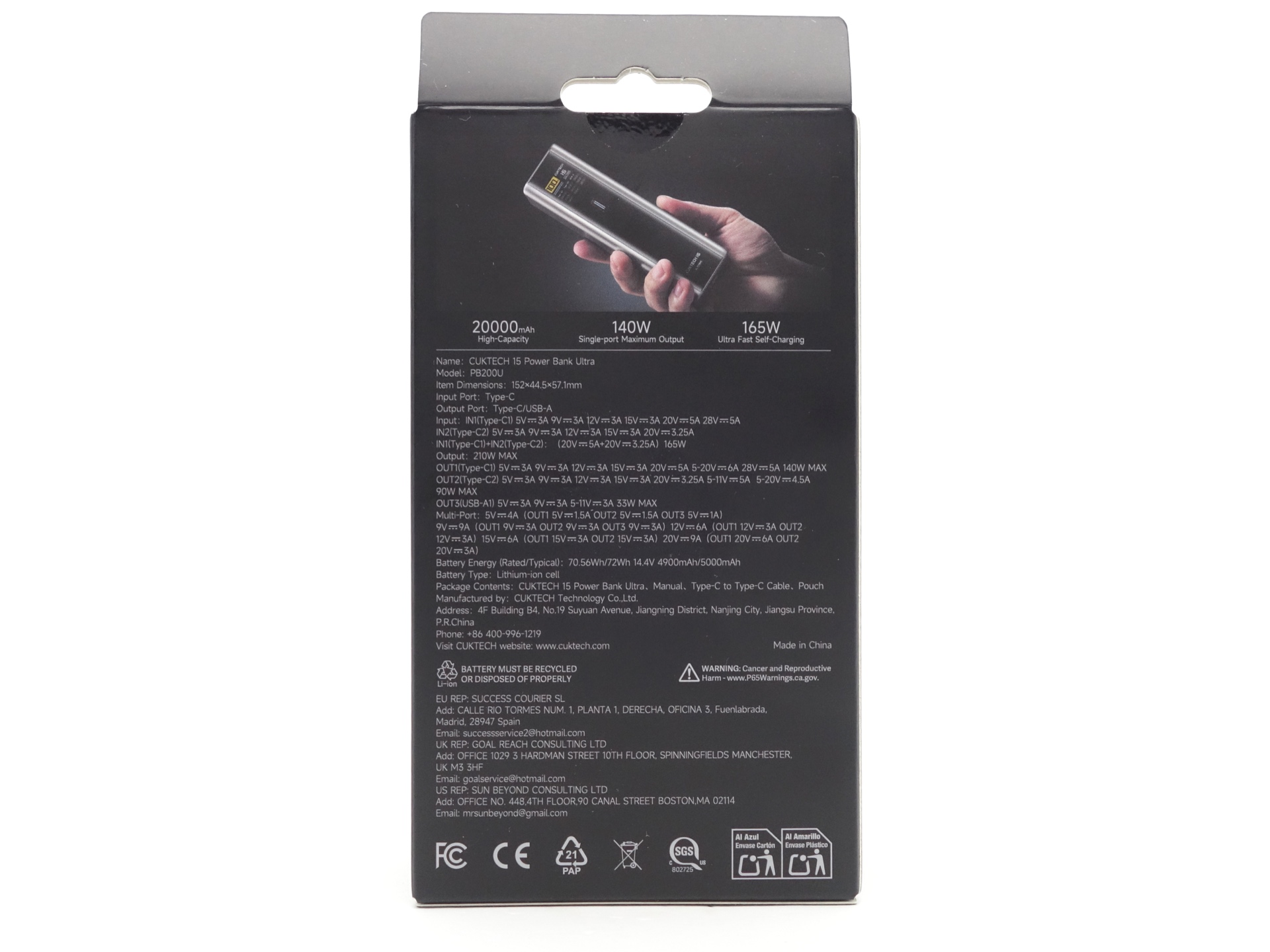
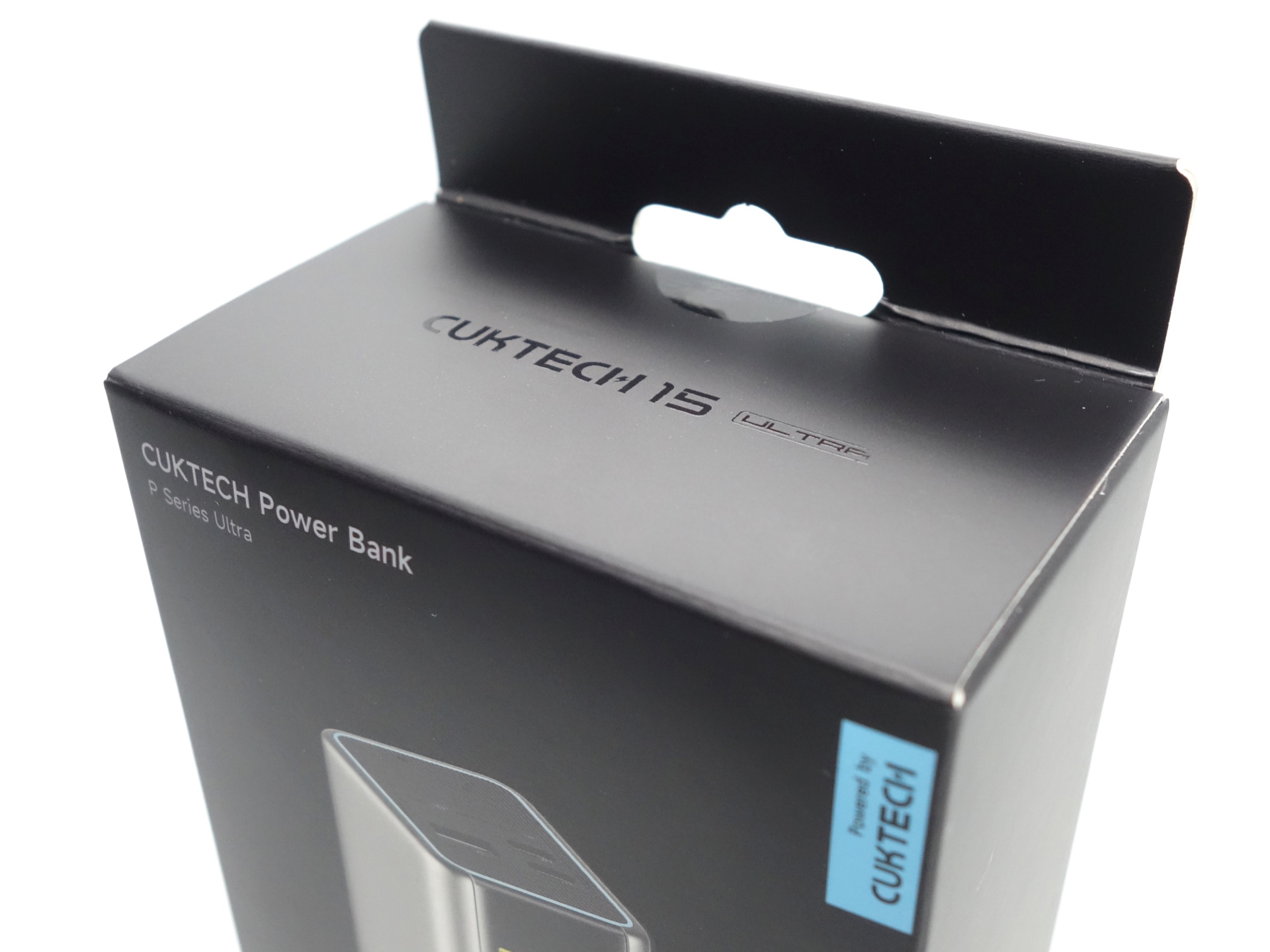
The CUKTECH PB200U comes in a black cardboard box with an image of the power bank on the front and specifications on the back.
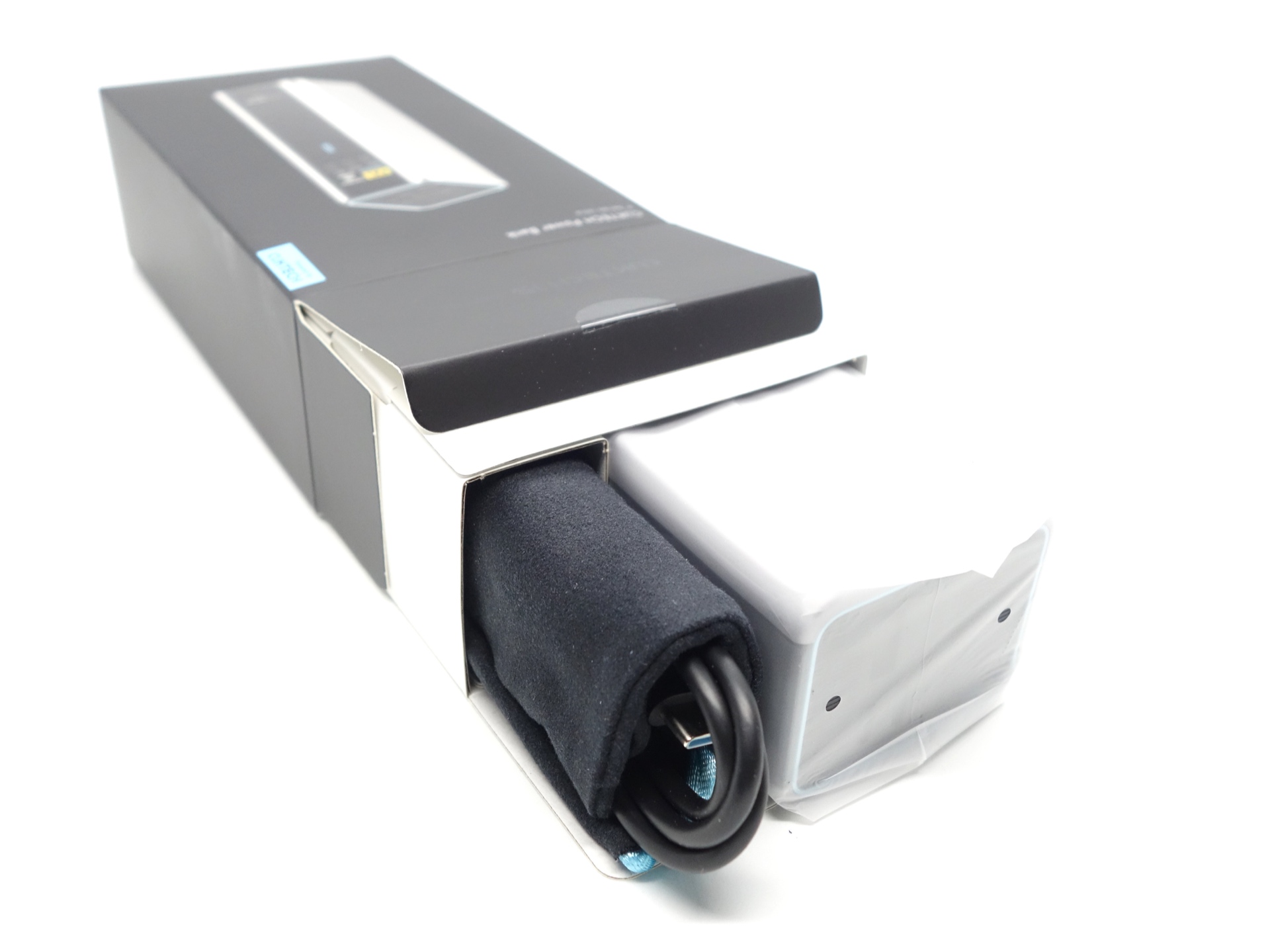
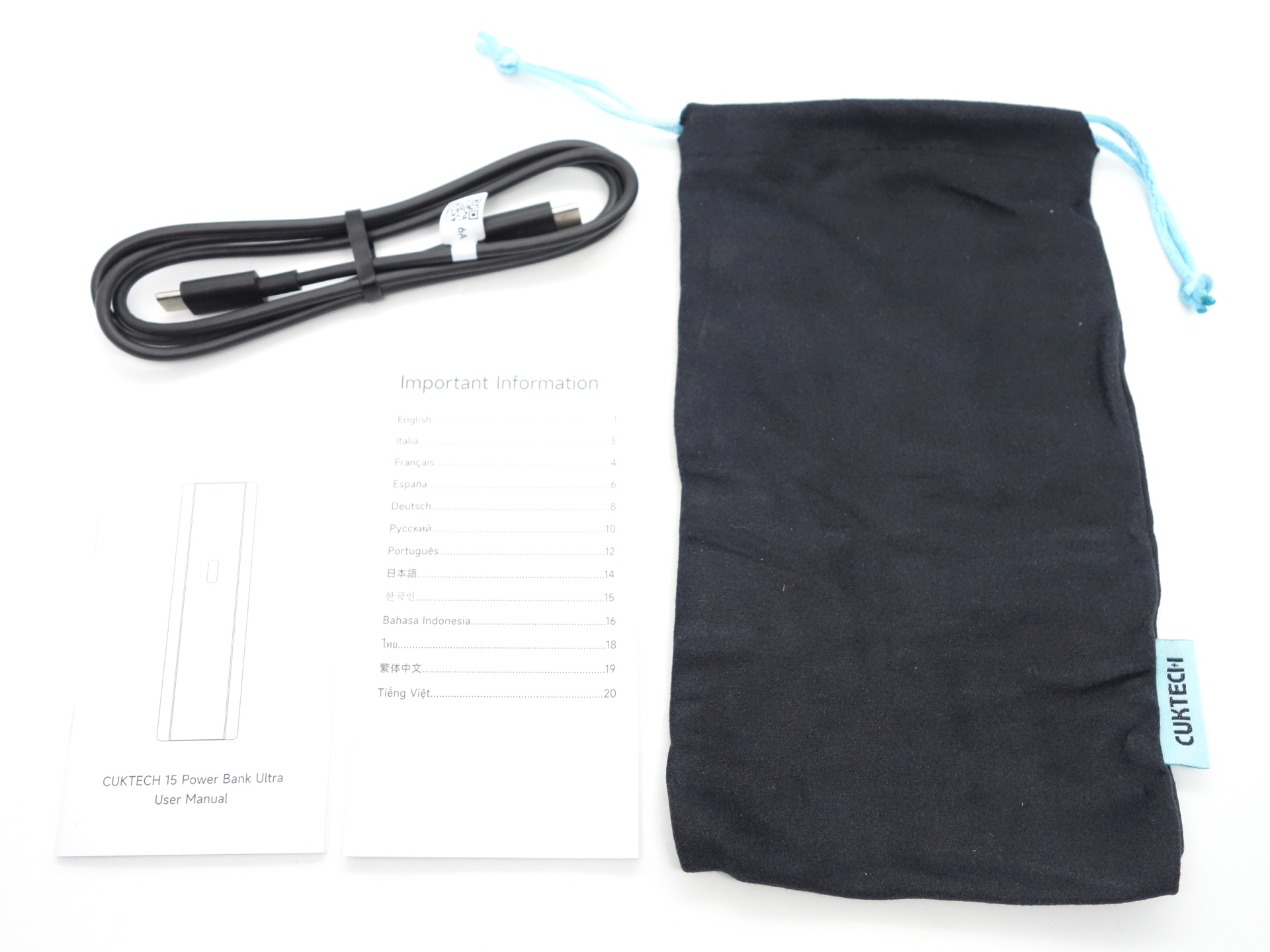
The following was included in the box:
- CUKTECH PB200U.
- USB-C to USB-C 6A cable.
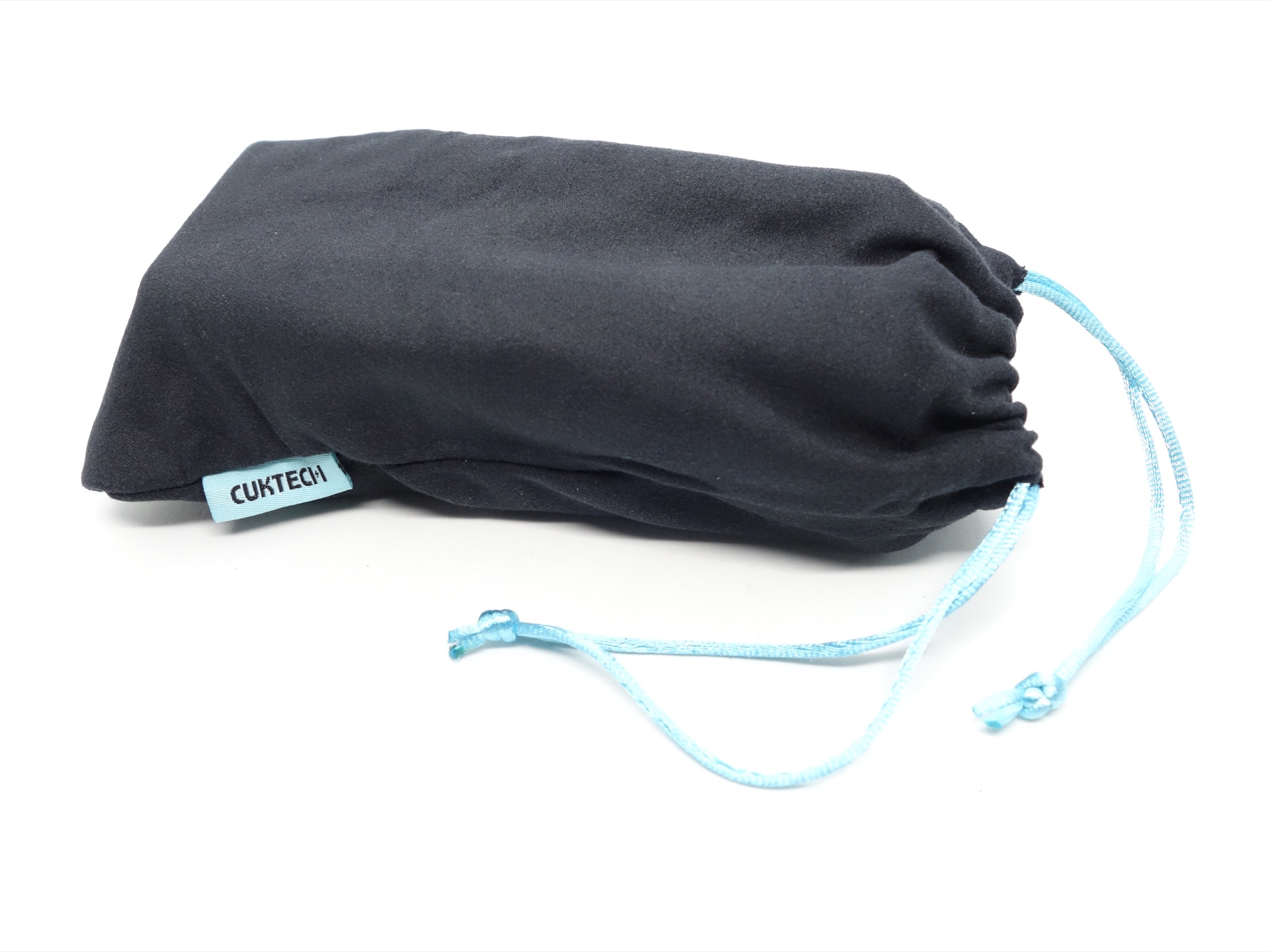
- Carry bag.
- User manual.
User Manual#
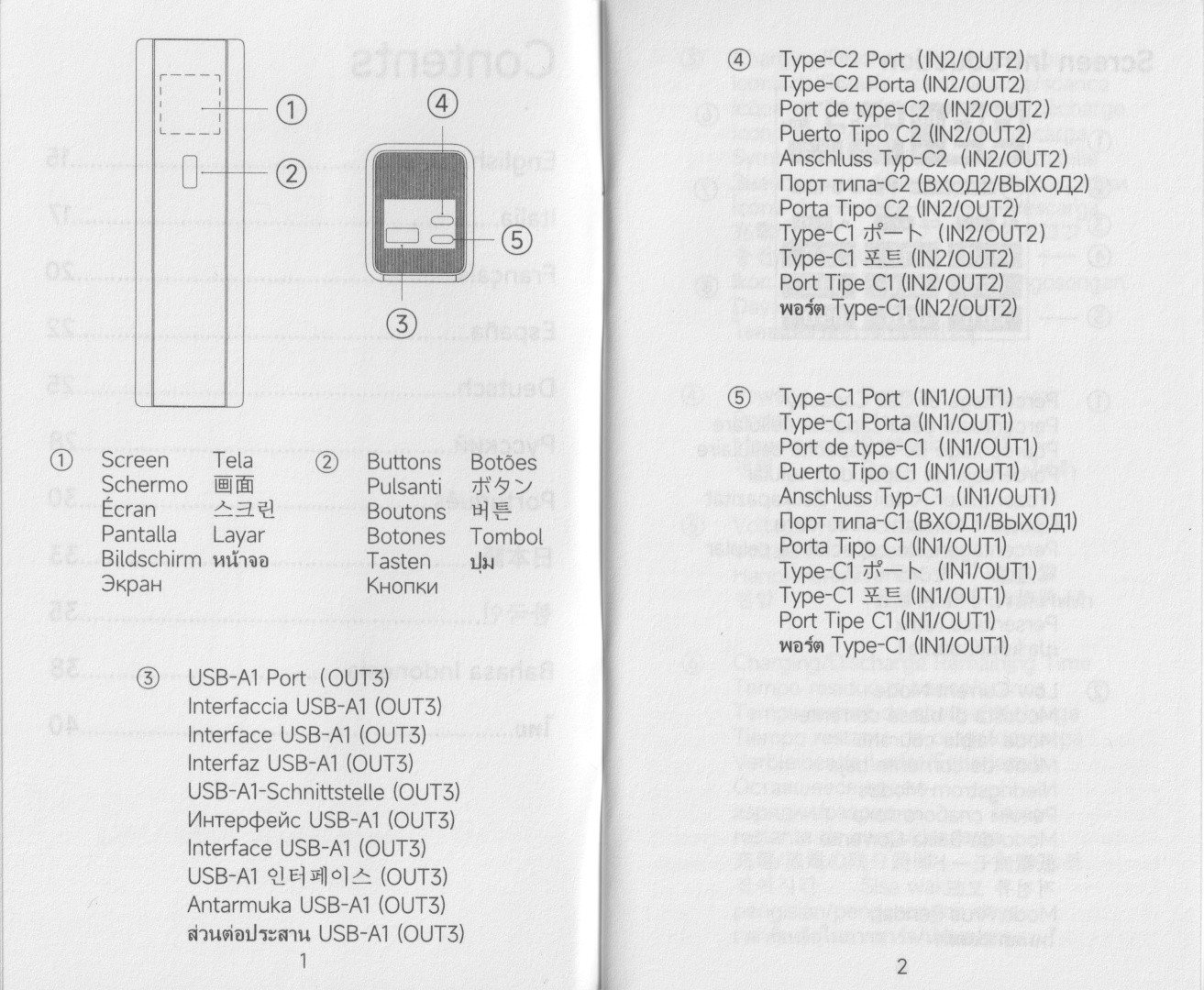
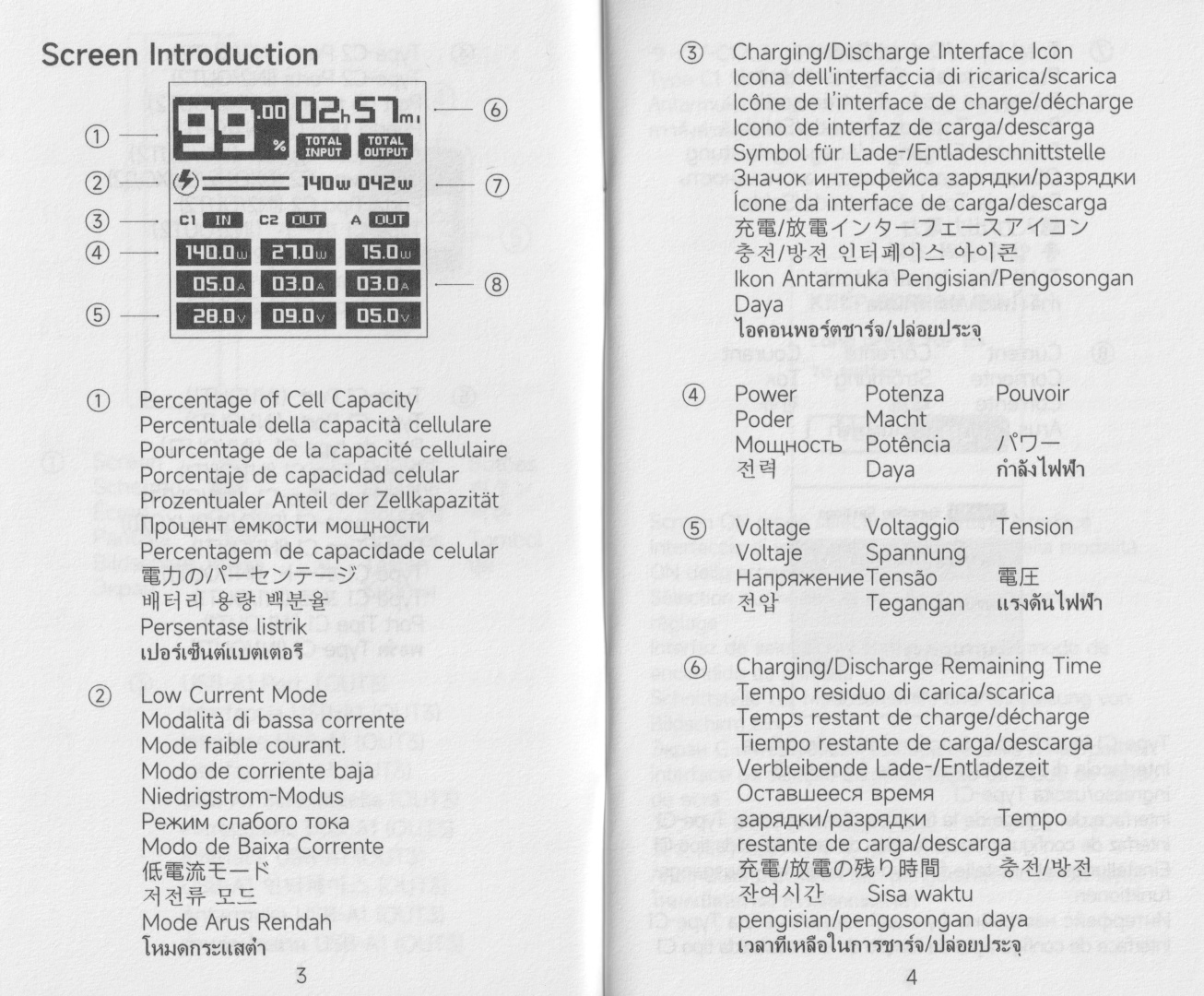
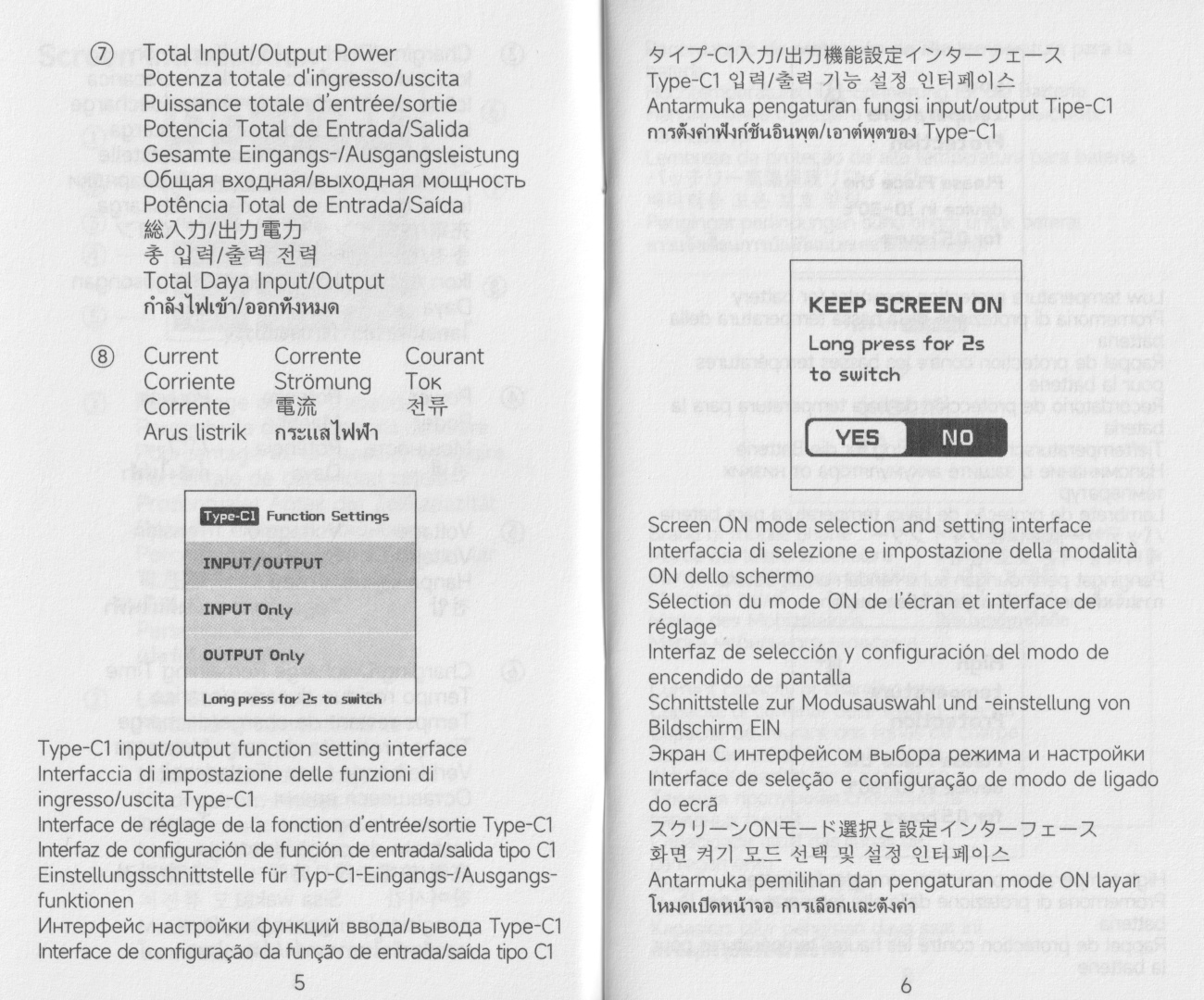
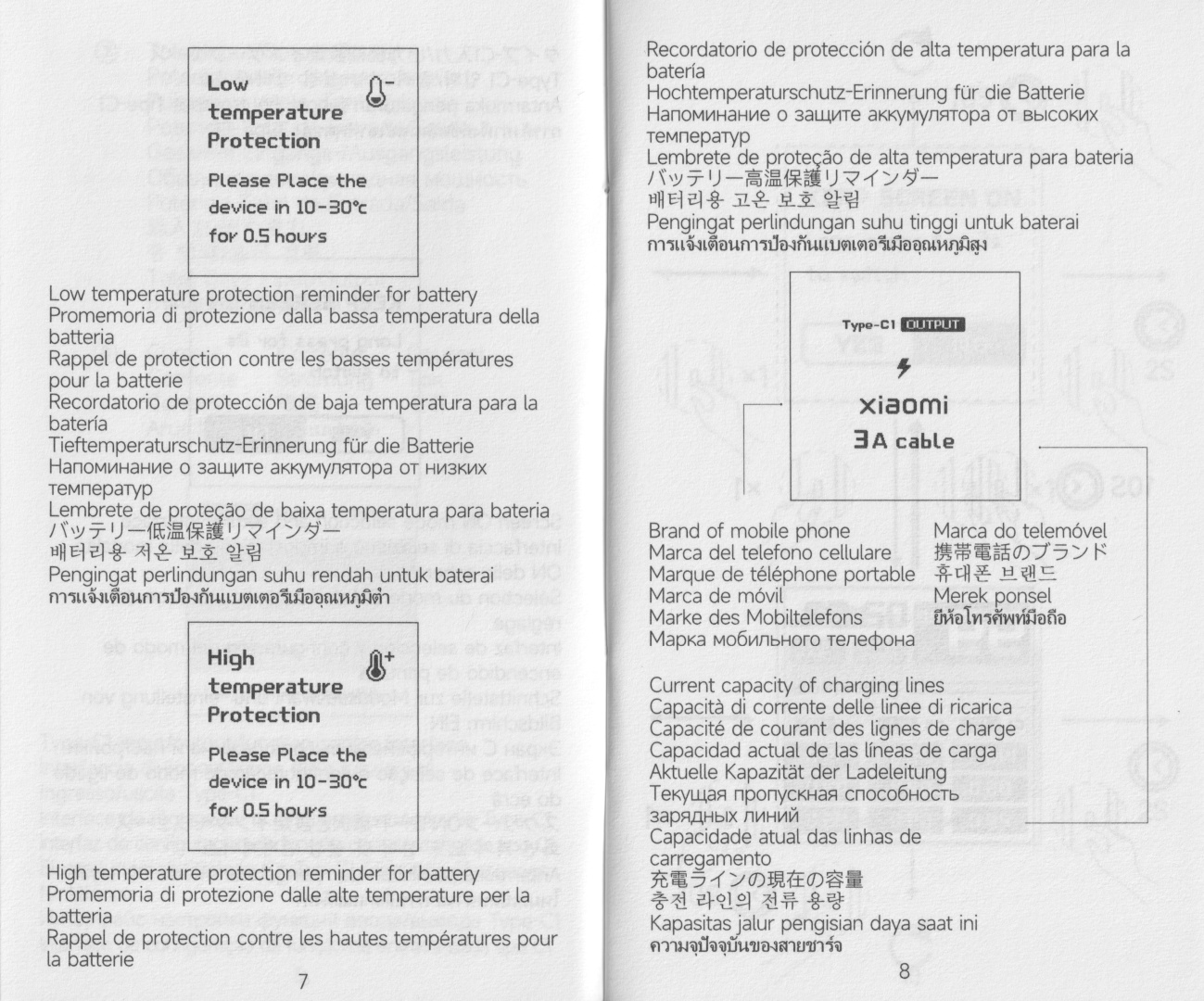
Powerbank in use#
The colour display has protective film to remove.
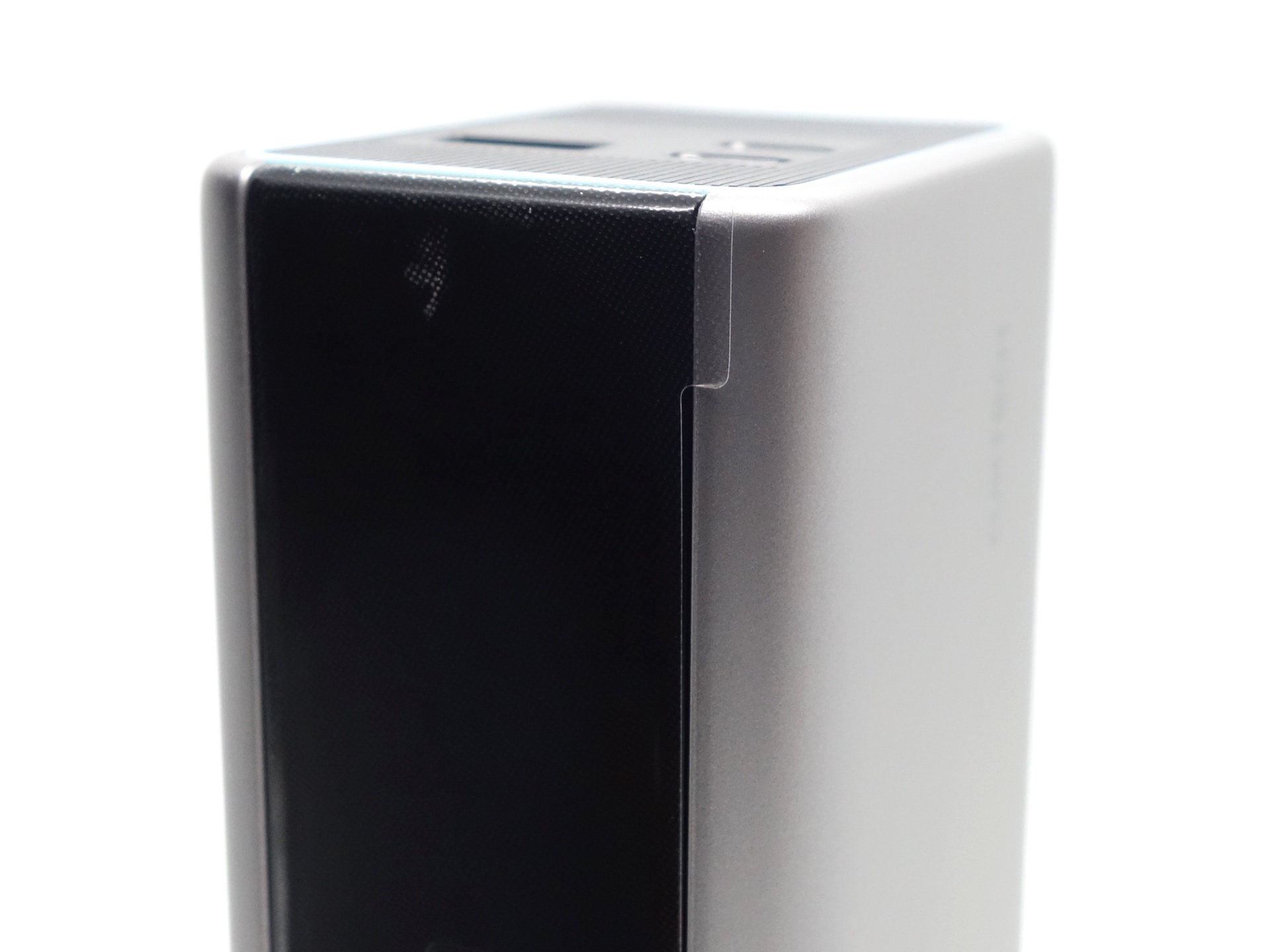
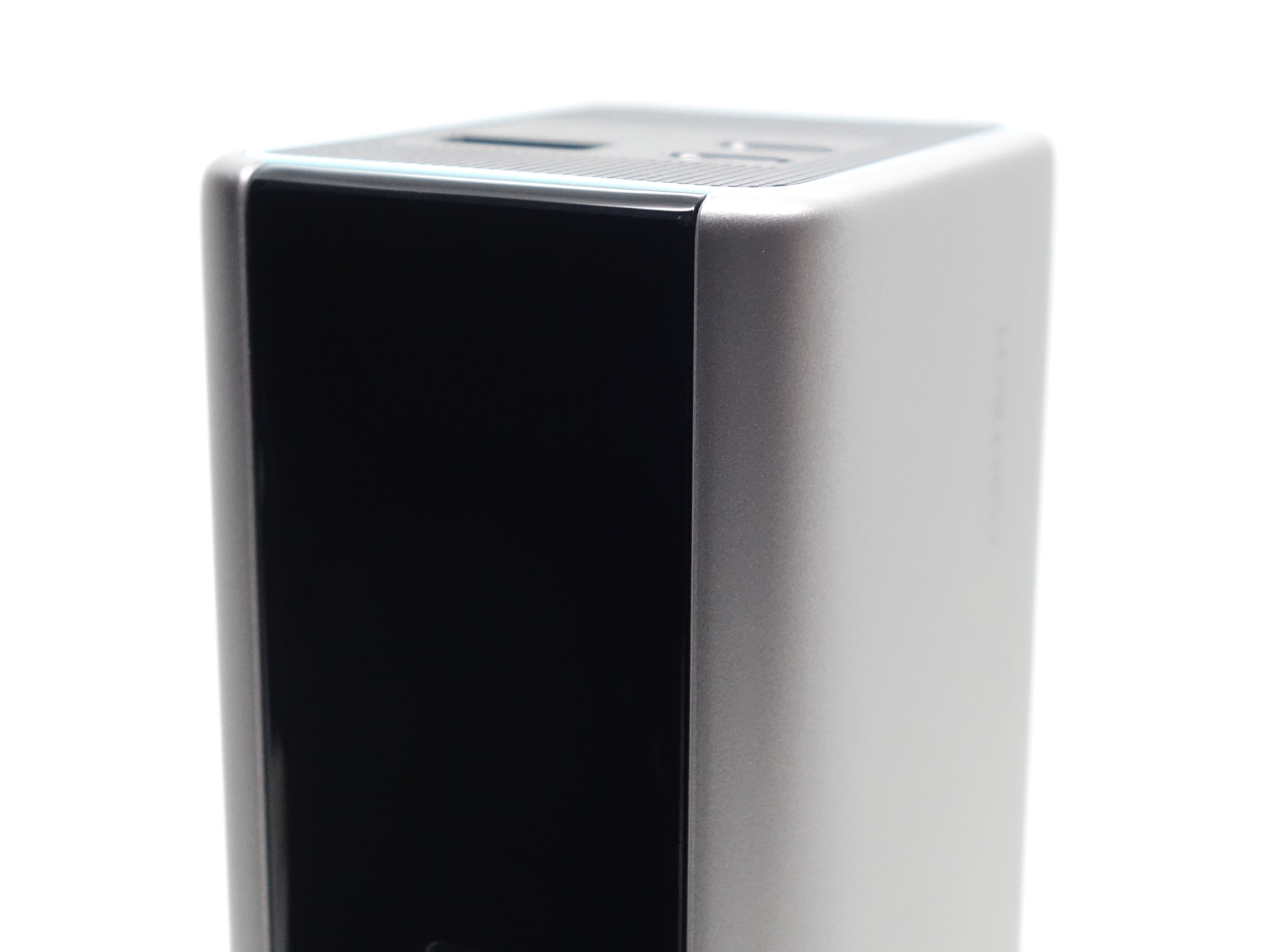
Two USB-C ports can be used for input and output, while the USB-A port is for output only.
The power bank can tailstand.
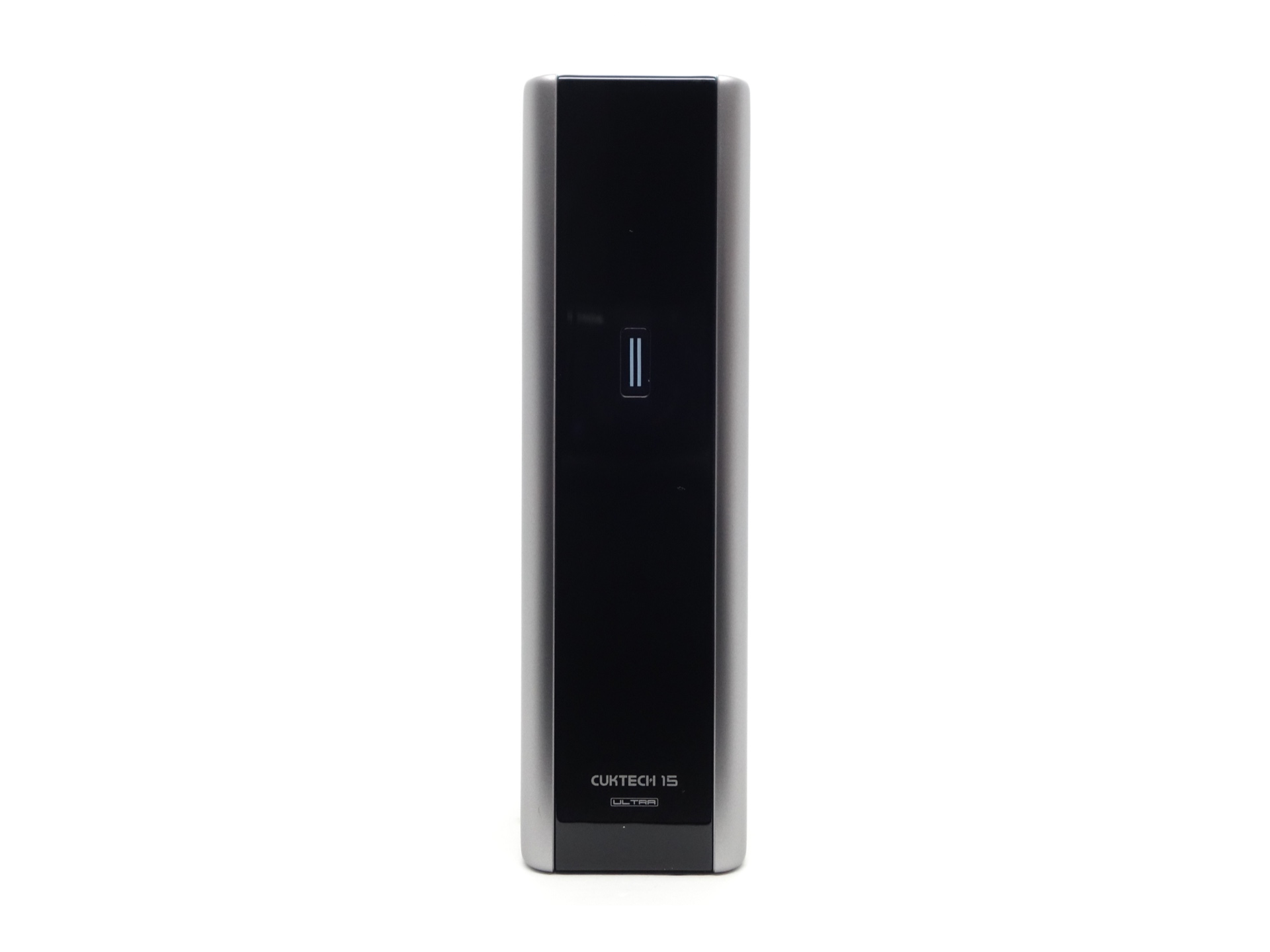
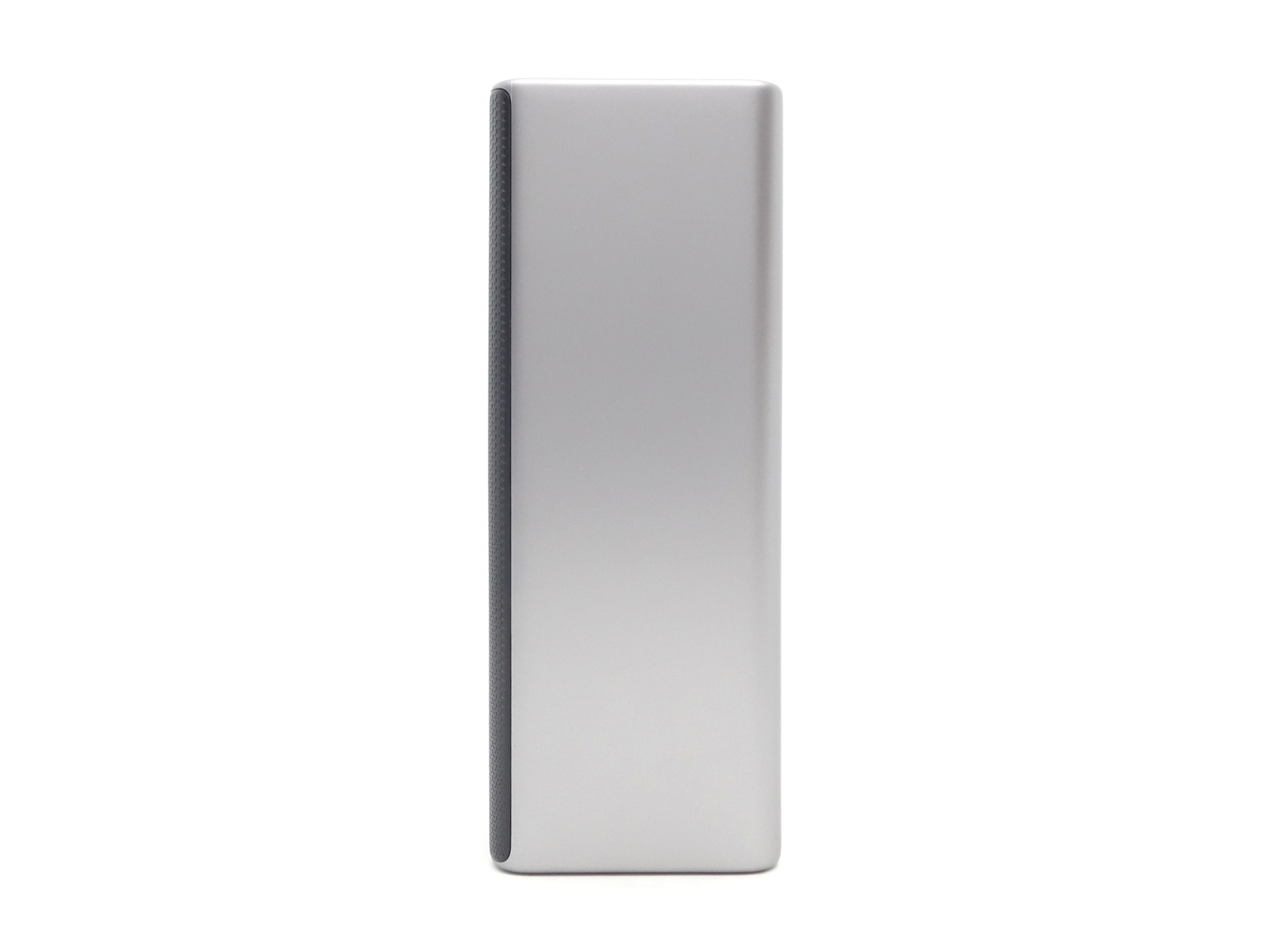
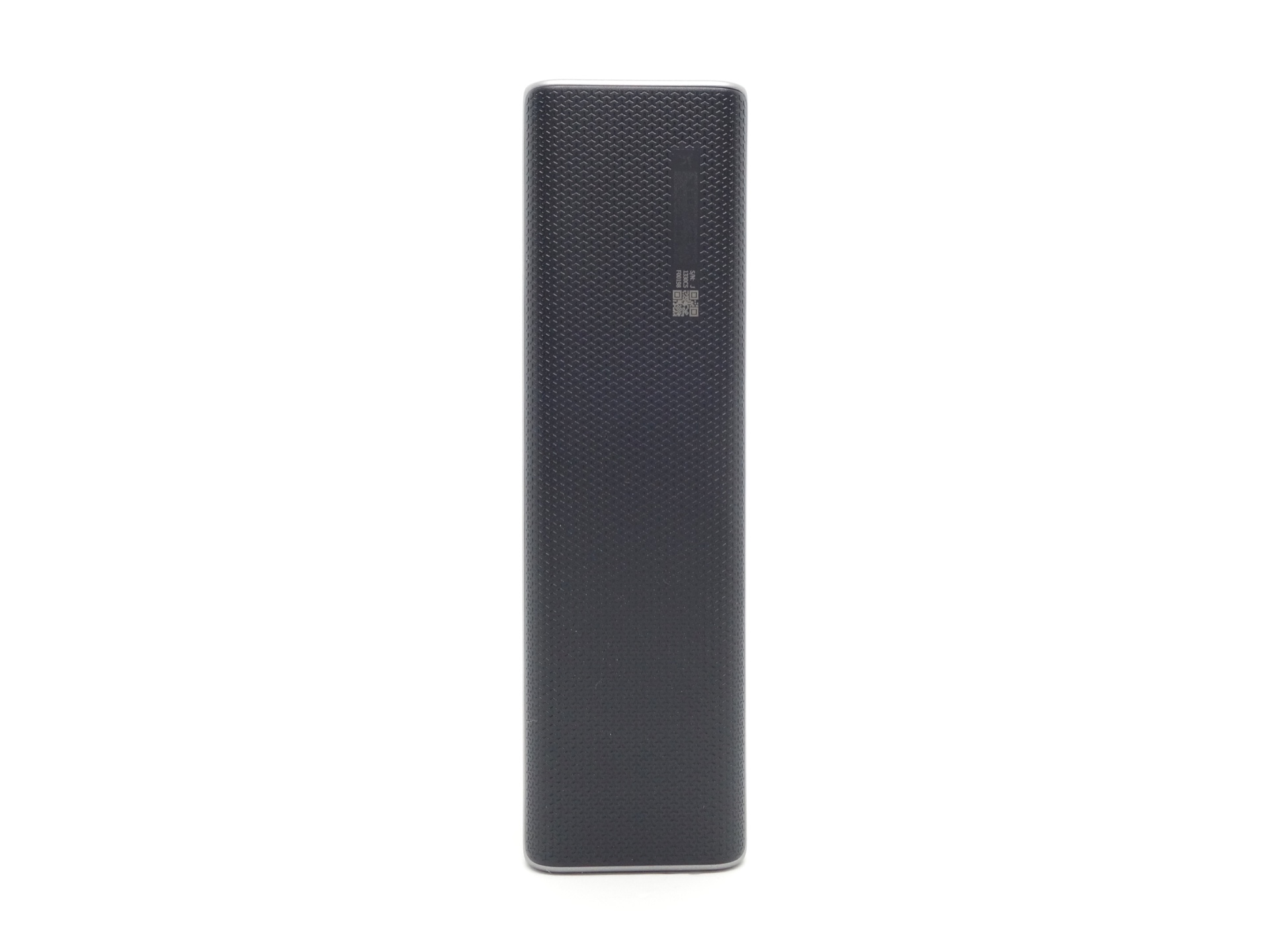
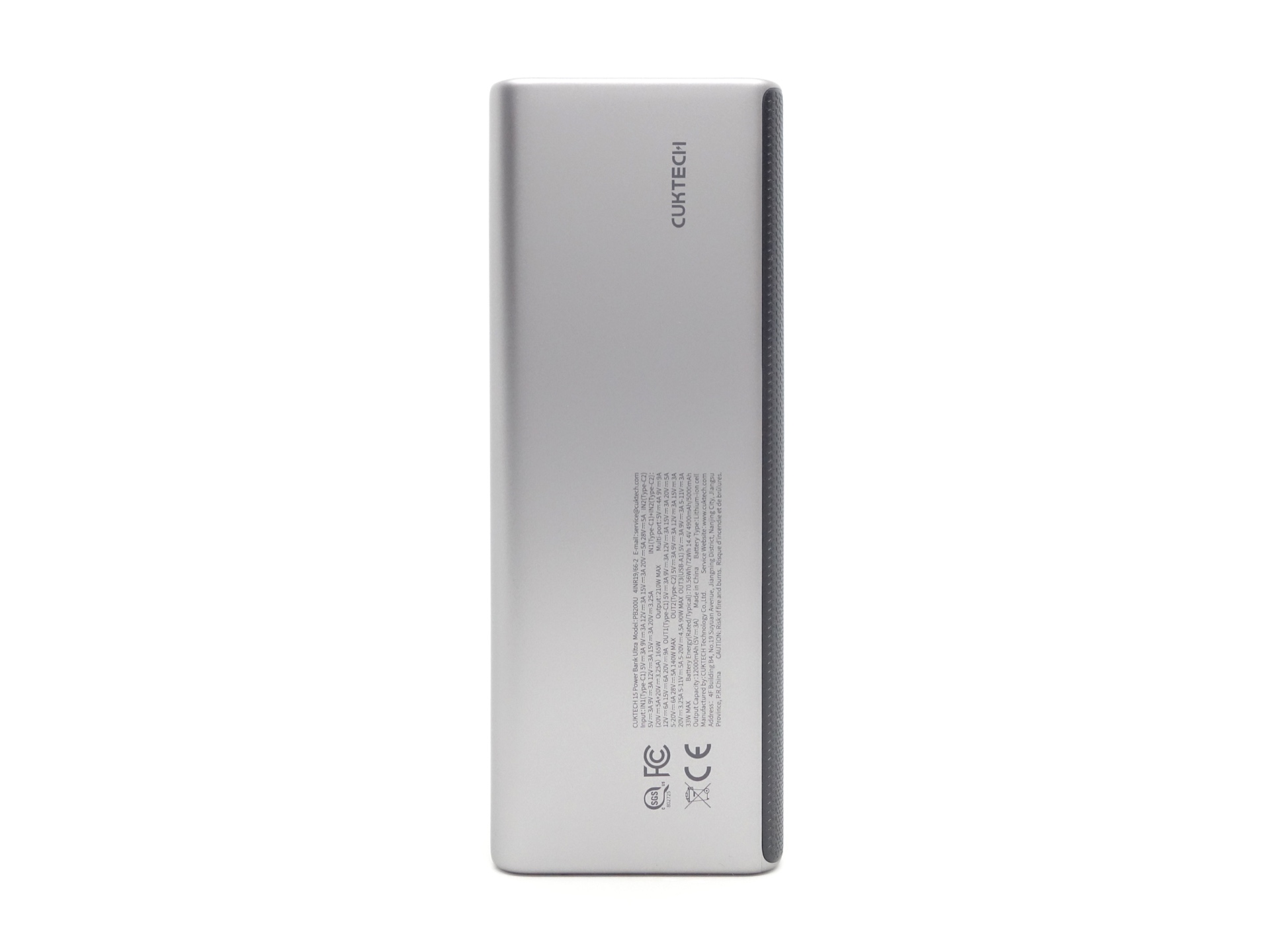
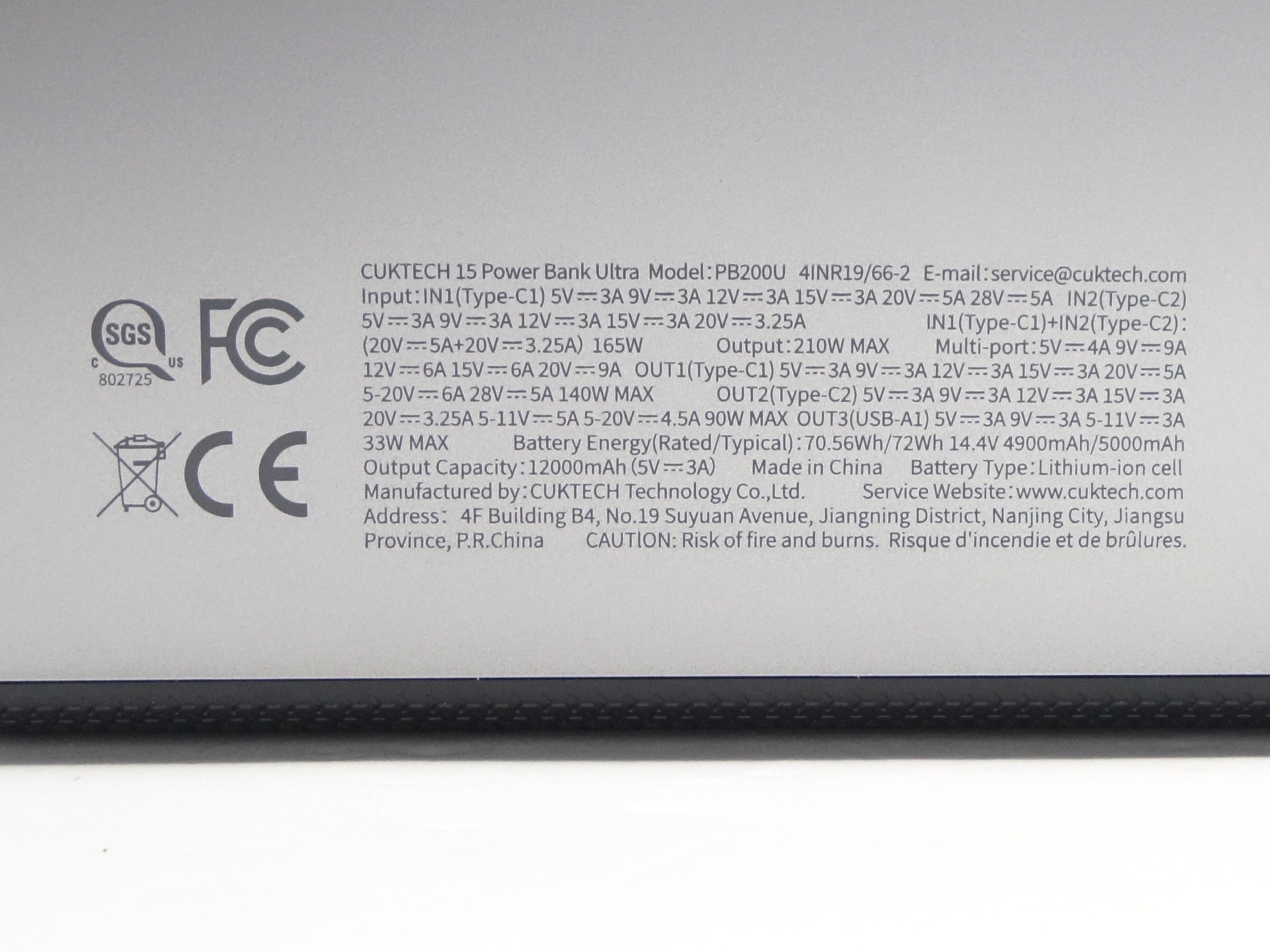
There are lot of details in small writing on the side of the power bank.
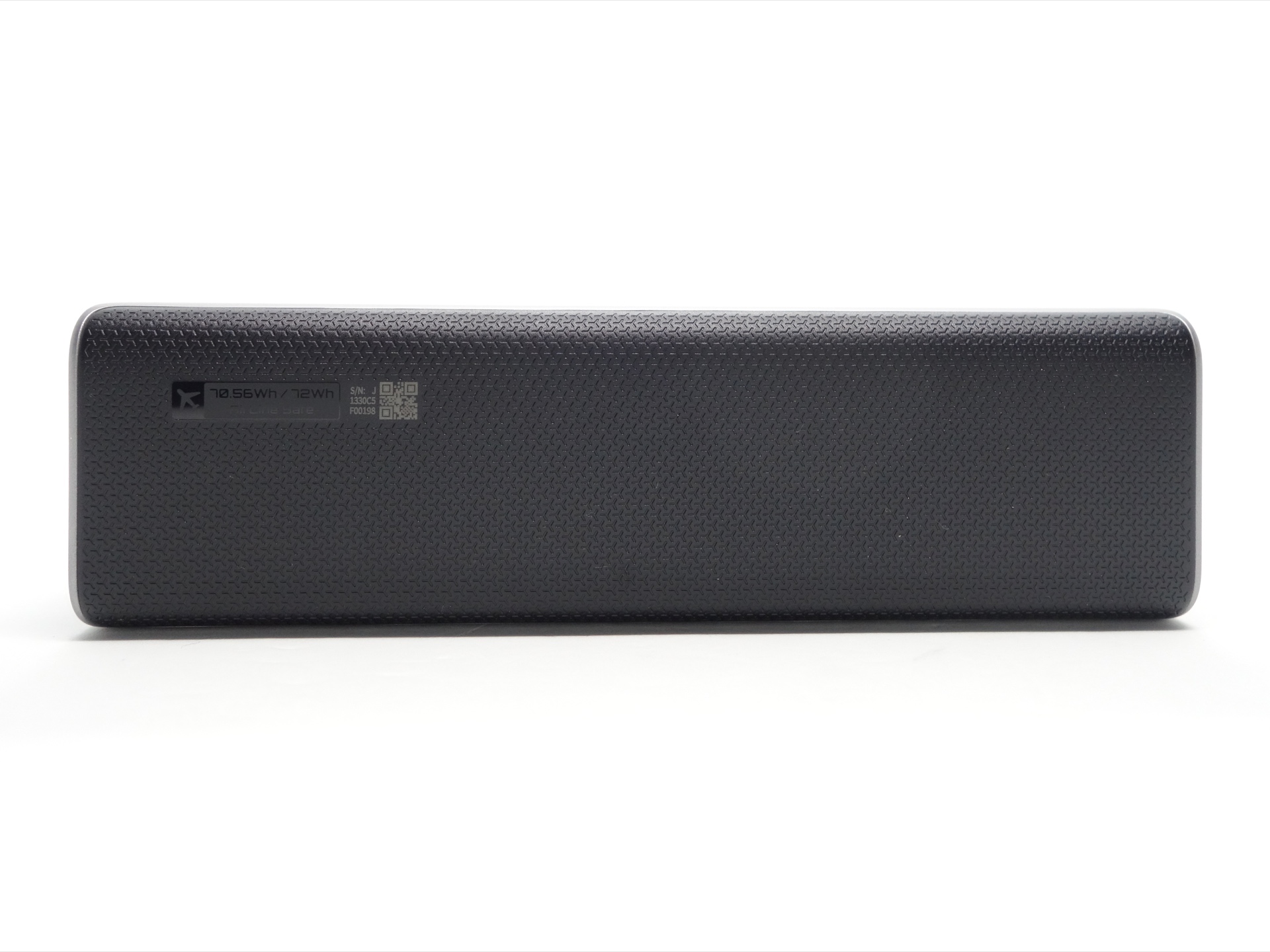
There is “70.56/72 Wh AirLine Safe” label on the back of the power bank.
No CCC mark was found. So I could not fly domestically in China with this.
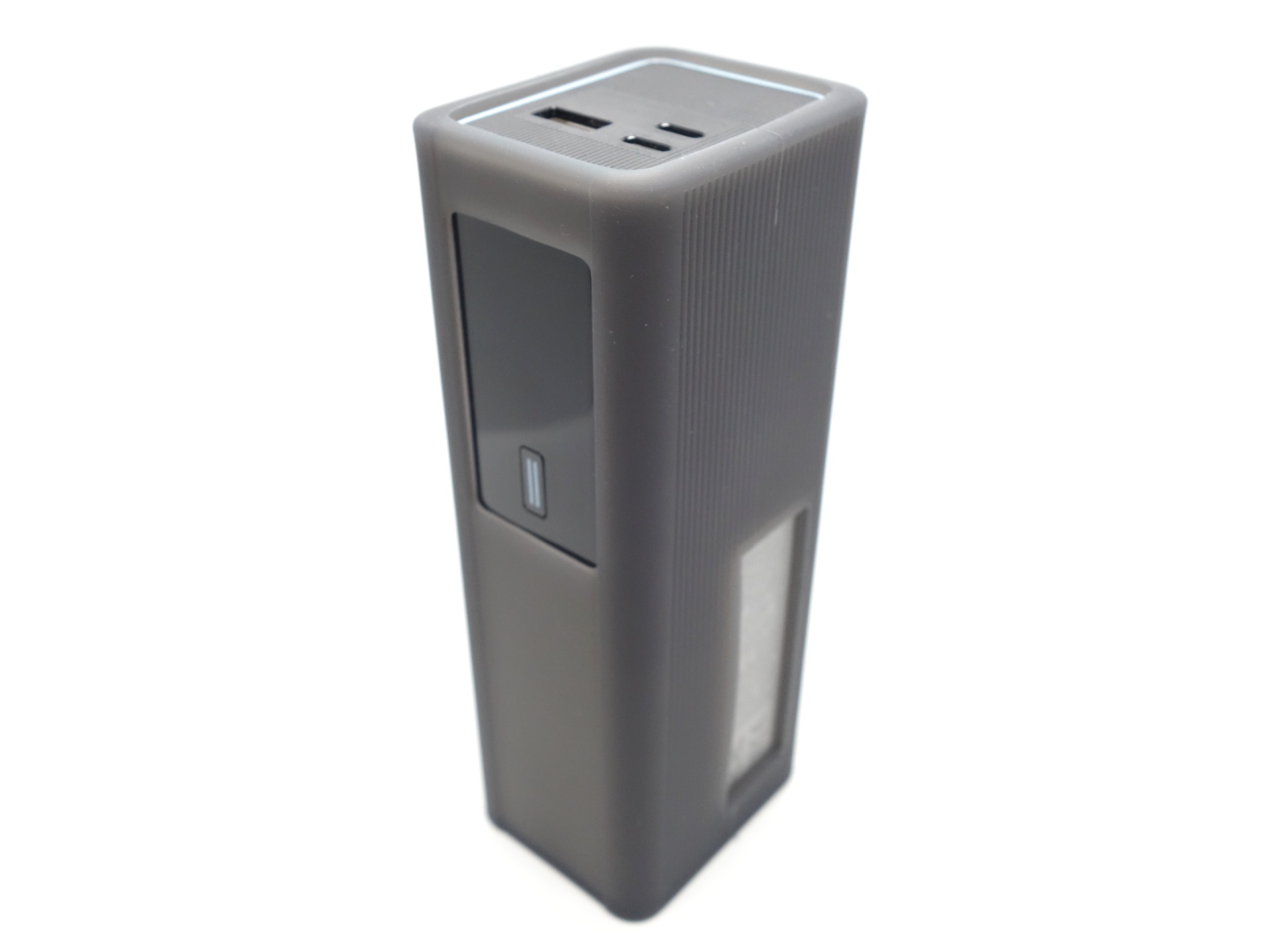
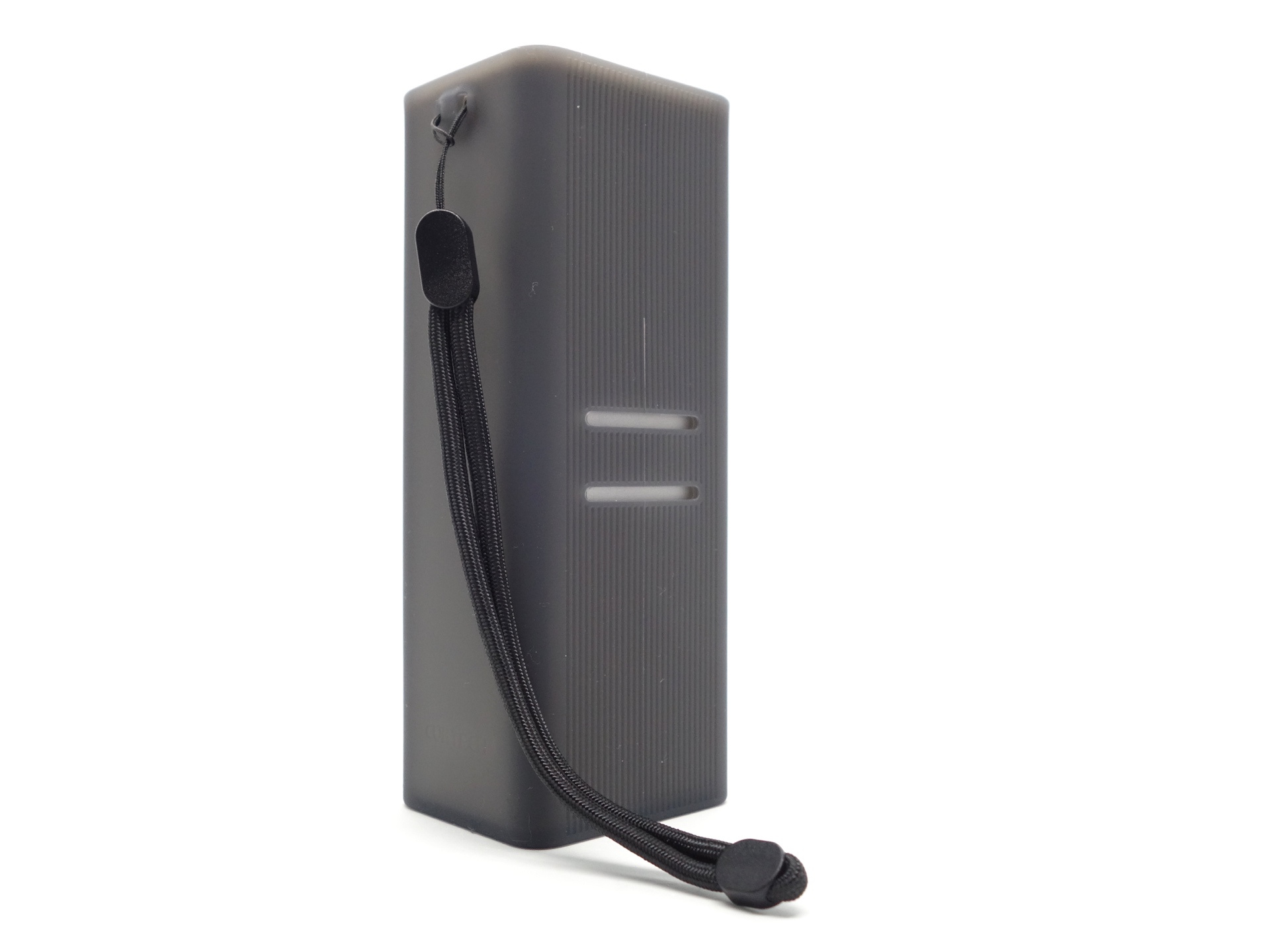
While visiting China, I bought a Silicone Protective Case from CUKTECH to help protect the power bank.
The case is surprisingly packed with features. It has:
- a small cutout with a lanyard,
- a larger cutout for a strap,
- a cutout for the USB ports,
- a cutout for the display, and
- a cutout for the markings.
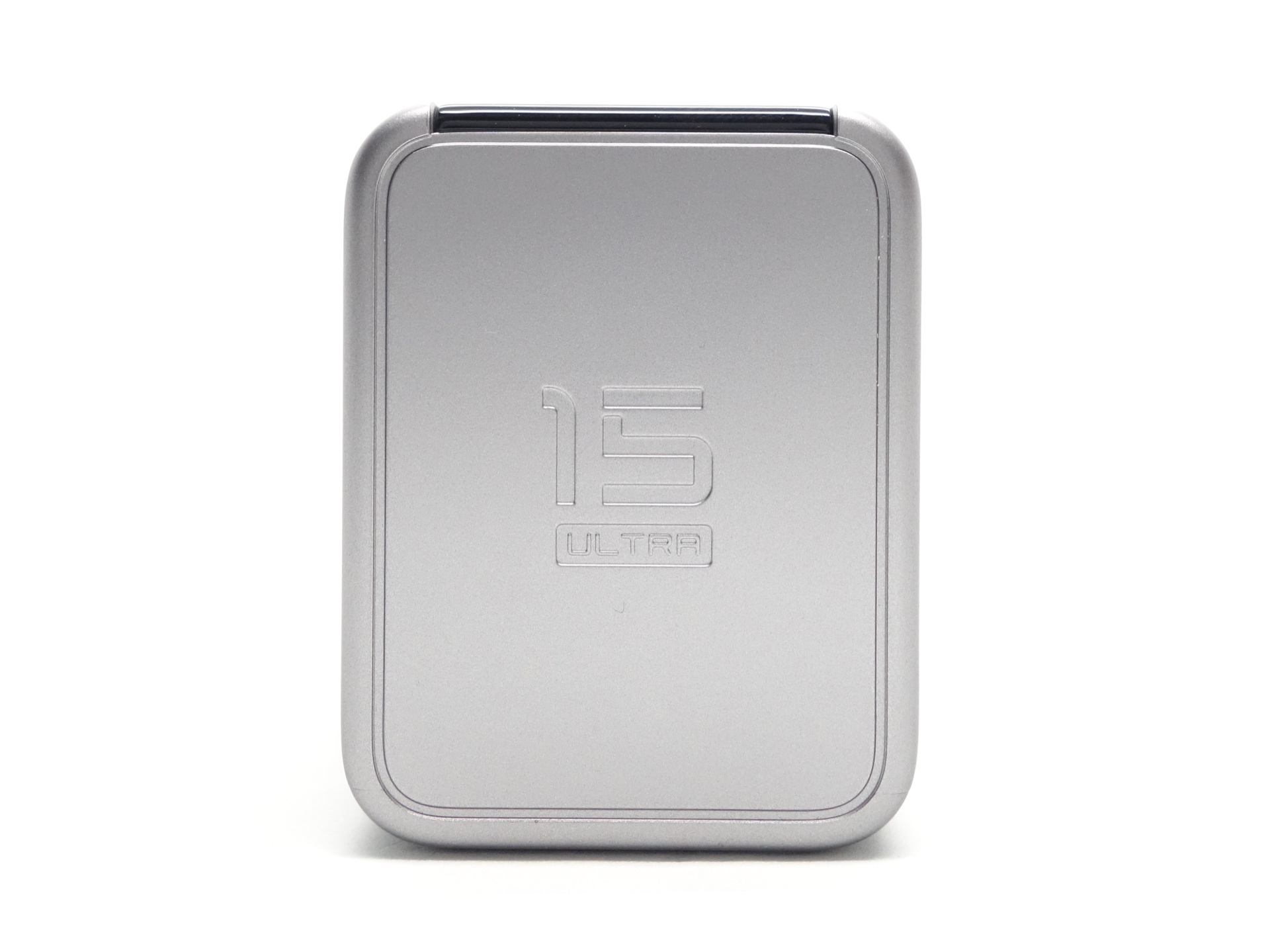
The base has a “15 ULTRA” label on it.
Cable#
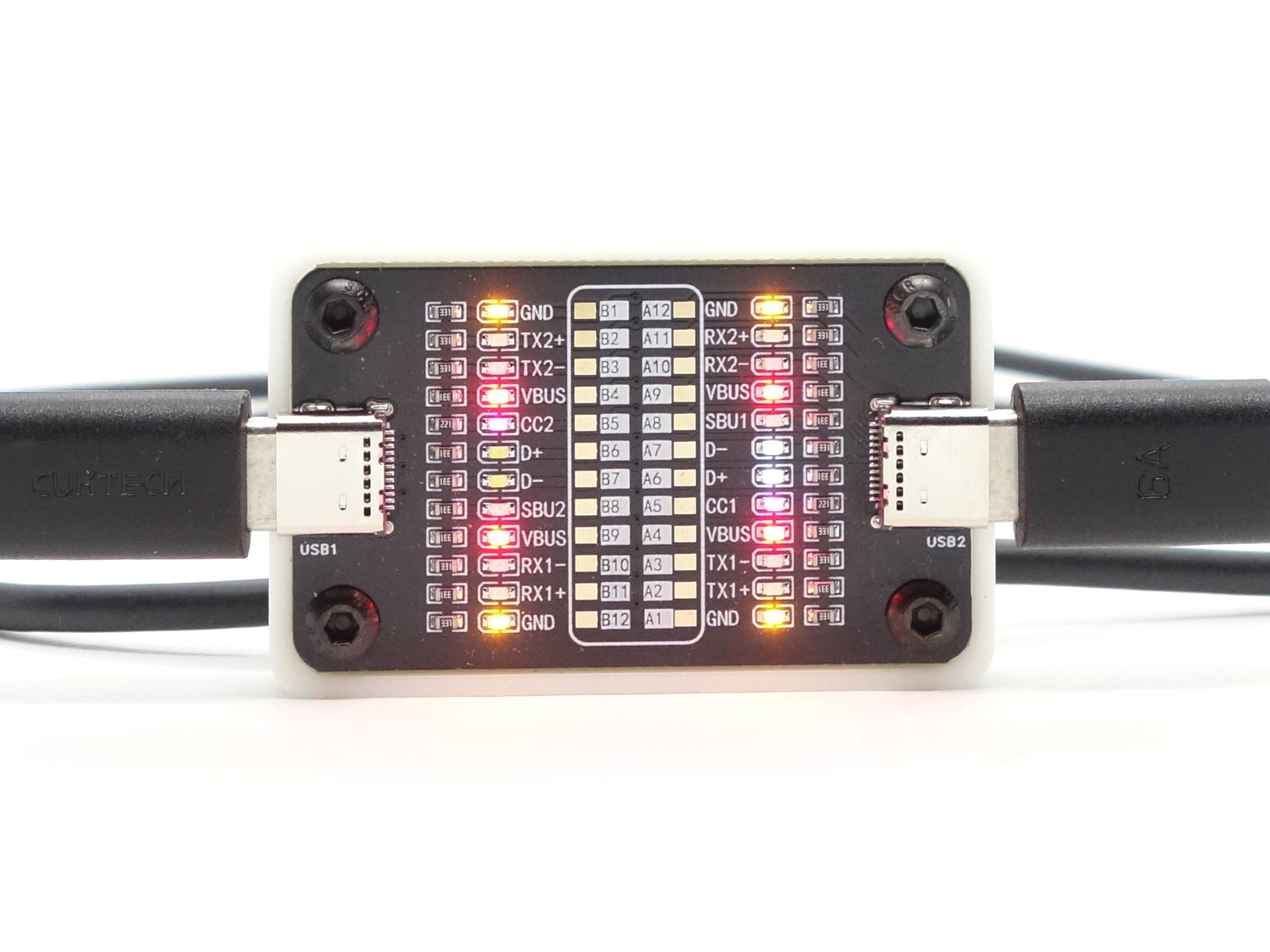
A CUKTECH branded 1m USB-C to USB-C 6A cable with an e-marker chip is included.
My ChargerLAB Power-Z KM003C Amazon Australia USB Meter detected the following:
| Feature | Details |
|---|---|
| Vendor | Zimi (0x2b01) |
| Type | Passive |
| Speed | USB 2.0 only |
| Supply | 50V 5A (240W EPR) |
| Latency | ~2m, 10ns to 20ns |
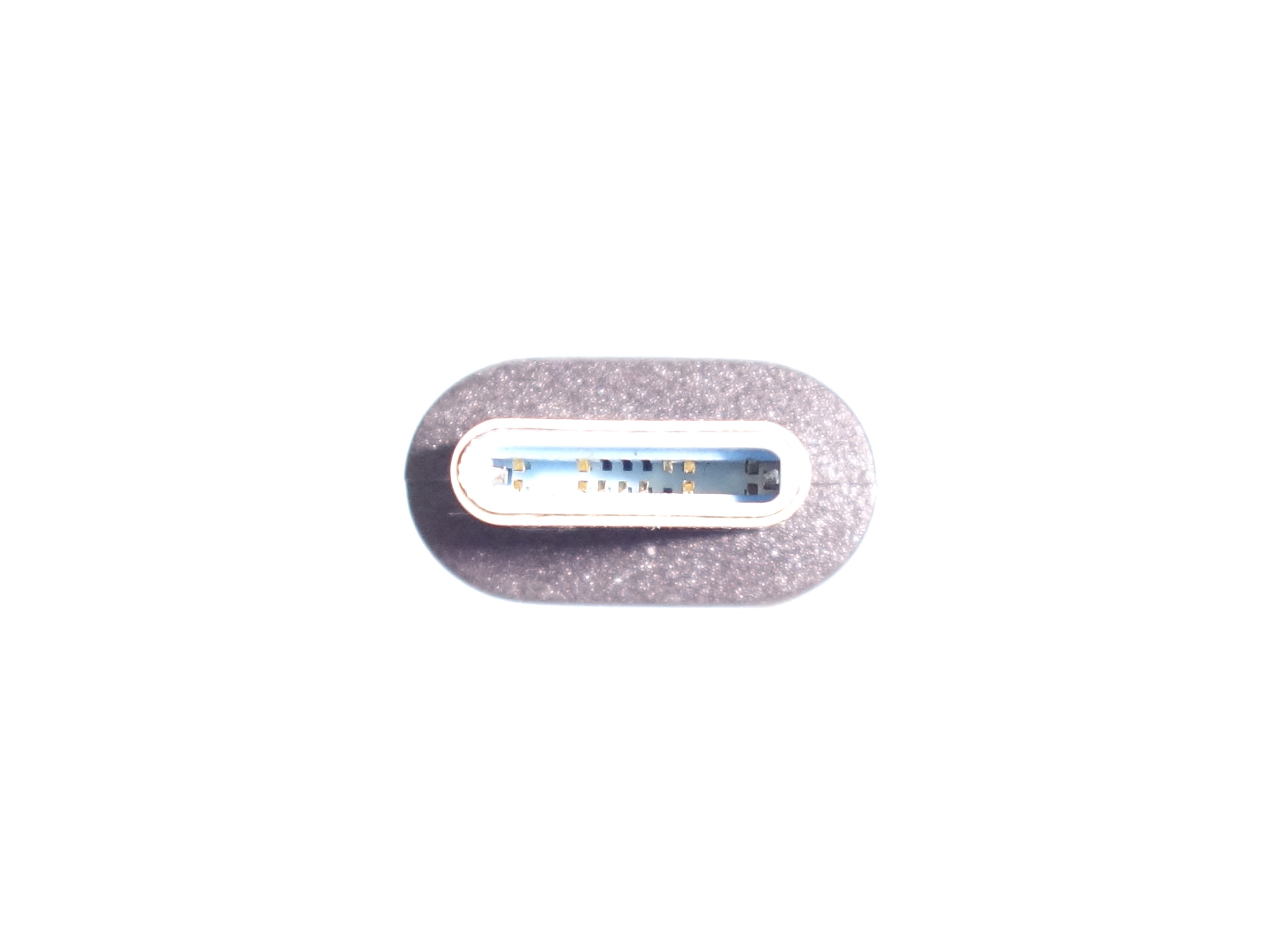
The USB-C plug has 12 pins populated instead of 24.
Dimensions and size comparison#
Dimensions#
I took the following measurements using a digital caliper.
| Measurement | Unit (mm) |
|---|---|
| Length | 151.97 |
| Width | 57.50 |
| Depth | 44.43 |
Weight#
I took the following measurements using a digital scale.
| Weight | Unit (g) |
|---|---|
| CUKTECH PB200U | 594 |
Size comparison with its competition#
From left to right: CUKTECH 10 PB100P, CUKTECH 15 Ultra PB200U
Compatibility#
The CUKTECH PB200U can be fast charged at 165W with Beast Mode by combining two USB-C ports.
It supports a lot of USB-C PD and QC protocols.
Protocol Detection#
I used a few USB Meters and the included cable to detect which protocols are supported by the power bank.
USB-C OUT1#
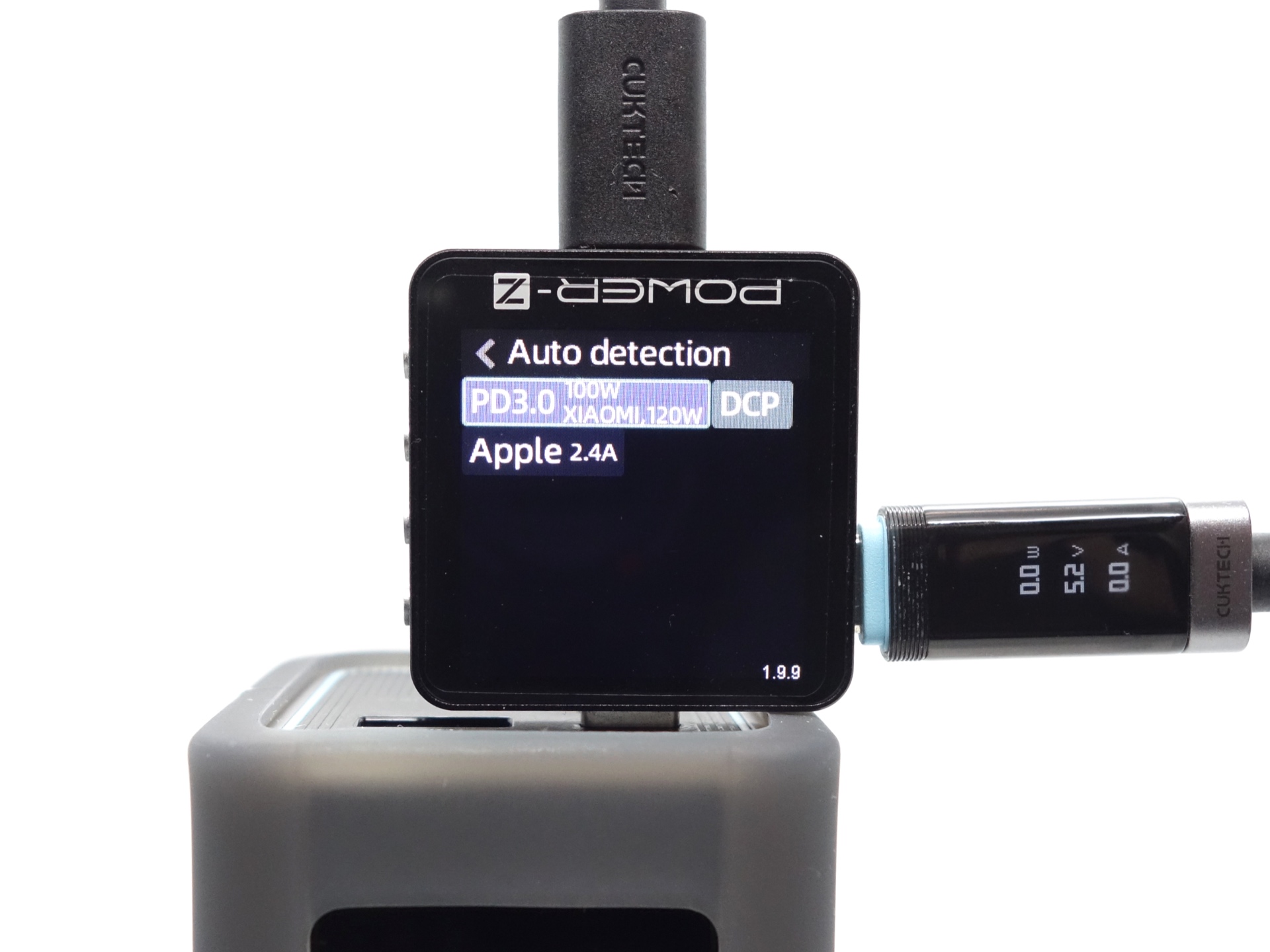
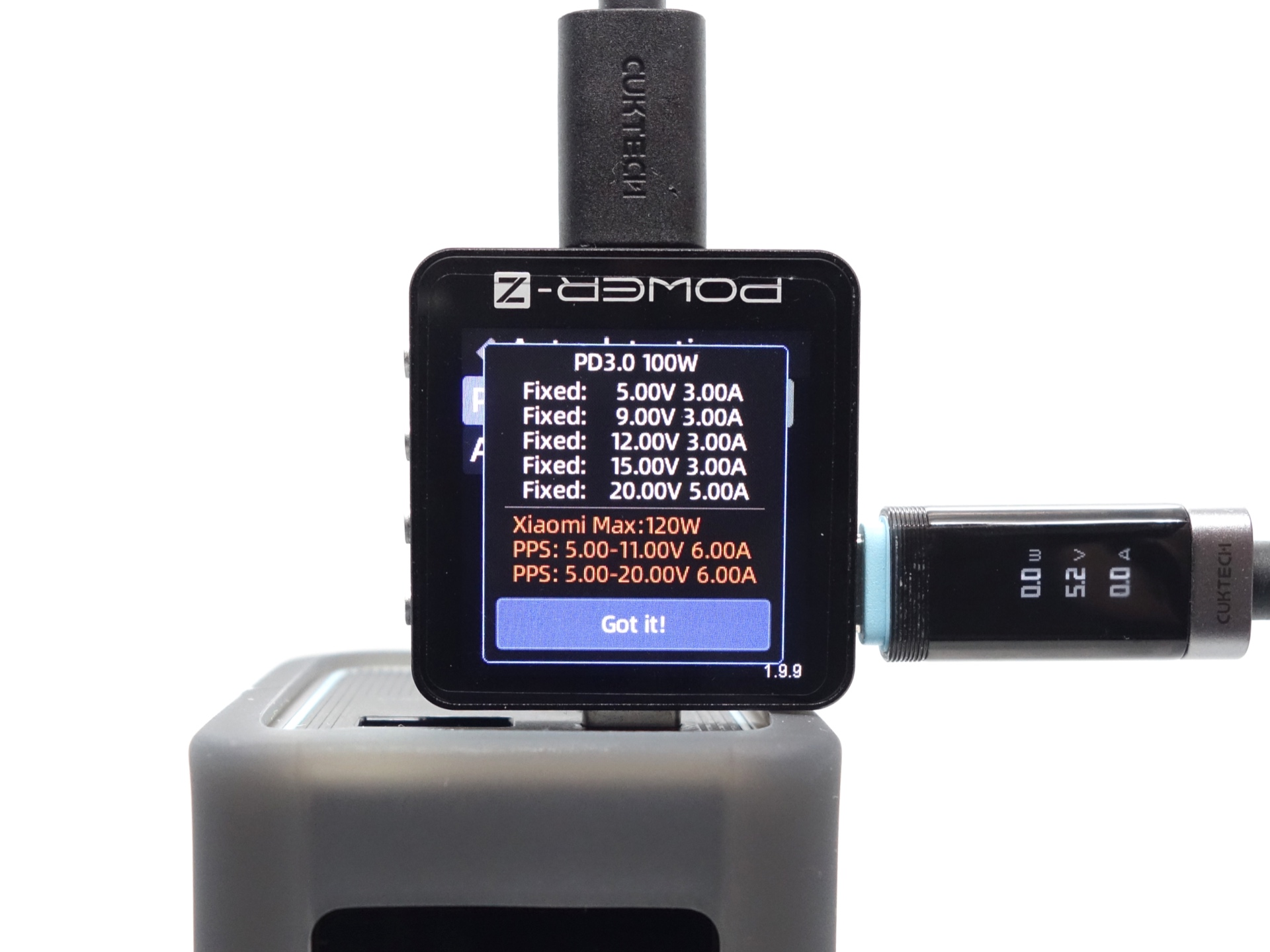
ChargerLAB Power-Z KM003C Amazon Australia
PD3.0 100W, XIAOMI 120W
Fixed: 5.00V 3.00A
Fixed: 9.00V 3.00A
Fixed: 12.00V 3.00A
Fixed: 15.00V 3.00A
Fixed: 20.00V 5.00A
Xiaomi Max: 120W
PPS: 5.00-11.00V 6.00A
PPS: 5.00-20.00V 6.00A
DCP
Apple 2.4A
USB-C OUT2#
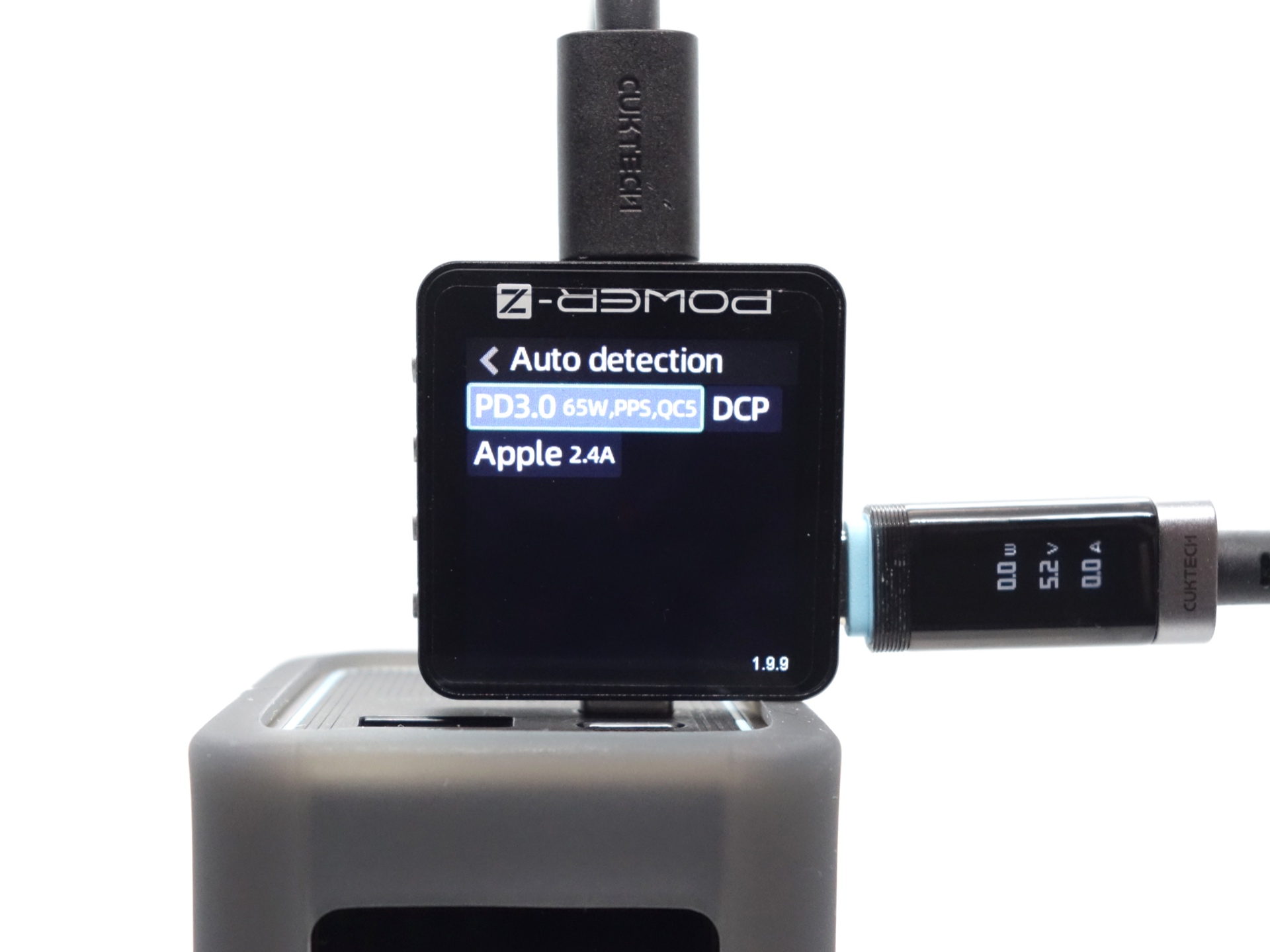
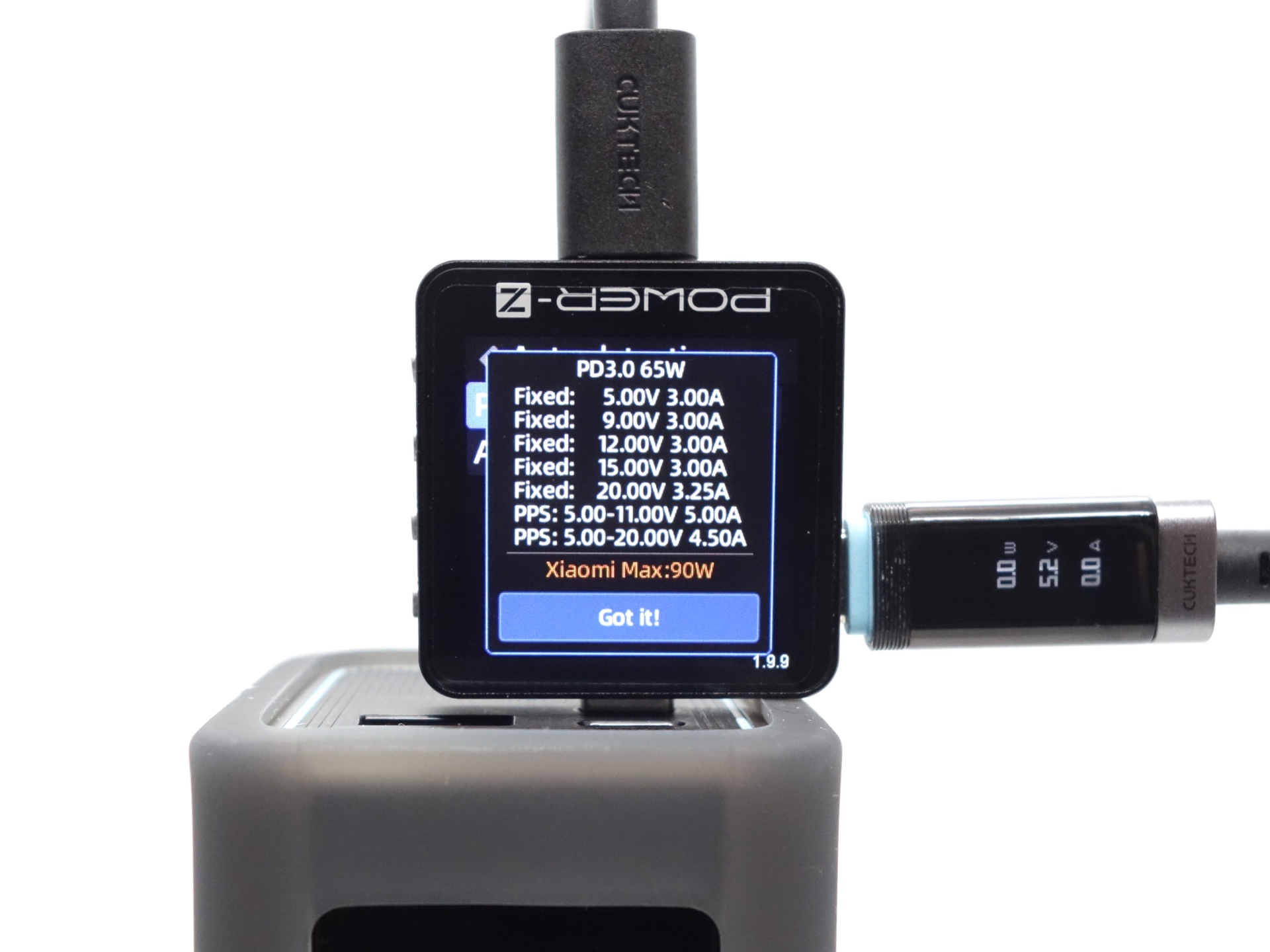
ChargerLAB Power-Z KM003C Amazon Australia
PD3.0 65W,PPS,QC5
Fixed: 5.00V 3.00A
Fixed: 9.00V 3.00A
Fixed: 12.00V 3.00A
Fixed: 15.00V 3.00A
Fixed: 20.00V 3.25A
Xiaomi Max: 90W
PPS: 5.00-11.00V 5.00A
PPS: 5.00-20.00V 4.50A
DCP
Apple 2.4A
USB-A OUT3#

APPLE-> 5V 2.4A
BC1.2-> DCP 5V 1.5A
SAMSUNG AFC-> 9V
HUAWEI FCP-> 5V 9V
HUAWEI SCP-> 5.5 - 10.0V @ 25.0W
QC2.0-> 5V 9V
QC3.0-> 11.12V Max
User interface#
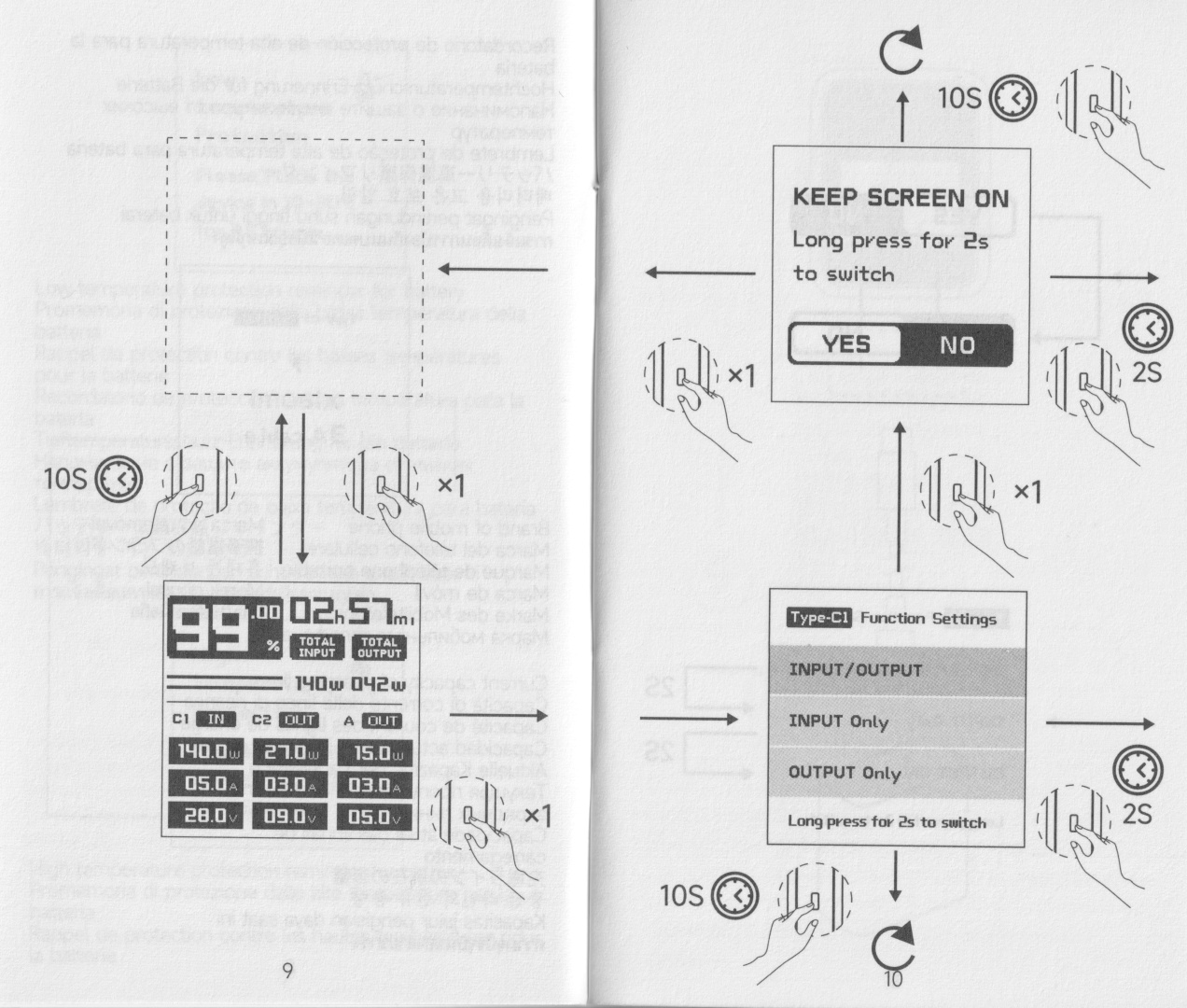
The power bank has a single button below the colour display with two thin light-blue lines.
A CUKTECH logo slowly appears when you press the button.
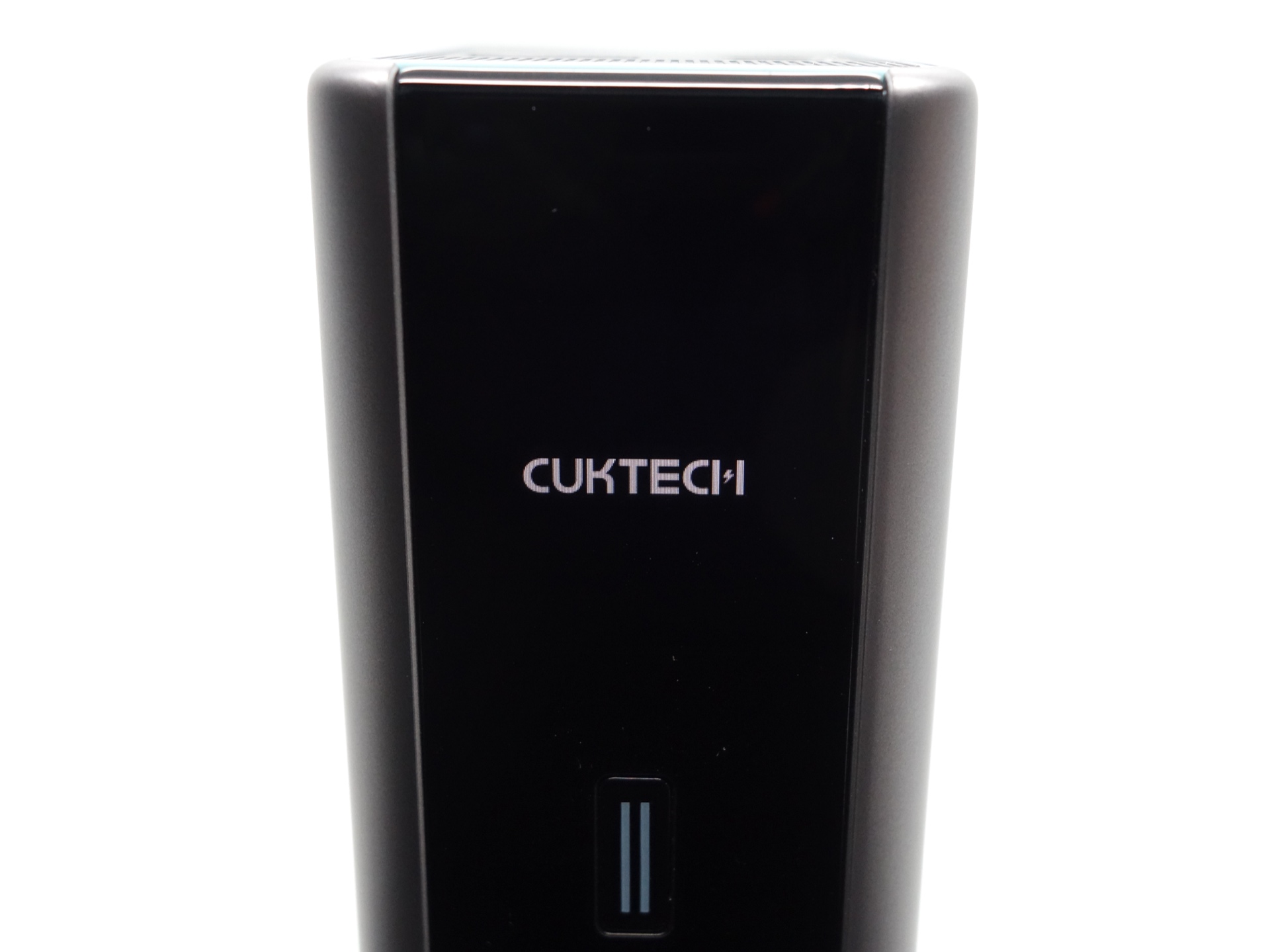
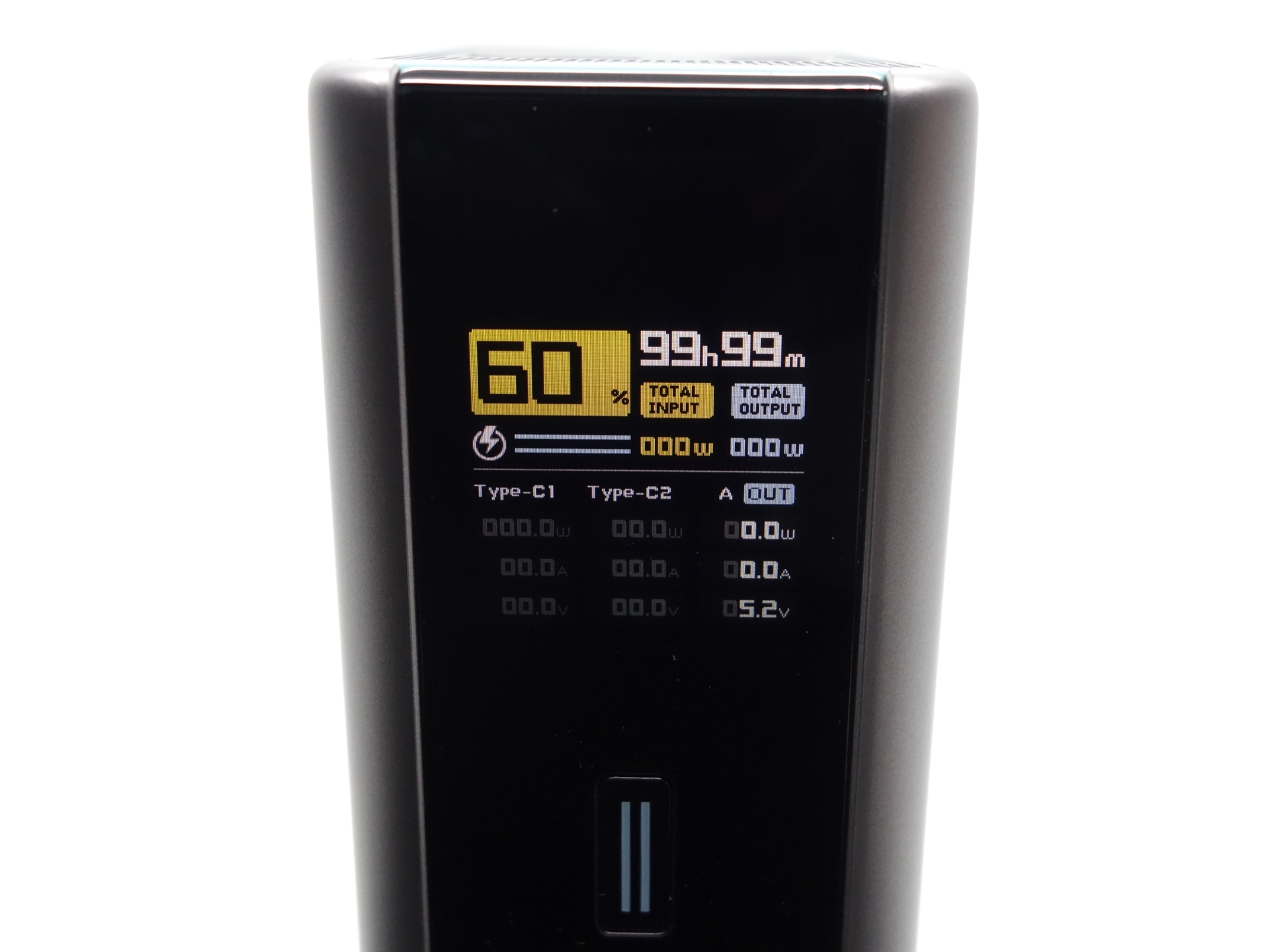
The display shows:
- Percentage of cell capacity
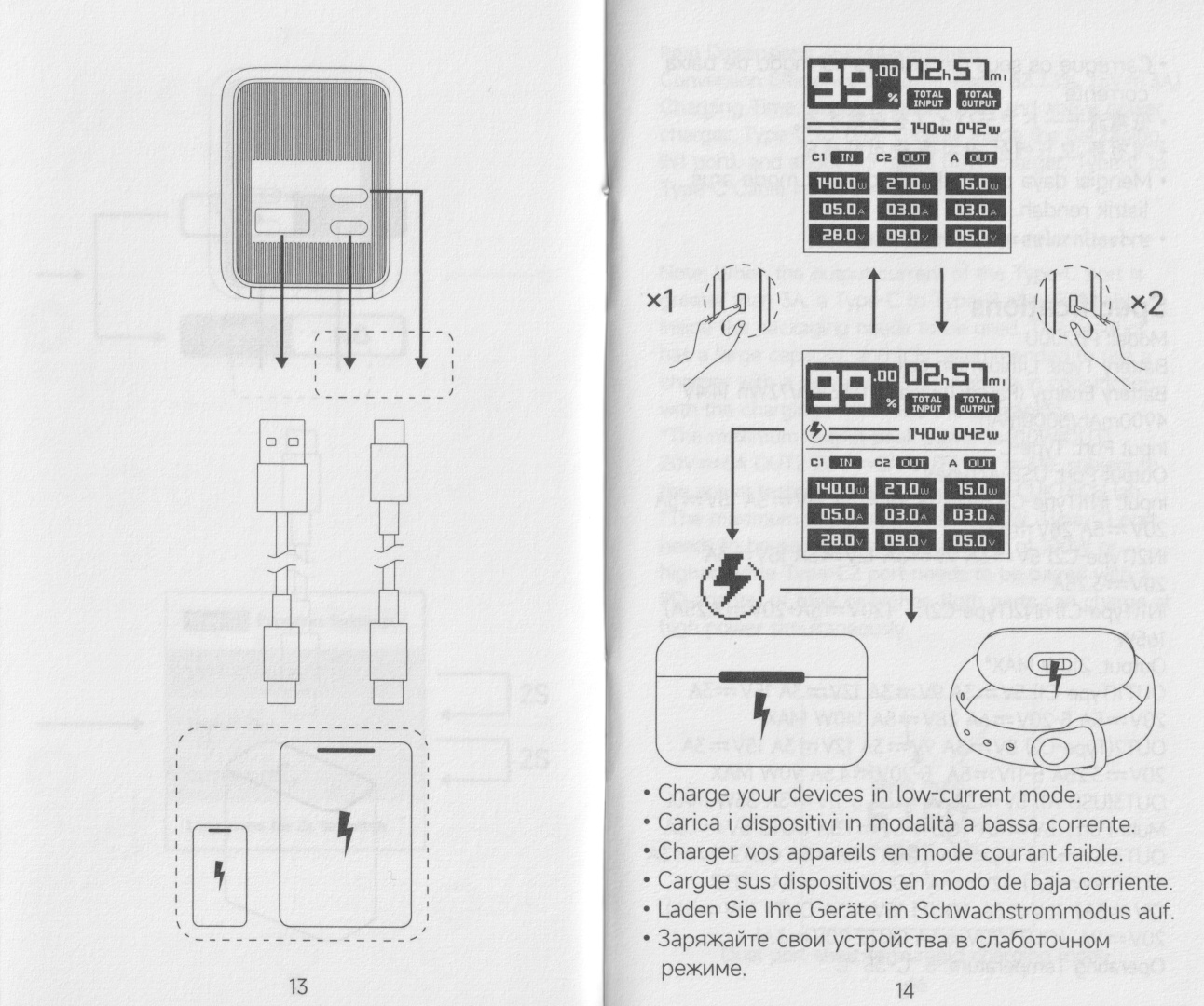
- Low Current Discharge Mode (lightning bolt symbol)
- Charge/Discharge Status (C1 IN/OUT, C2 IN/OUT, A OUT)
- Charge/Discharge Time Remaining
- Power (W)
- Current (A)
- Voltage (V)
Low Current Discharge Mode can be toggled on and off by double pressing the button.
The lightning bolt symbol indicates that Low Current Discharge Mode is on.
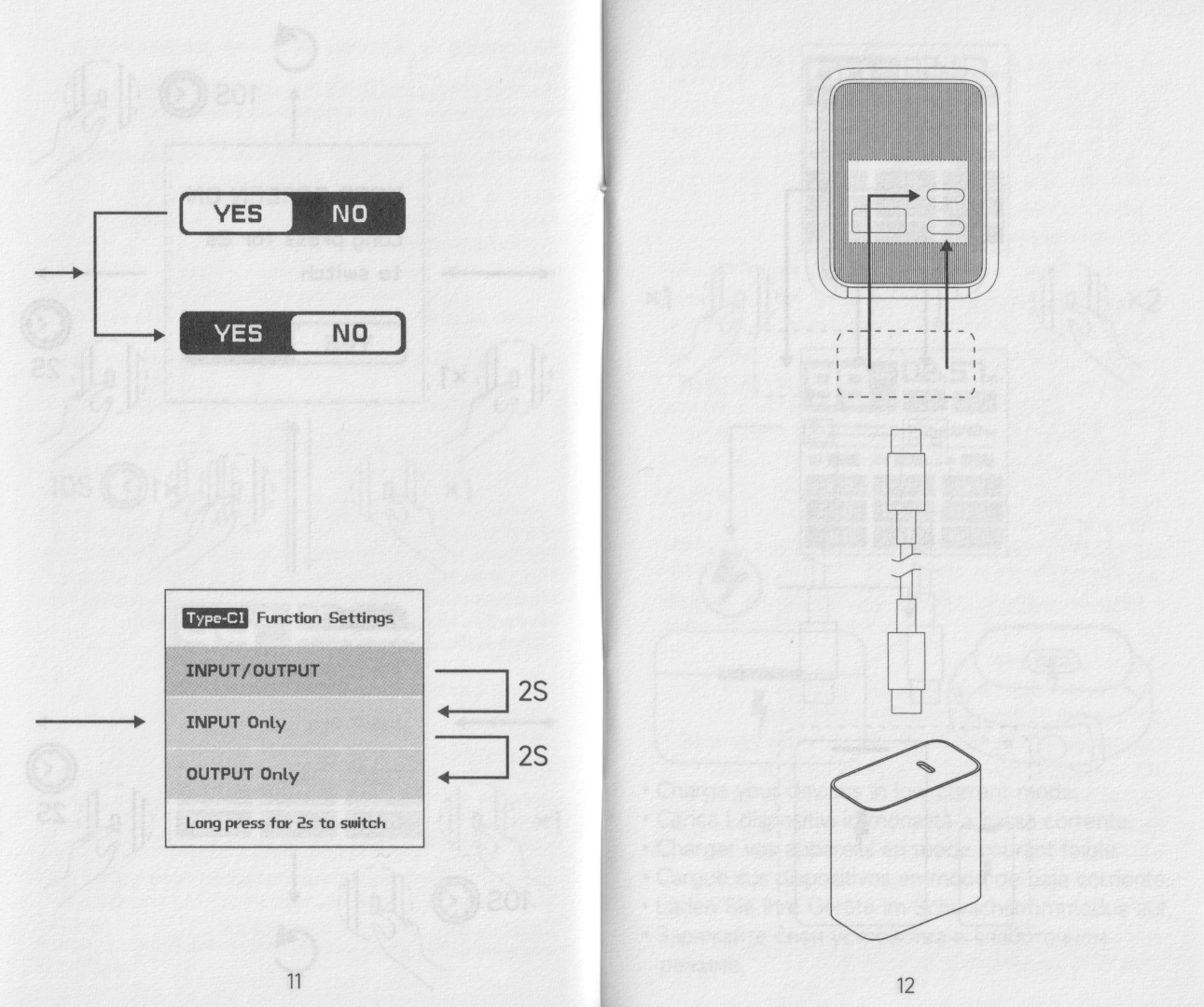
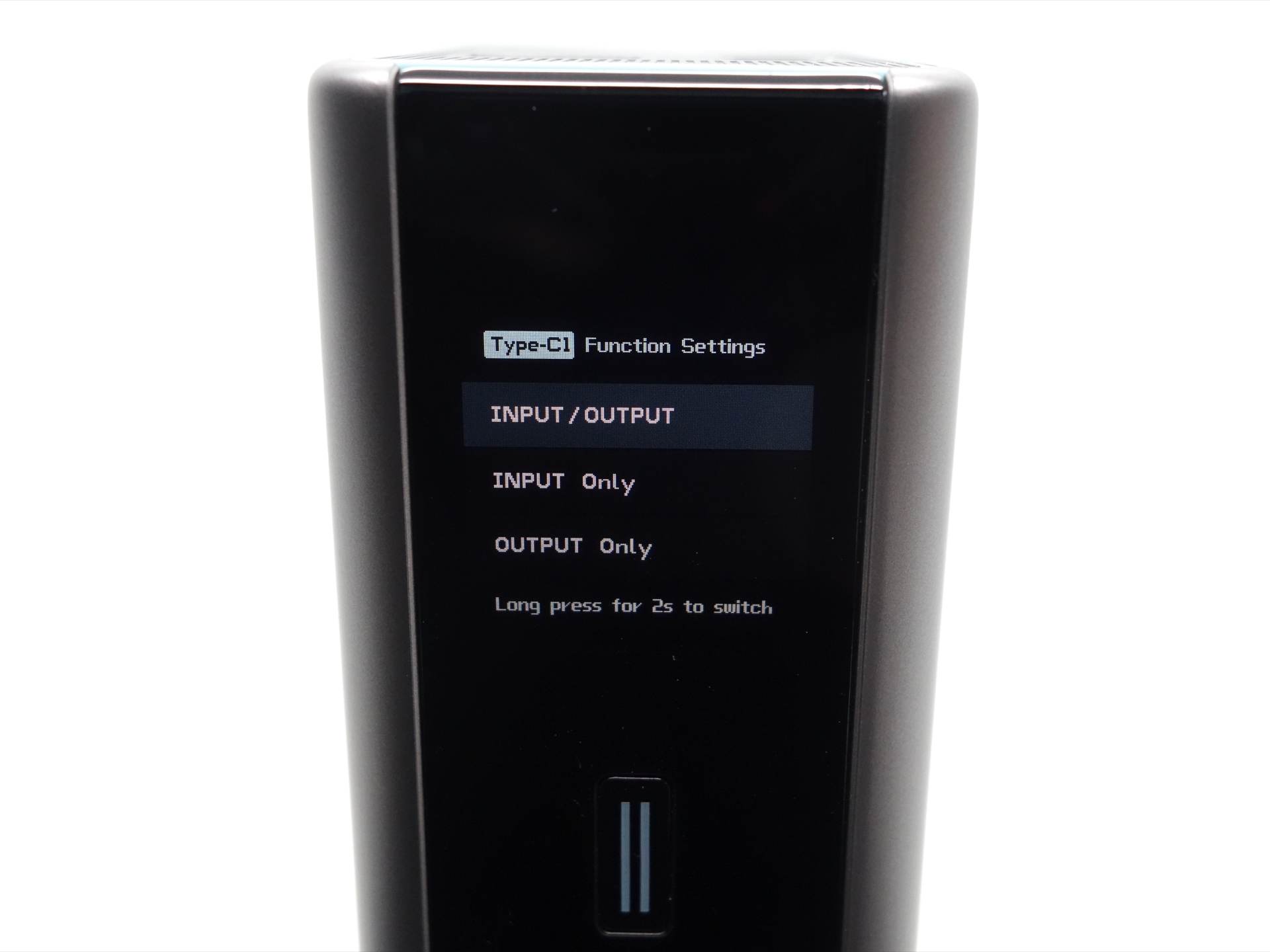
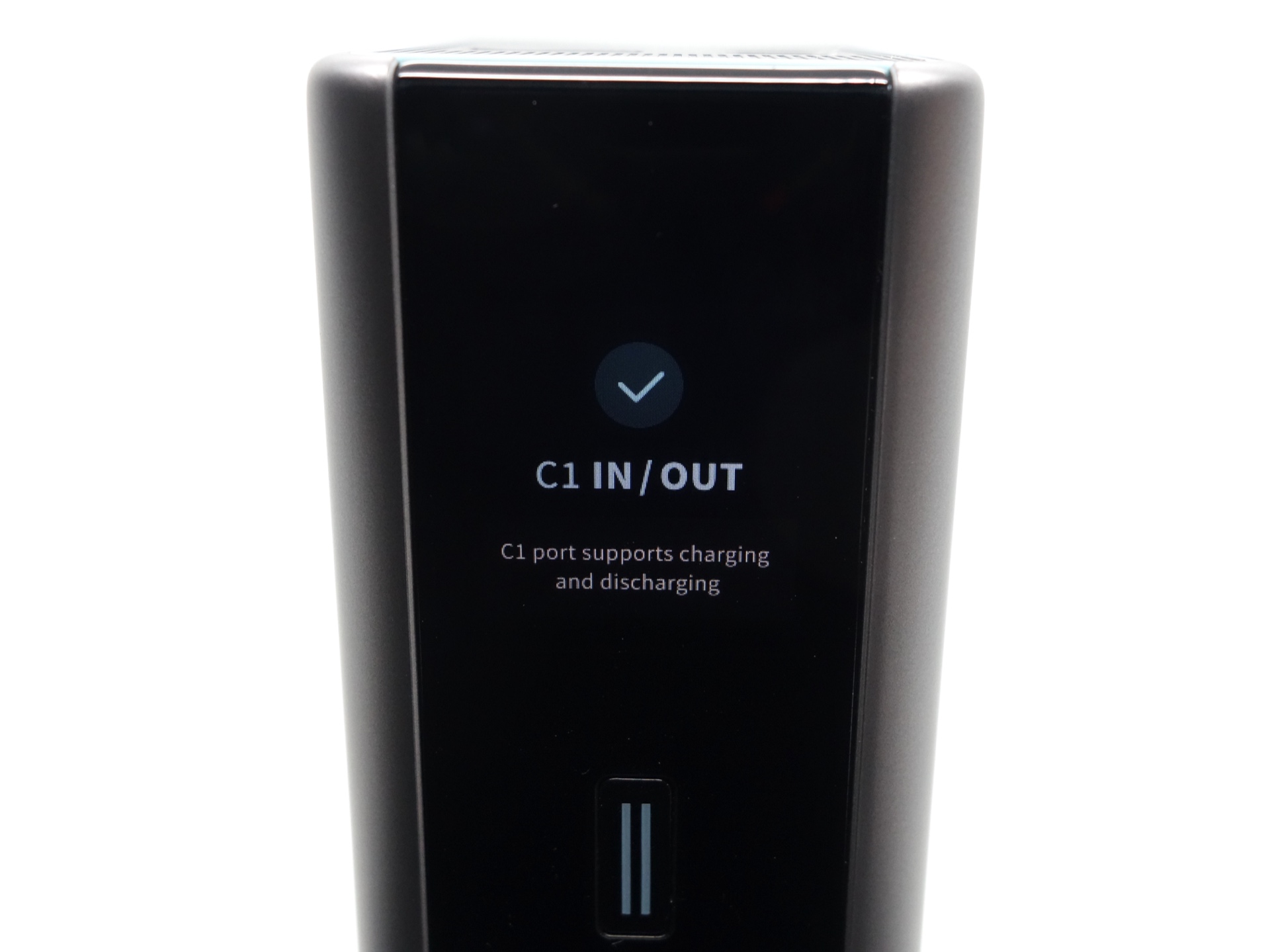
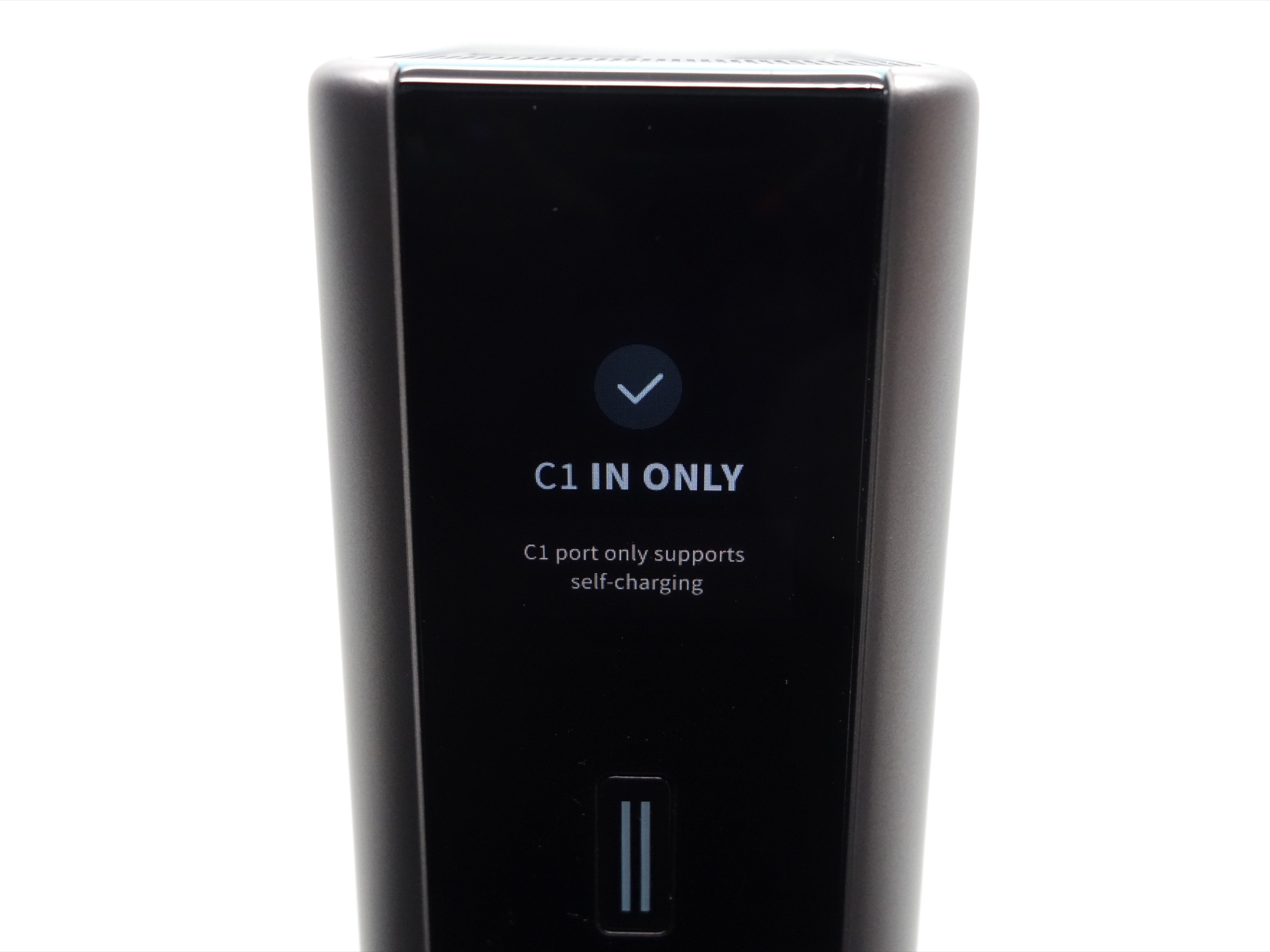
The Type-C1 port can be configured to be for INPUT/OUTPUT, INPUT Only or OUTPUT Only.
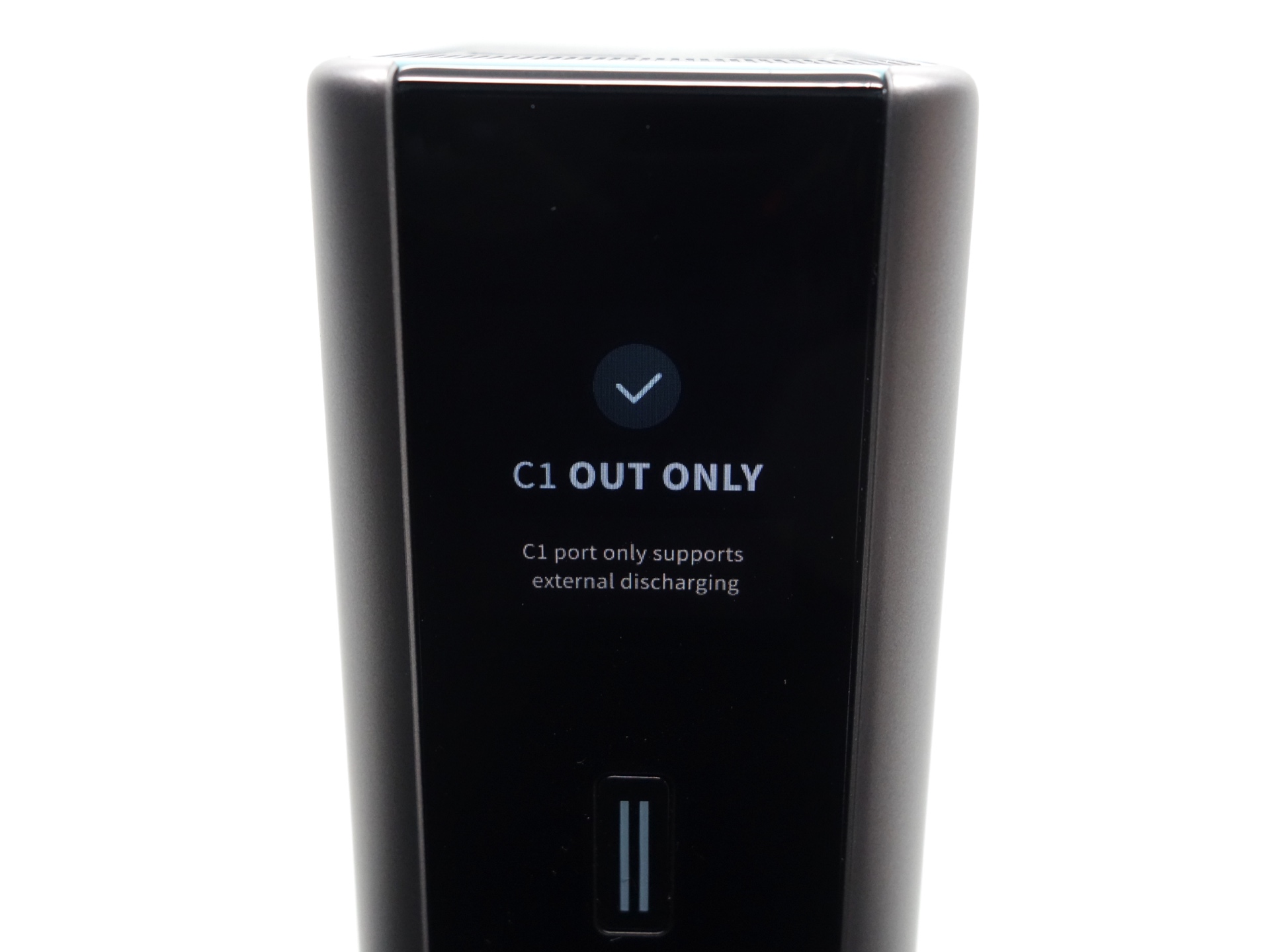
At the “KEEP SCREEN ON” menu, the button can be long pressed for two seconds to toggle between “YES” and “NO”.
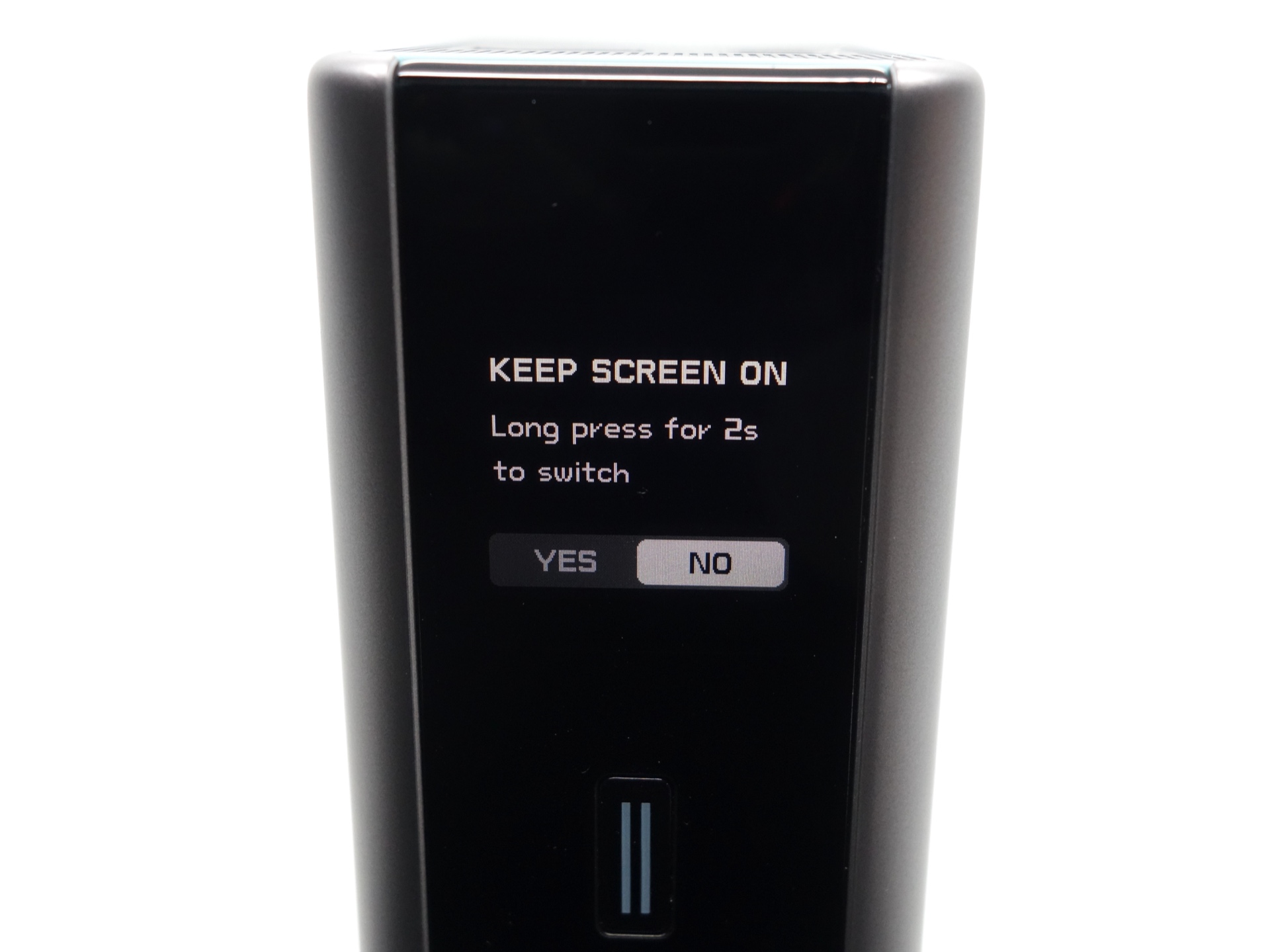
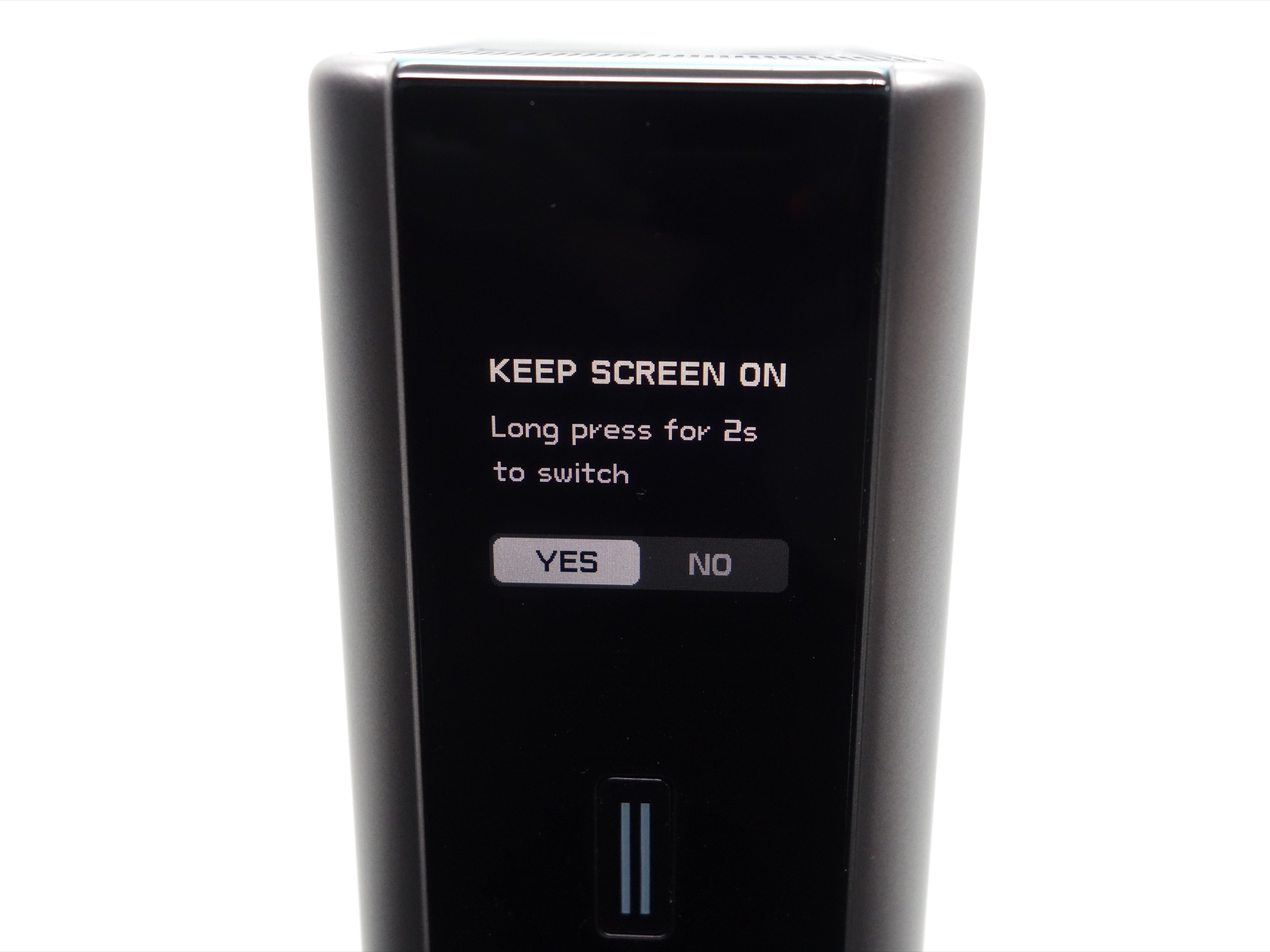
The button can be pressed again briefly to confirm.
Here is an example of the screen while charging the power bank with IN1:
- Percentage of cell capacity (60.89%)
- Charge Status (C1 IN)
- Power (91.9W)
- Charge Time Remaining (28 minutes)
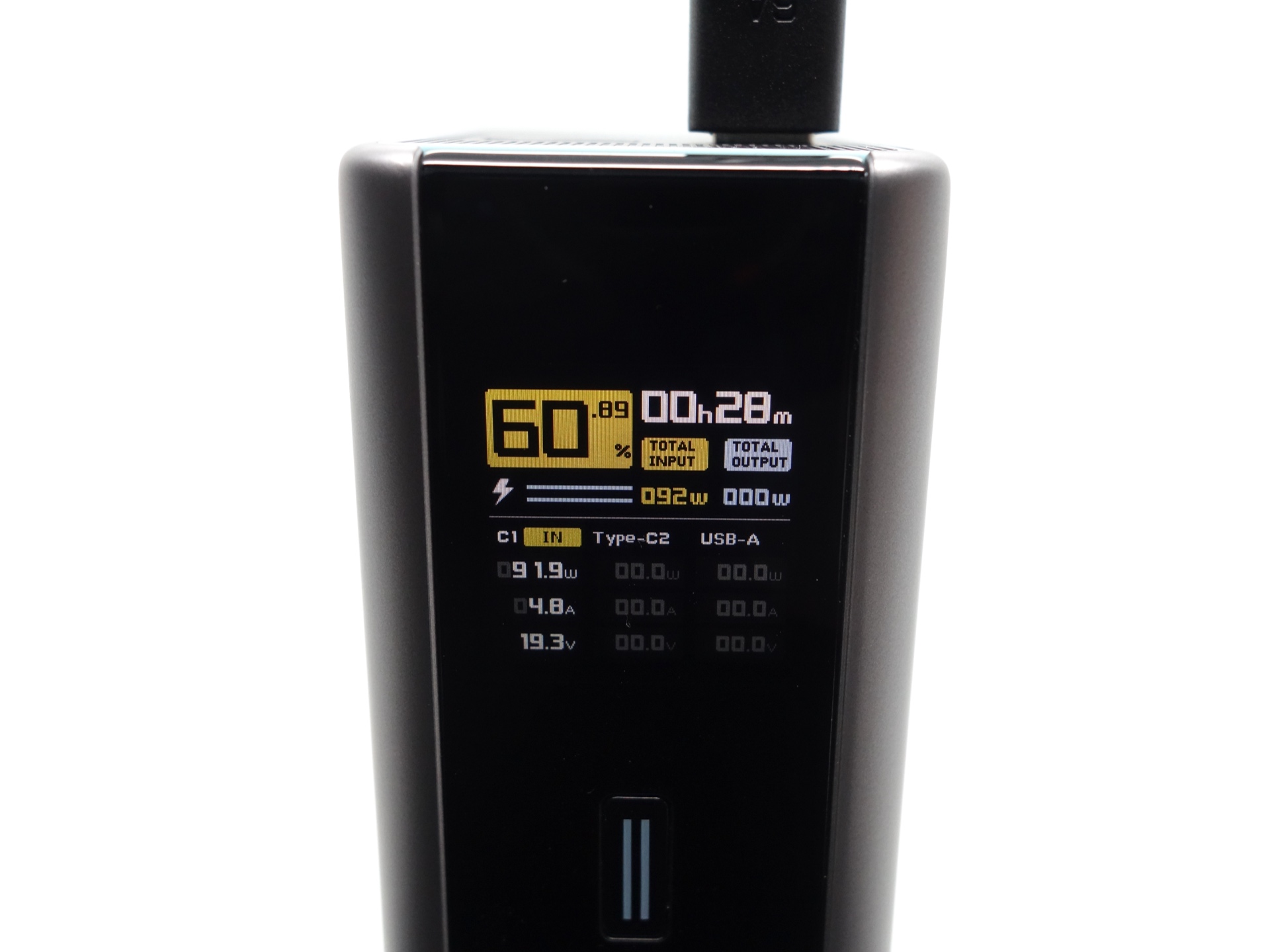
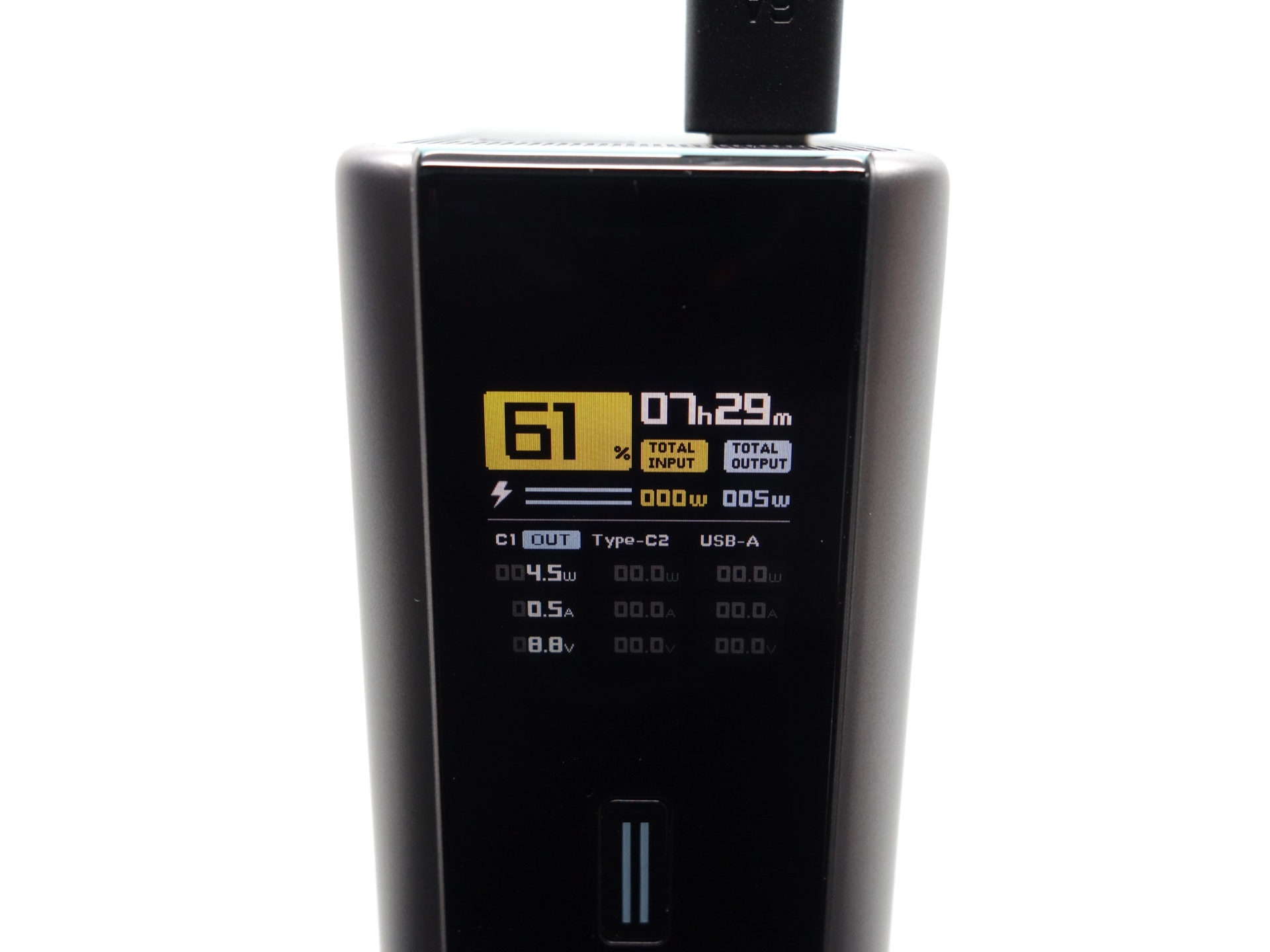
Here is an example of the screen while charging a device with OUT1:
- Percentage of cell capacity (61%)
- Charge Status (C1 OUT)
- Power (4.5W)
- Charge Time Remaining (7 hours 29 minutes)
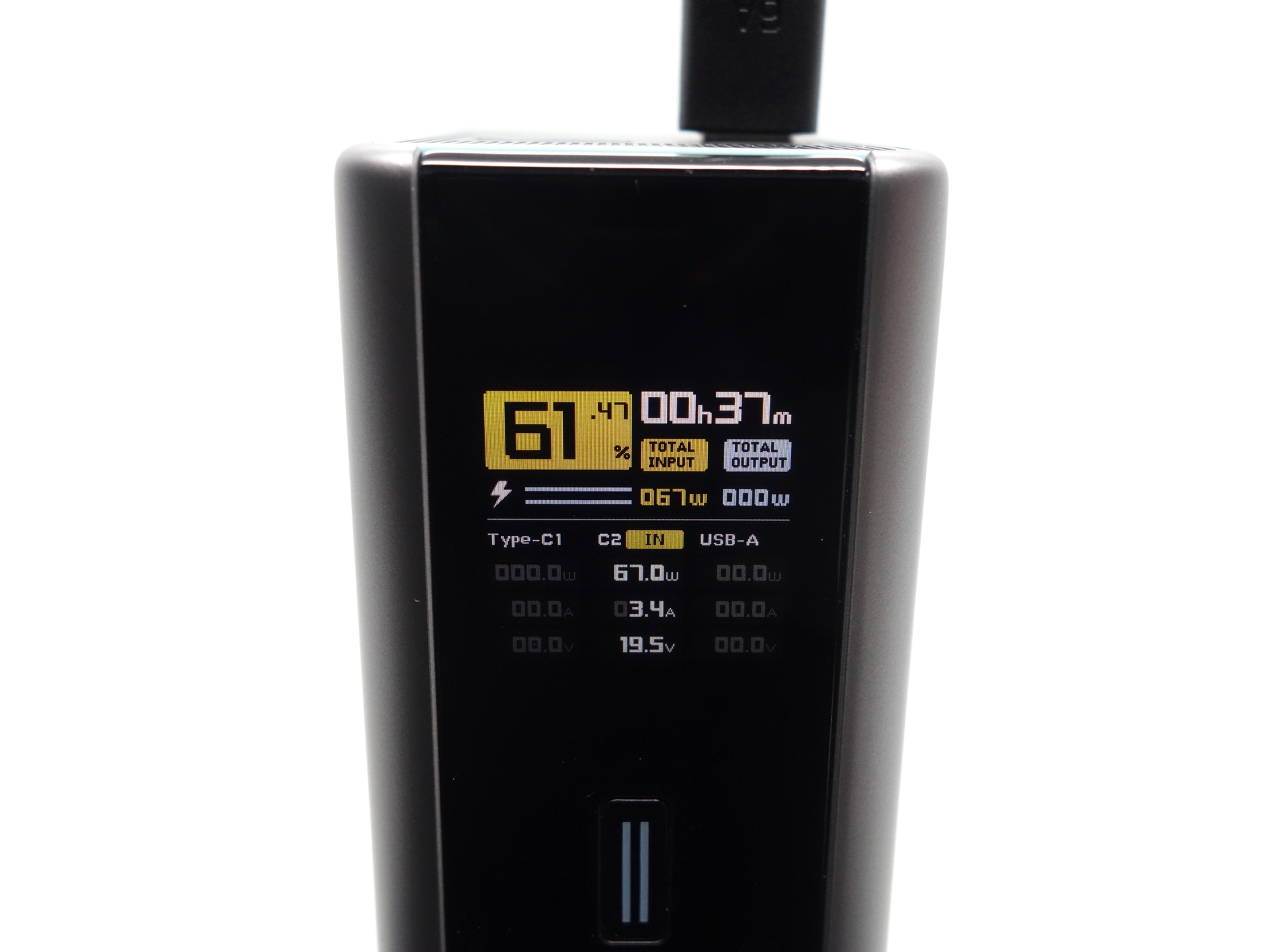
Here is an example of the screen while charging the power bank with IN2:
- Percentage of cell capacity (61.47%)
- Charge Status (C2 IN)
- Power (67.0W)
- Charge Time Remaining (37 minutes)
Here is an overview of how to use the button:
| Display | State | Action | Result |
|---|---|---|---|
| Off | Click | Turn the display on and view the status. | |
| On | First screen | Click | Switch to the second screen. |
| On | Second screen | Press and hold for 2 seconds | Select INPUT/OUTPUT, INPUT Only or OUTPUT Only. |
| On | Second screen | Click | Switch to the third screen. |
| On | Third screen | Click | Turn the display off. |
| On | Third screen | Press and hold for 2 seconds | Keep Screen Always On. |
| Any | Press and hold for 5 seconds | Force the power bank to turn off. |
Tests#
I used a ChargerLAB Power-Z KM003C Amazon Australia USB Meter to measure the voltage and current while charging and discharging the power bank.
And I used a USB-C PD board with an Atorch DL24 electronic load.
Please take my tests with a grain of salt. The accuracy may be slightly off.
Room temperature: 12 to 16 C
Charge and discharge tests#
| Port | Device | Power | Voltage | Current | Duration | Capacity | Energy | Efficiency | Temp |
|---|---|---|---|---|---|---|---|---|---|
| USB-C IN1 | Apple 140W | 140W | 28V | 5A | 00:44:00 | 2,815 mAh | 72.99 Wh | 30 C | |
| USB-C IN1 | PinePower Desktop | 60W | 20V | 3A | 01:21:14 | 3,681 mAh | 73.48 Wh | 23 C | |
| USB-C IN2 | Apple 140W | 65W | 20V | 3.25A | 01:18:30 | 3,680 mAh | 74.09 Wh | ||
| USB-C OUT1 | Atorch DL24P | 140W | 28V | 5A | 00:22:48 | 1,894 mAh | 52.64 Wh | 73.11% | 30 C |
| USB-C OUT1 | Atorch DL24P | 140W | 28V | 5A | 00:24:02 | 1,996 mAh | 55.44 Wh | 77.00% | 30 C |
| USB-C OUT1 | ALIENTEK EL15 | 120W | 20V | 6A | 00:30:39 | 3,043 mAh | 60.05 Wh | 83.40% | 44 C |
| USB-C OUT1 | Atorch DL24 | 100W | 20V | 5A | 00:37:59 | 3,111 mAh | 61.52 Wh | 85.44% | |
| USB-C OUT1 | Atorch DL24 | 98W | 20V | 4.9A | 00:38:29 | 3,087 mAh | 61.06 Wh | 84.81% | 19 C |
| USB-C OUT1 | Atorch DL24 | 90W | 20V | 4.5A | 00:42:17 | 3,116 mAh | 61.64 Wh | 85.61% | 25 C |
| USB-C OUT1 | Atorch DL24 | 45W | 15V | 3A | 01:27:51 | 4,332 mAh | 64.29 Wh | 89.32% | 19 C |
| USB-C OUT1 | Atorch DL24 | 36W | 12V | 3A | 01:48:59 | 5,356 mAh | 63.58 Wh | 88.31% | |
| USB-C OUT1 | Atorch DL24 | 27W | 9V | 3A | 02:24:35 | 7,107 mAh | 63.08 Wh | 87.61% | 25 C |
| USB-C OUT1 | Atorch DL24 | 15W | 5V | 3A | 04:15:05 | 12,533 mAh | 60.84 Wh | 84.50% | 19 C |
| USB-C OUT1 | Apple AirPods 4 | 0.5W | 5V | 0.1A | 03:13:38 | 4,227 mAh | 2.14 Wh | 15 C | |
| USB-C OUT1 | Apple AirPods 4 | 0.5W | 5V | 0.1A | 03:13:38 | 4,227 mAh | 2.14 Wh | 15 C | |
| USB-C OUT1 | Apple AirPods 4 | 0.5W | 5V | 0.1A | 03:13:38 | 4,227 mAh | 2.14 Wh | 15 C | |
| USB-C OUT2 | Atorch DL24 | 90W | 20V | 4.5A | 00:41:31 | 3,110 mAh | 61.65 Wh | 85.63% | |
| USB-C OUT2 | ALIENTEK EL15 | 65W | 20V | 3.25A | 00:58:10 | 3,167 mAh | 62.82 Wh | 87.25% | |
| USB-C OUT2 | Atorch DL24 | 45W | 15V | 3A | 01:27:36 | 4,307 mAh | 64.03 Wh | 88.93% | 19 C |
| USB-C OUT2 | Atorch DL24 | 36W | 12V | 3A | 01:49:41 | 5,391 mAh | 63.98 Wh | 88.86% | |
| USB-C OUT2 | Atorch DL24 | 27W | 9V | 3A | 02:26:16 | 7,187 mAh | 63.66 Wh | 88.42% | |
| USB-C OUT2 | Atorch DL24 | 15W | 5V | 3A | 04:14:38 | 12,511 mAh | 61.75 Wh | 85.76% | 20 C |
| USB-A OUT3 | ALIENTEK EL15 | 27W | 9V | 3A | 02:13:11 | 6,705 mAh | 60.98 Wh | 84.69% | 28 C |
| USB-A OUT3 | Atorch DL24 | 15W | 5V | 3A | 03:53:57 | 11,515 mAh | 54.52 Wh | 75.72% | 33 C |
Charge tests#
It can take about 45 minutes to fully charge the power bank from 0% to 100% with Beast Mode.
It might take 5.5 hours to fully charge the power bank with 18W input.
You have a lot of charging options. I recommend using a fast charger to save time!
CUKTECH PB200U USB-C IN1 Apple 140W#
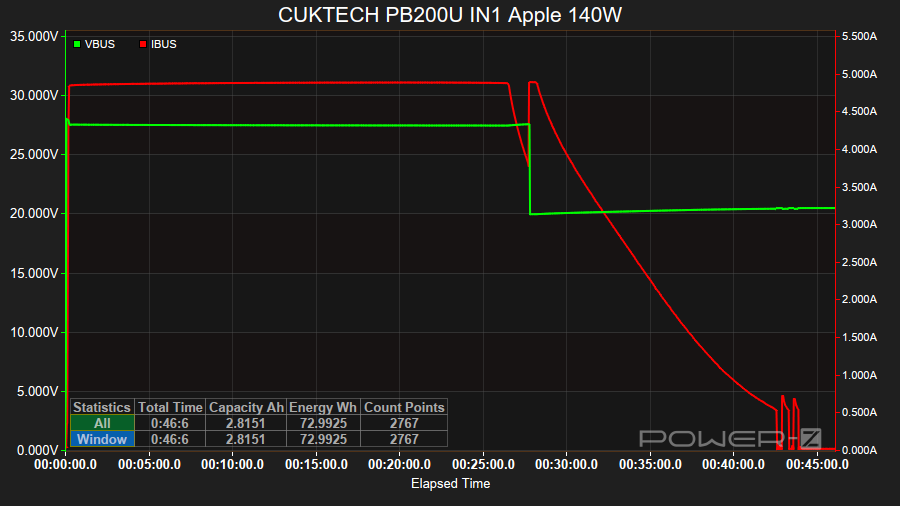
The input reached 140W (28V/5A) when I used an Apple 140W power supply to charge the power bank with USB-C IN1 from 0% to 100%.
There was a step down from 28V/5A to 20V/3.25A after 27 minutes.
The current gradually decreased after 28 minutes and the power bank was fully charged within 44 minutes.
The surface temperature reached 30 C.
CUKTECH PB200U USB-C IN1 PinePower Desktop#
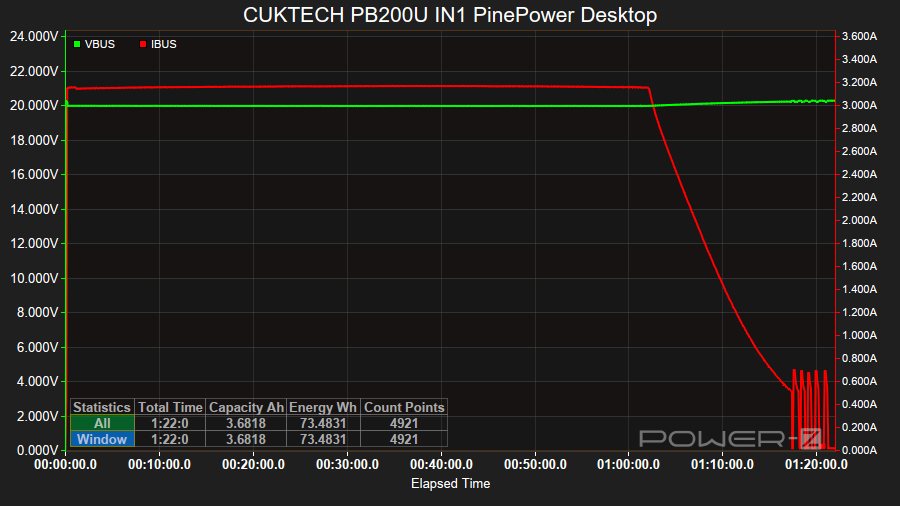
The input reached 60W (20V/3A) when I used a PinePower Desktop power supply to charge the power bank with USB-C IN1 from 0% to 100%.
The input remained at 60W for the first 1 hour and 2 minutes and then the current gradually decreased until the power bank was full at 1 hour 21 minutes.
CUKTECH PB200U USB-C IN2 Apple 140W#
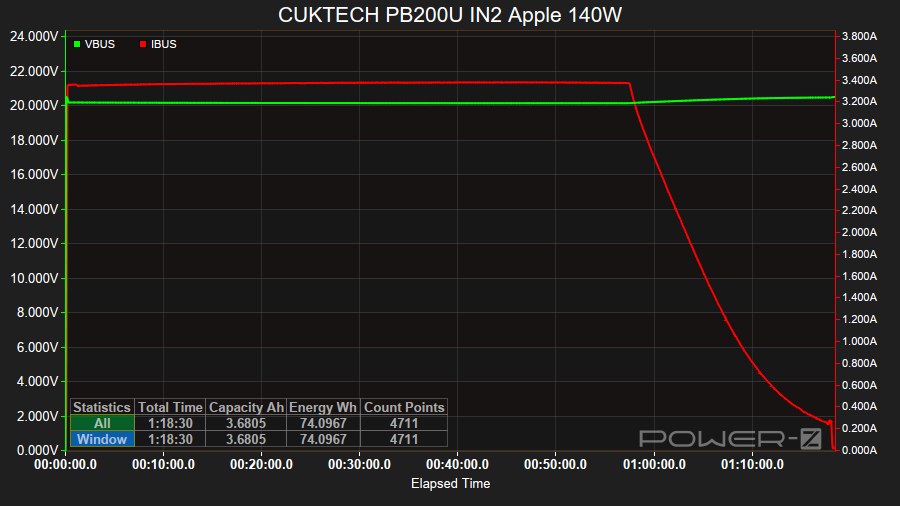
The input reached 65W (20V/3.25A) when I used an Apple 140W power supply to charge the power bank with USB-C IN2 from 0% to 100%.
The input remained at 65W for the first 58 minutes and then the current gradually decreased until the power bank was full by 1 hour 18 minutes.
CUKTECH PB200U Beast Mode#
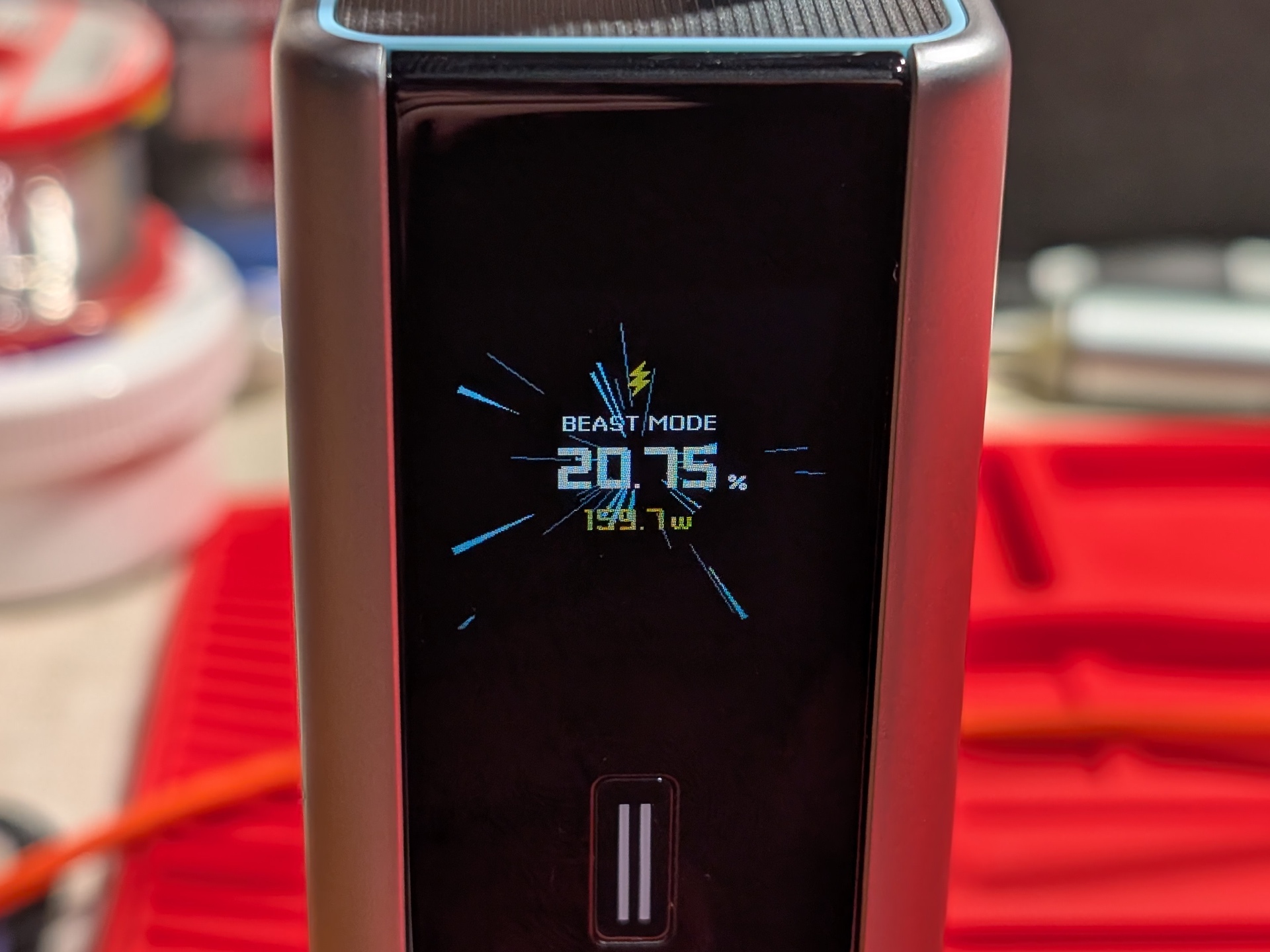
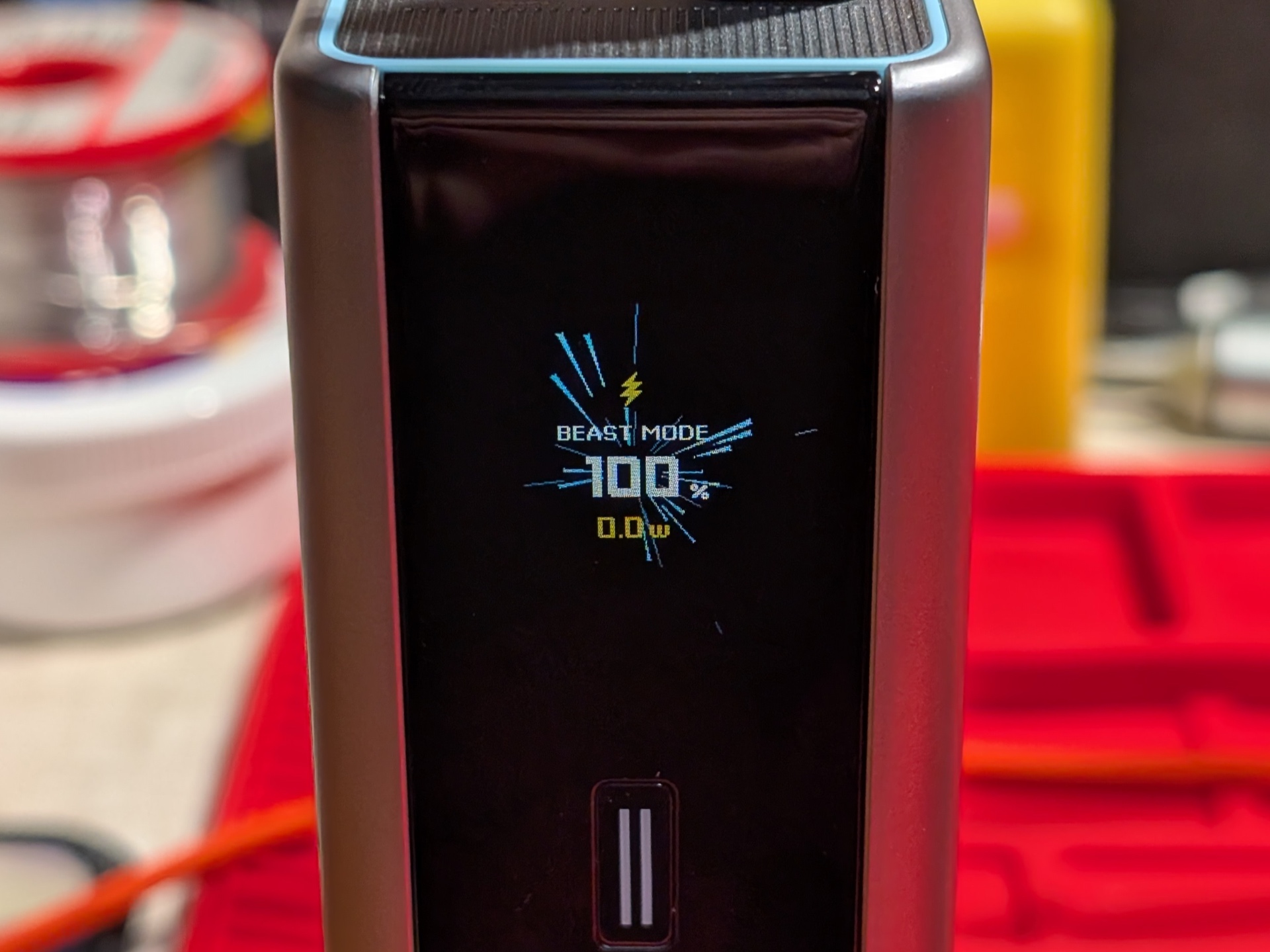
The input reached 160W when I used an Apple 140W power supply and a PinePower Desktop power supply to charge the power bank from 0% to 100%.
The Apple 140W power supply provided 95W to USB-C IN1 while the PinePower Desktop power supply provided 65W to USB-C IN2.
The input remained at 160W for the first 22 minutes and then USB-C IN2 cut out. The input dropped to 95W and gradually decreased until the power bank was full by 40 minutes 30 seconds.
The display showed 99.99% on the special Beast Mode screen as the power decreased from 30W to 10W. When it reached 10W, the display changed back to the home screen and it displayed 100%.
Discharge tests#
CUKTECH PB200U USB-C OUT1 28V 5A#
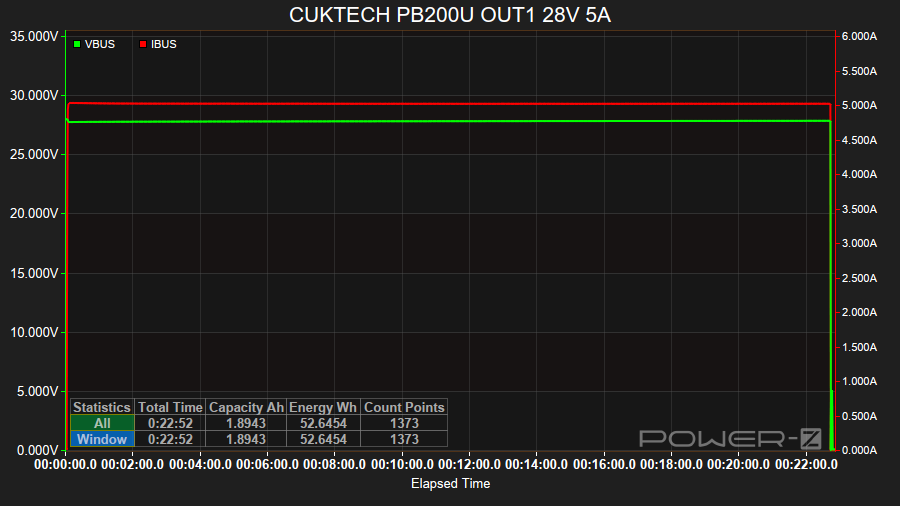
The power bank was able to supply 140W (28V/5A) from USB-C OUT1 for 22 minutes with an efficiency of 73.11% (52.64 Wh).
I used an Atorch DL24P with a USB-A to USB-C PD trigger board to trigger 28V.
A capacity of 9% was displayed on the power bank after it cut out.
CUKTECH PB200U USB-C OUT1 28V 5A #2#
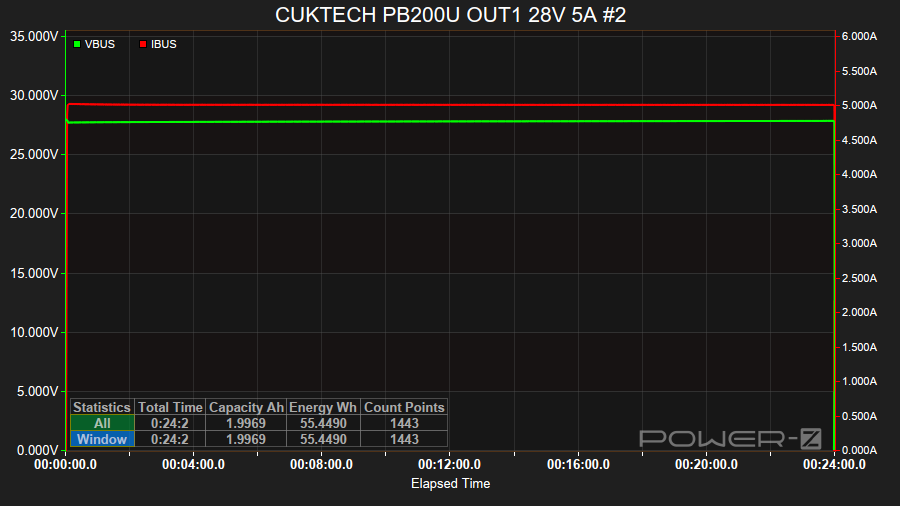
I ran the 28V 5A test again with an Atorch DL24P electronic load but this time I used the ChargerLAB Power-Z KM003C Amazon Australia to trigger 28V.
The power bank was able to supply 140W (28V/5A) from USB-C OUT1 for 24 minutes with an efficiency of 77% (55.44 Wh).
A capacity of 4% was displayed on the power bank after it cut out.
CUKTECH PB200U USB-C OUT1 20V 6A#
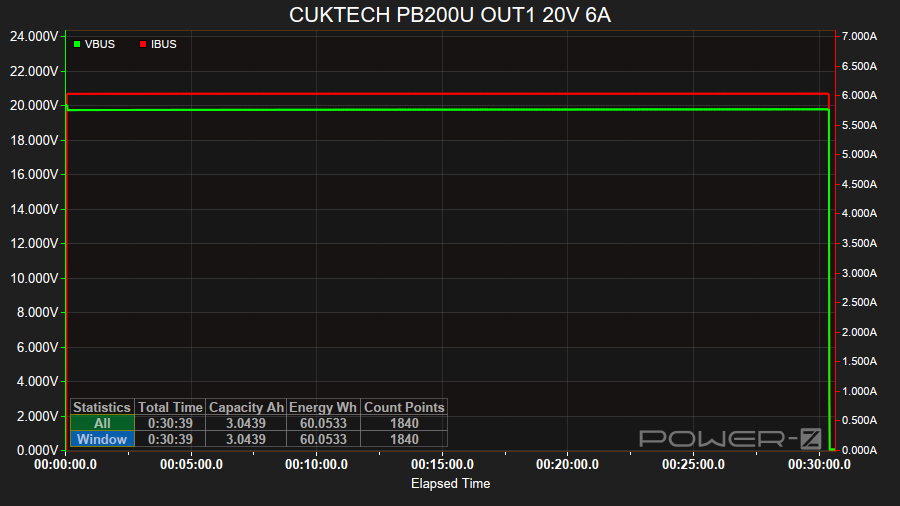
The power bank was able to supply 120W (20V/6A) from USB-C OUT1 for 30 minutes with an efficiency of 83.40% (60.05 Wh).
CUKTECH PB200U USB-C OUT1 20V 5A#
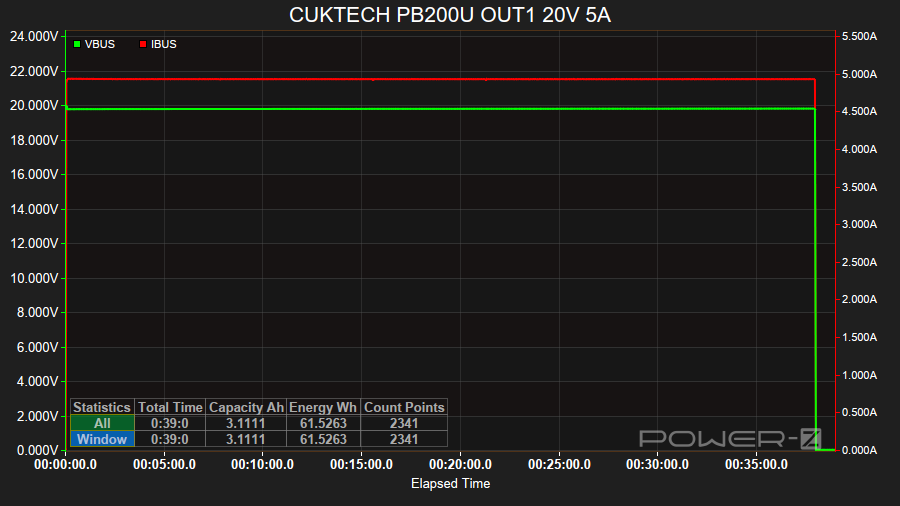
The power bank was able to supply 100W (20V/5A) from USB-C OUT1 for 38 minutes with an efficiency of 85.44% (61.52 Wh).
CUKTECH PB200U USB-C OUT1 20V 4.9A#
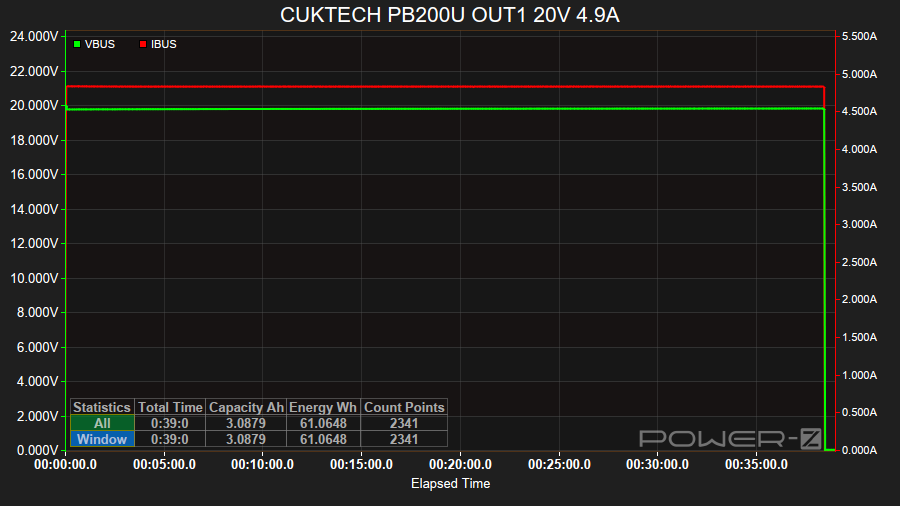
The power bank was able to supply 98W (20V/4.9A) from USB-C OUT1 for 38 minutes with an efficiency of 84.81% (61.06 Wh).
CUKTECH PB200U USB-C OUT1 20V 4.5A#
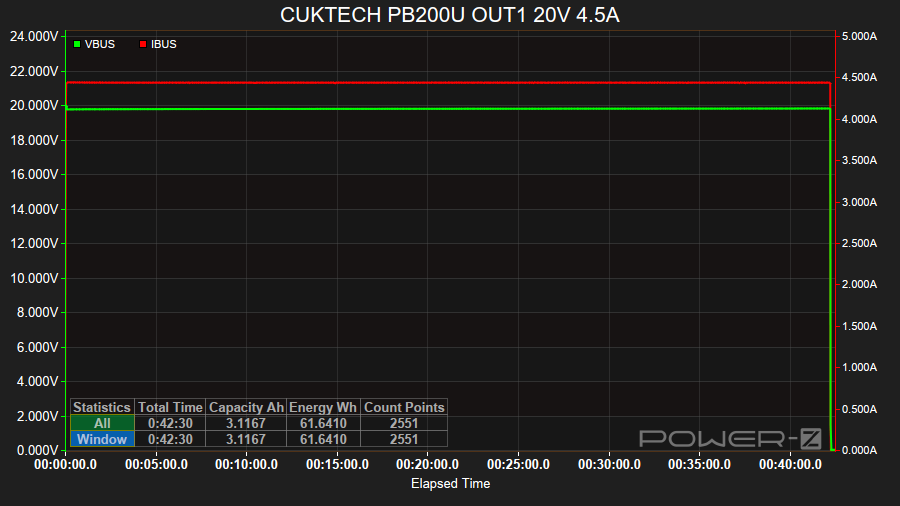
The power bank was able to supply 90W (20V/4.5A) from USB-C OUT1 for 42 minutes with an efficiency of 85.61% (61.64 Wh).
CUKTECH PB200U USB-C OUT1 15V 3A#
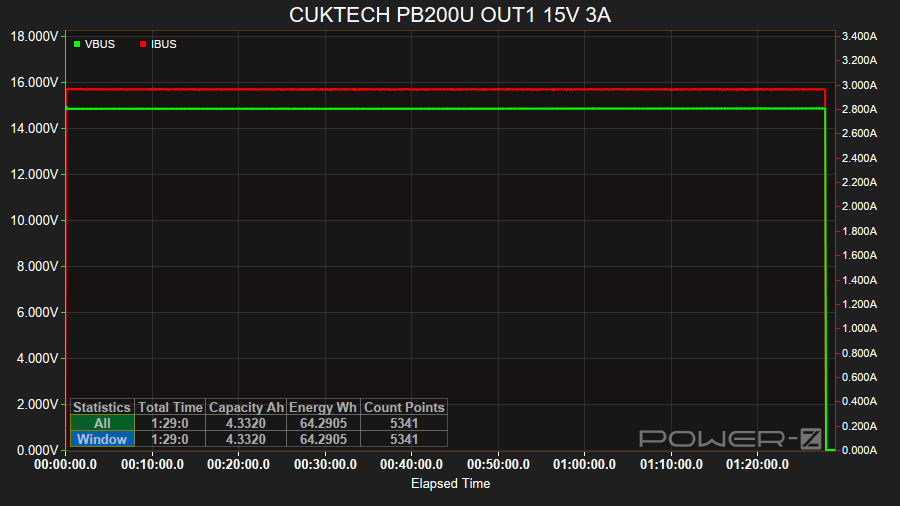
The power bank was able to supply 45W (15V/3A) from USB-C OUT1 for 1 hour 27 minutes with an efficiency of 89.32% (64.29 Wh).
CUKTECH PB200U USB-C OUT1 12V 3A#
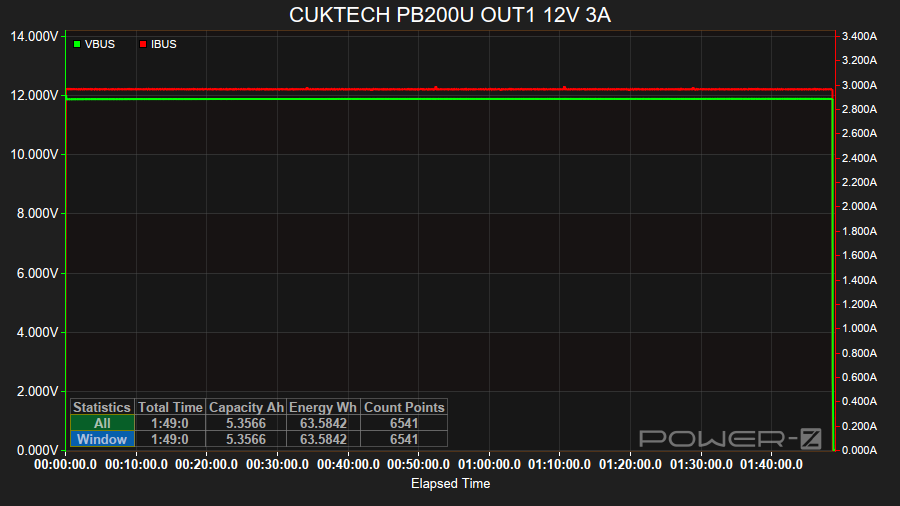
The power bank was able to supply 36W (12V/3A) from USB-C OUT1 for 1 hour 48 minutes with an efficiency of 88.31% (63.58 Wh).
CUKTECH PB200U USB-C OUT1 9V 3A#
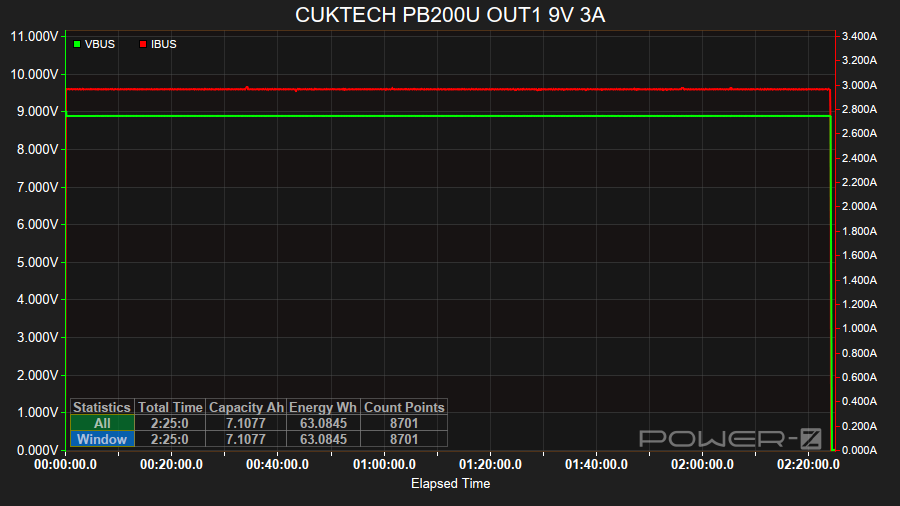
The power bank was able to supply 27W (9V/3A) from USB-C OUT1 for 2 hour 24 minutes with an efficiency of 87.61% (63.08 Wh).
CUKTECH PB200U USB-C OUT1 5V 3A#
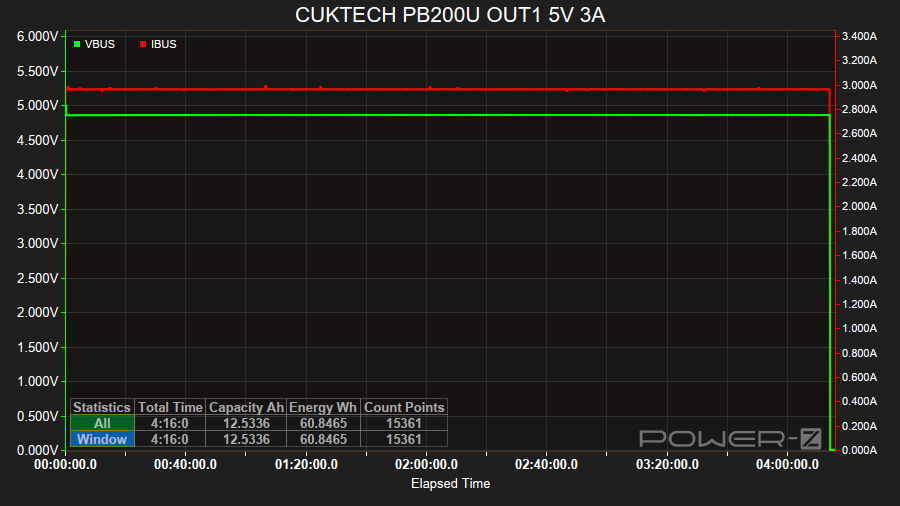
The power bank was able to supply 15W (5V/3A) from USB-C OUT1 for 4 hours 15 minutes with an efficiency of 84.50% (60.84 Wh).
CUKTECH PB200U USB-C OUT2 20V 4.5A#
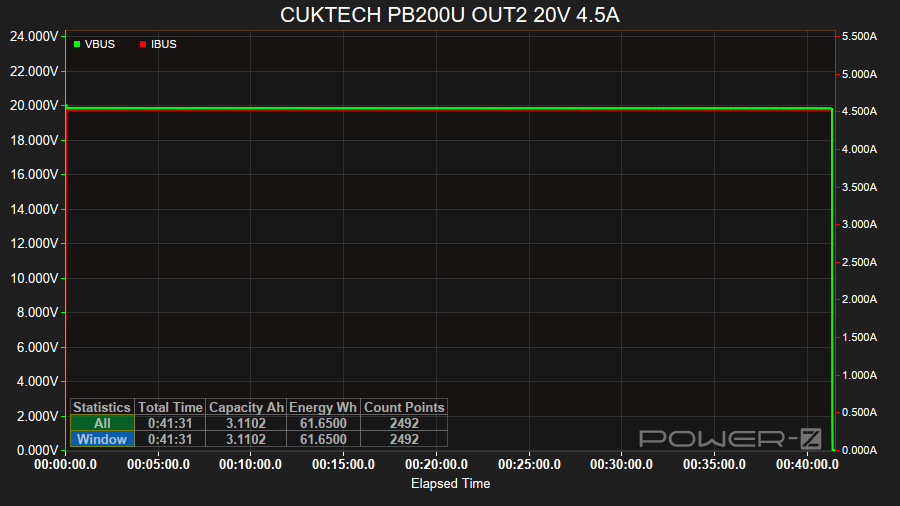
The power bank was able to supply 90W (20V/4.5A) from USB-C OUT2 for 41 minutes with an efficiency of 85.63% (61.65 Wh).
CUKTECH PB200U USB-C OUT2 20V 3.25A#
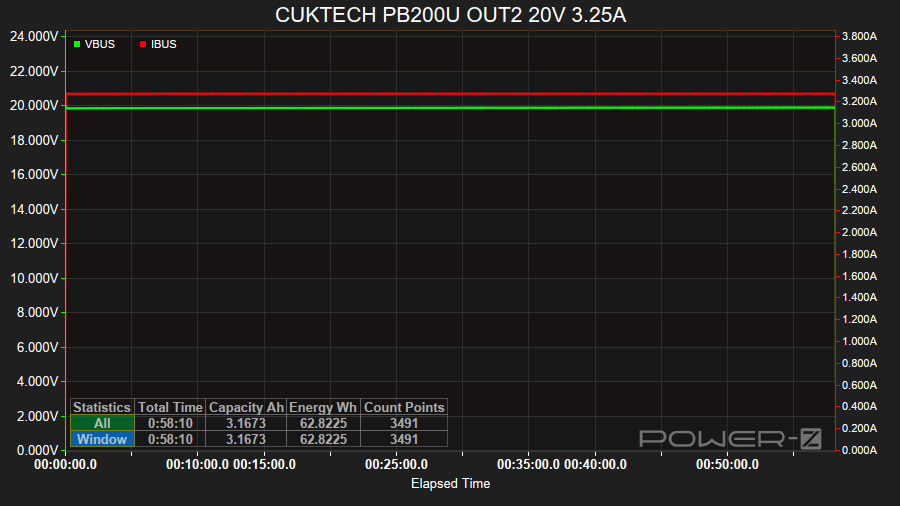
The power bank was able to supply 65W (20V/3.25A) from USB-C OUT2 for 58 minutes with an efficiency of 87.25% (62.82 Wh).
CUKTECH PB200U USB-C OUT2 15V 3A#
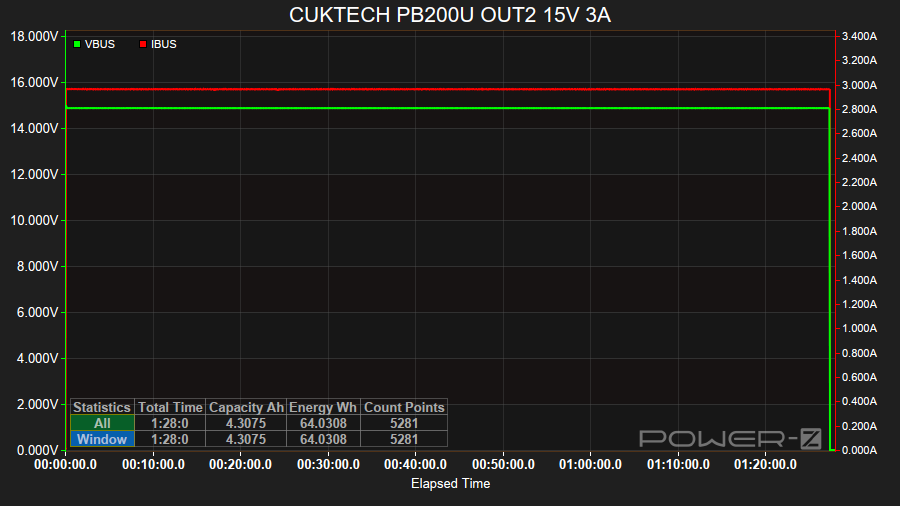
The power bank was able to supply 45W (15V/3A) from USB-C OUT2 for 1 hour 27 minutes with an efficiency of 88.93% (64.03 Wh).
CUKTECH PB200U USB-C OUT2 12V 3A#
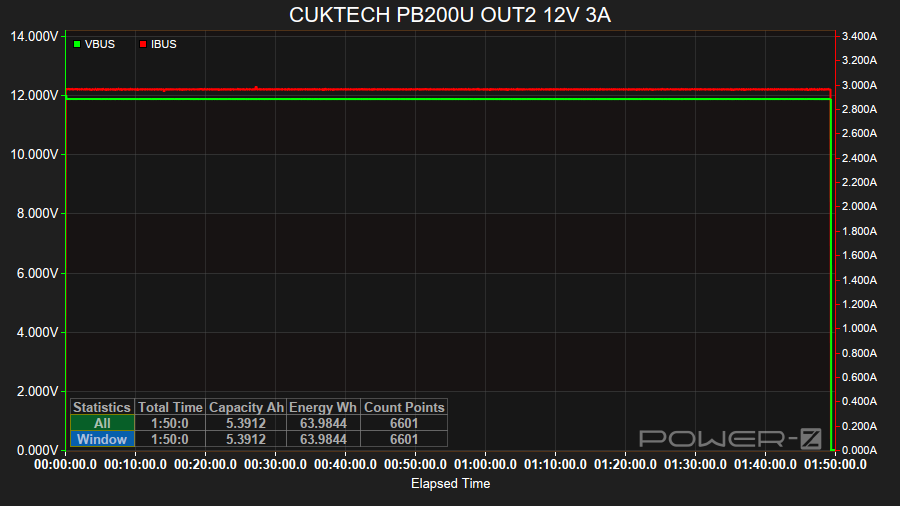
The power bank was able to supply 36W (12V/3A) from USB-C OUT2 for 1 hour 49 minutes with an efficiency of 88.86% (63.98 Wh).
CUKTECH PB200U USB-C OUT2 9V 3A#
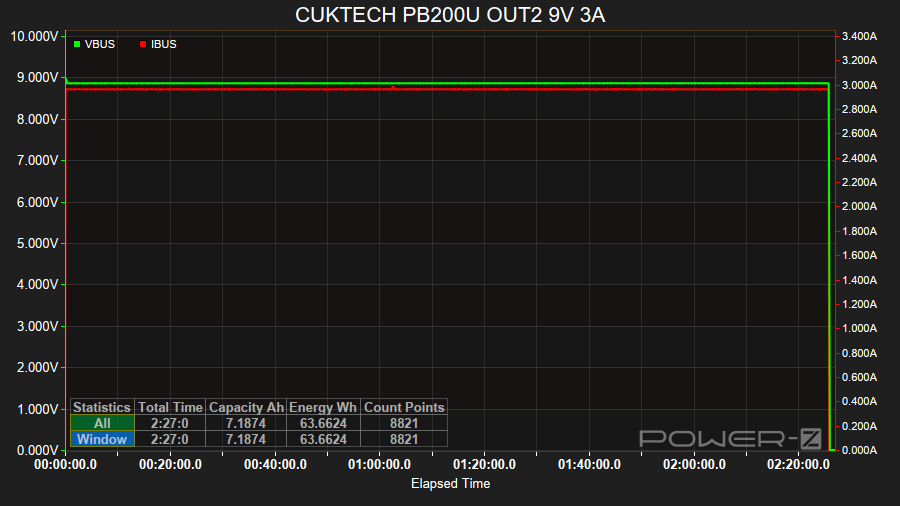
The power bank was able to supply 27W (9V/3A) from USB-C OUT2 for 2 hour 26 minutes with an efficiency of 88.42% (63.66 Wh).
CUKTECH PB200U USB-C OUT2 5V 3A#
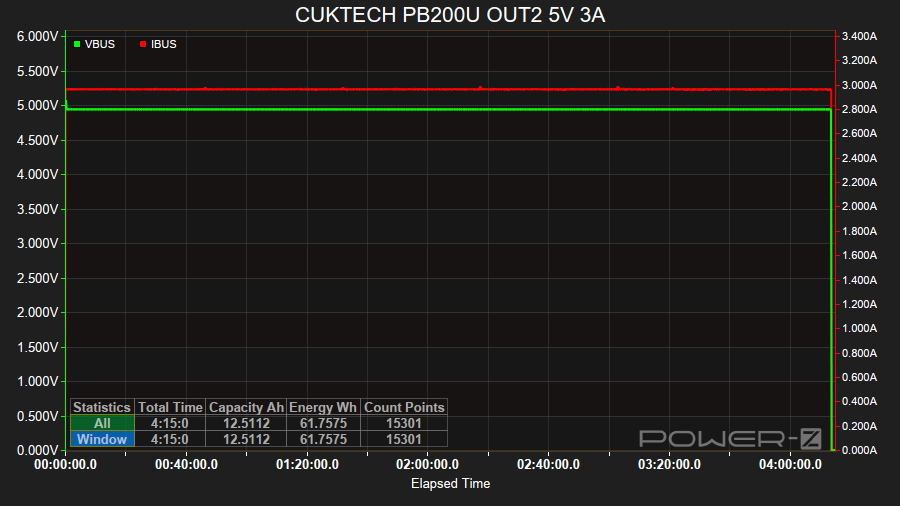
The power bank was able to supply 15W (5V/3A) from USB-C OUT2 for 4 hours 14 minutes with an efficiency of 85.76% (61.75 Wh).
CUKTECH PB200U USB-A OUT3 9V 3A#
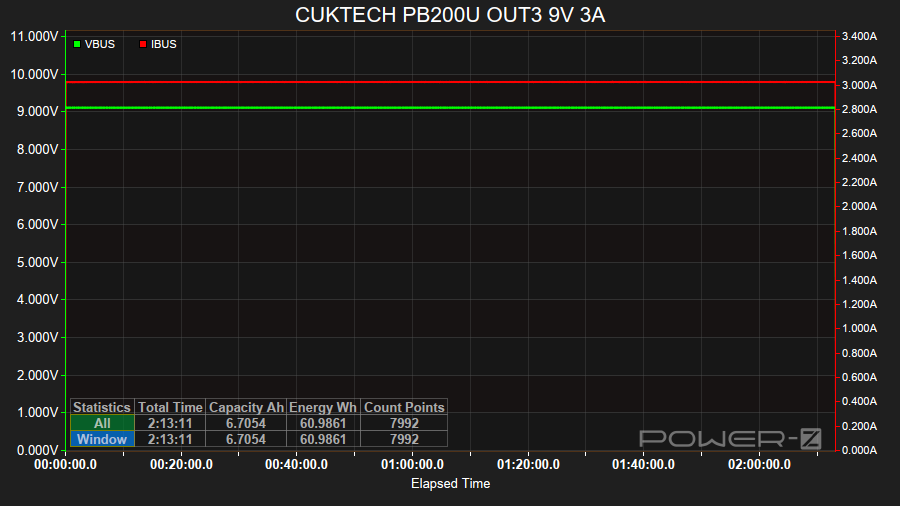
The power bank was able to supply 27W (9V/3A) from USB-C OUT3 for 2 hours 13 minutes with an efficiency of 84.69% (60.98 Wh).
CUKTECH PB200U USB-A OUT3 5V 3A#
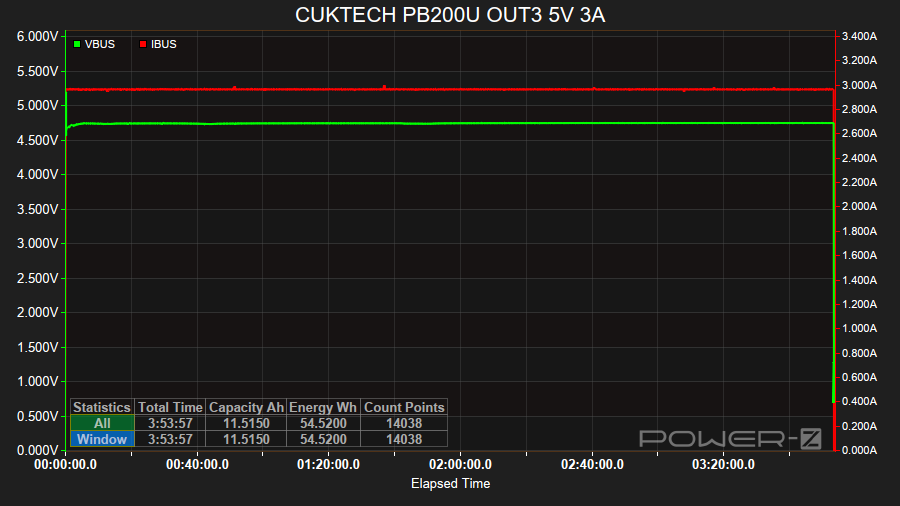
The power bank was able to supply 15W (5V/3A) from USB-A OUT3 for 3 hours 53 minutes with an efficiency of 75.72% (54.52 Wh).
CUKTECH PB200U USB-C OUT1 Apple AirPods 4 ANC Case#
To test the low current discharge mode of the power bank, I charged my Apple AirPods 4 ANC Case.
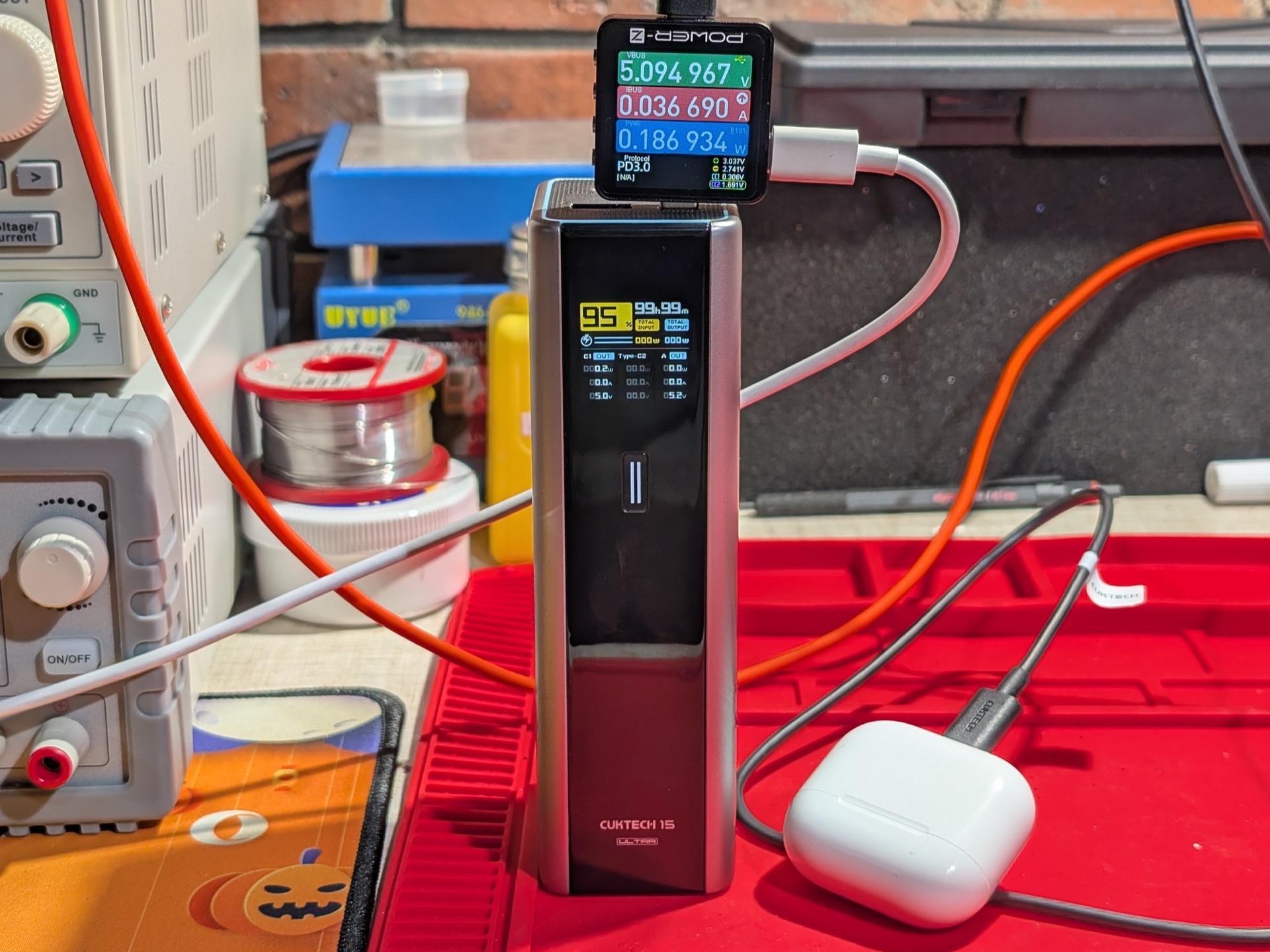
The power bank was at 95% after fully charging the Apple AirPods 4 ANC case with AirPods inside.
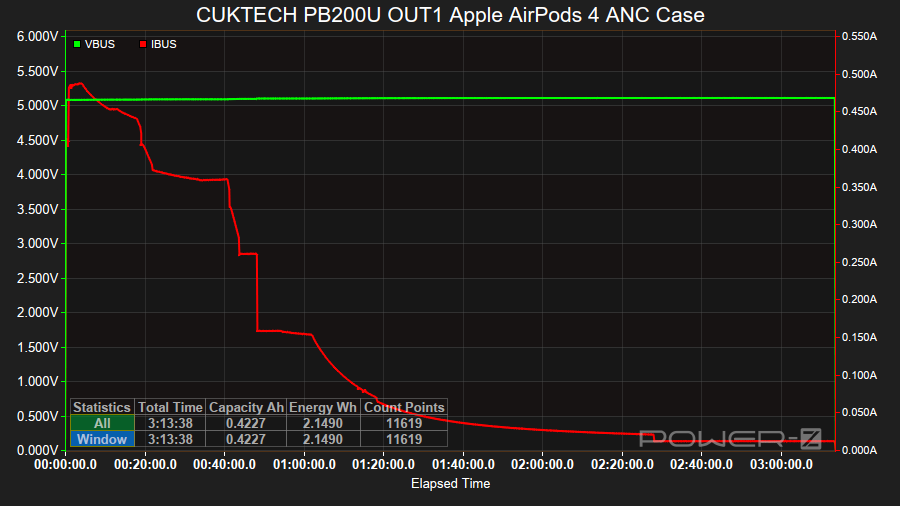
It took 3 hours 13 minutes to fully charge the Apple AirPods 4 ANC Case and AirPods from 1%.
The charge current started at less than 400mA, peaked at 480mA within the first few minutes, and then it stepped down a few times.
The current started dropping gradually from 150mA after 1 hour.
Charging stopped around 3 hours 13 minutes.
Ripple#
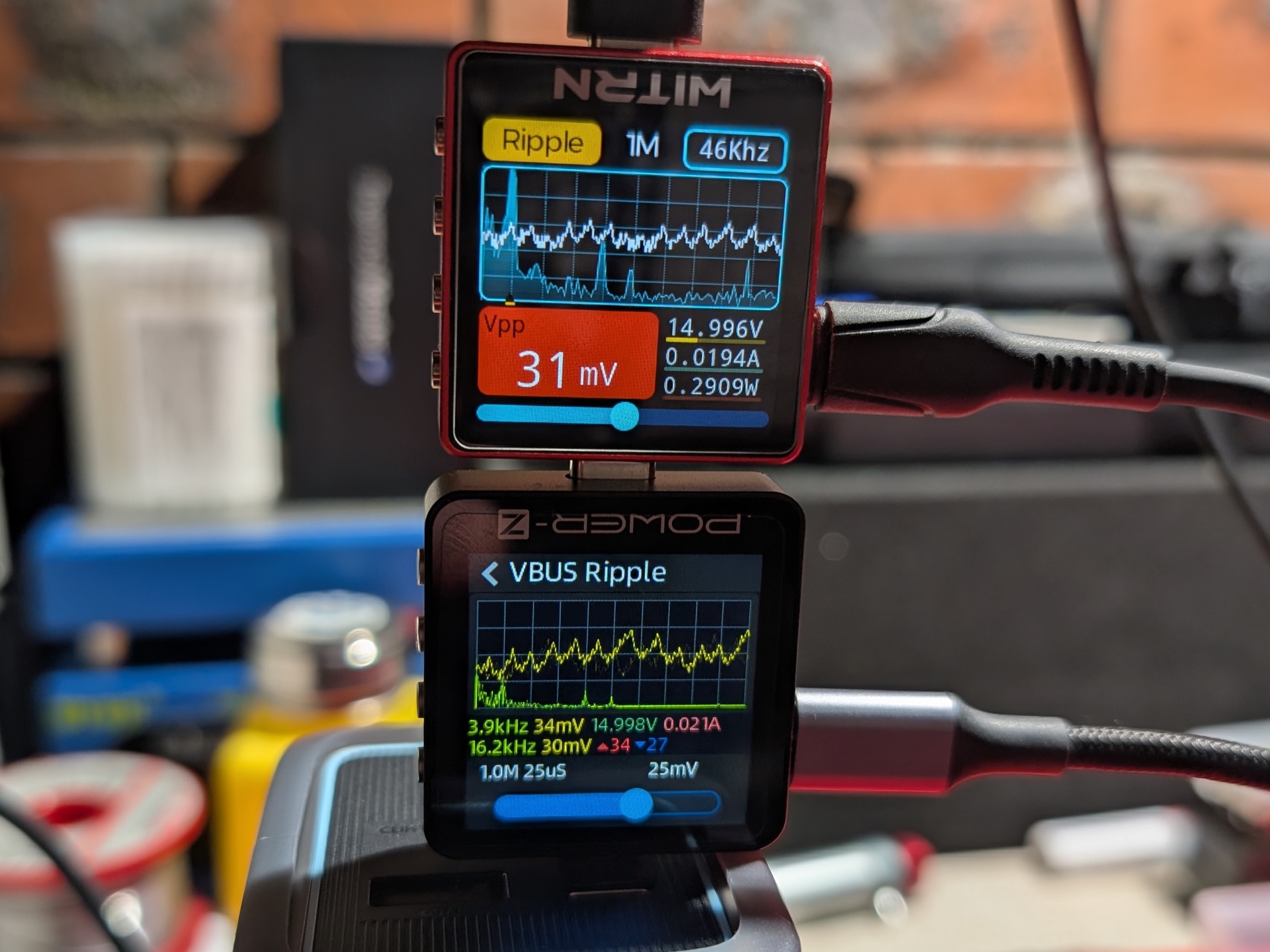
To measure the ripple I used the VBUS Ripple mode on a ChargerLAB Power-Z KM003C Amazon Australia at 1M 25 µS, a ChargerLAB Power-Z SINK240 USB-C Trigger Board a board and an ALIENTEK EL15 electronic load.
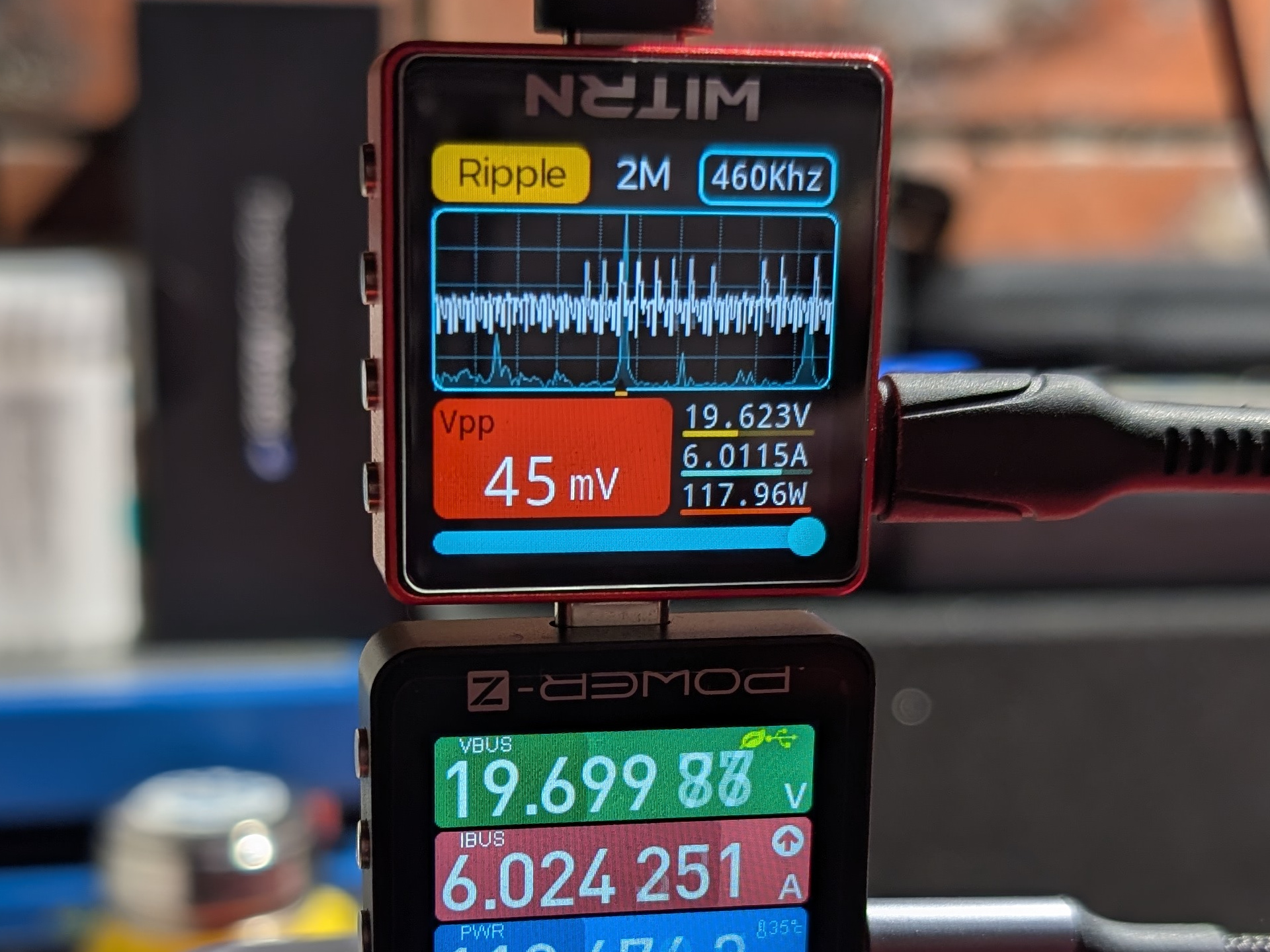
To measure the ripple for 20-28V under load I used a WITRN K2 at 2M while using the KM003C to trigger 20V/6A PPS and 28V Fixed.
Ripple with no load#
| Port | Voltage | Current | mVp-p |
|---|---|---|---|
| USB-C OUT1 | 28V | 0A | 12 |
| USB-C OUT1 | 20V | 0A | 7 |
| USB-C OUT1 | 15V | 0A | 6 |
| USB-C OUT1 | 12V | 0A | 6 |
| USB-C OUT1 | 9V | 0A | 5 |
| USB-C OUT1 | 5V | 0A | 4 |
| USB-C OUT2 | 20V | 0A | 22 |
| USB-C OUT2 | 15V | 0A | 30 |
| USB-C OUT2 | 12V | 0A | 11 |
| USB-C OUT2 | 9V | 0A | 9 |
| USB-C OUT2 | 5V | 0A | 6 |
The lowest ripple is around 4 mVp-p for USB-C OUT1 when the output is 5V/0A.
The highest ripple is around 30 mVp-p for USB-C OUT2 when the output is 15V/0A.
USB-C OUT1
20V0A    | ###...........................   7 mVp-p
15V0A    | ##............................   6 mVp-p
12V0A    | ##............................   6 mVp-p
9V0A     | ##............................   5 mVp-p
5V0A     | ##............................   4 mVp-p

USB-C OUT2
20V0A    | ########......................  22 mVp-p
15V0A    | ###########...................  30 mVp-p
12V0A    | ####..........................  11 mVp-p
9V0A     | ###...........................   9 mVp-p
5V0A     | ##............................   6 mVp-p
Ripple with a load#
| Port | Voltage | Current | mVp-p |
|---|---|---|---|
| USB-C OUT1 | 28V | 5A | 60 |
| USB-C OUT1 | 20V | 6A | 45 |
| USB-C OUT1 | 20V | 5A | 34 |
| USB-C OUT1 | 20V | 4.5A | 29 |
| USB-C OUT1 | 15V | 3A | 10 |
| USB-C OUT1 | 12V | 3A | 6 |
| USB-C OUT1 | 9V | 3A | 5 |
| USB-C OUT1 | 5V | 3A | 4 |
| USB-C OUT2 | 20V | 4.5A | 80 |
| USB-C OUT2 | 20V | 3.25A | 69 |
| USB-C OUT2 | 15V | 3A | 45 |
| USB-C OUT2 | 12V | 3A | 13 |
| USB-C OUT2 | 9V | 3A | 9 |
| USB-C OUT2 | 5V | 3A | 6 |
The lowest ripple is around 4 mVp-p for USB-C OUT1 when the output is 5V/3A.
The highest ripple is around 80 mVp-p for USB-C OUT2 when the output is 20V/4.5A.
USB-C OUT1
28V5A    | ######################........  60 mVp-p
20V6A    | #################.............  45 mVp-p
20V5A    | #############.................  34 mVp-p
20V4.5A  | ###########...................  29 mVp-p
15V3A    | ####..........................  10 mVp-p
12V3A    | ##............................   6 mVp-p
9V3A     | ##............................   5 mVp-p
5V3A     | ##............................   4 mVp-p

USB-C OUT2
20V4.5A  | ##############################  80 mVp-p
20V3.25A | ##########################....  69 mVp-p
15V3A    | #################.............  45 mVp-p
12V3A    | #####.........................  13 mVp-p
9V3A     | ###...........................   9 mVp-p
5V3A     | ##............................   6 mVp-p
The ripple for USB-C OUT2 is higher than USB-C OUT1.
Standby drain#
I did not notice any significant standby drain.
The power bank displayed 100% after several days of being unplugged and off.
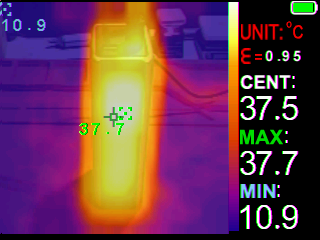
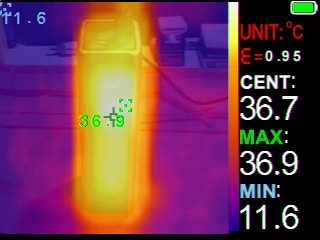
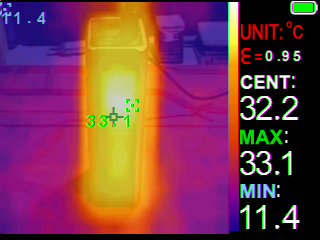
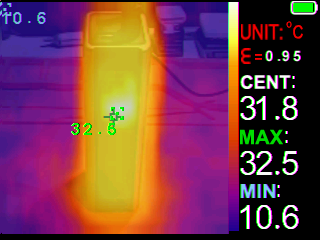
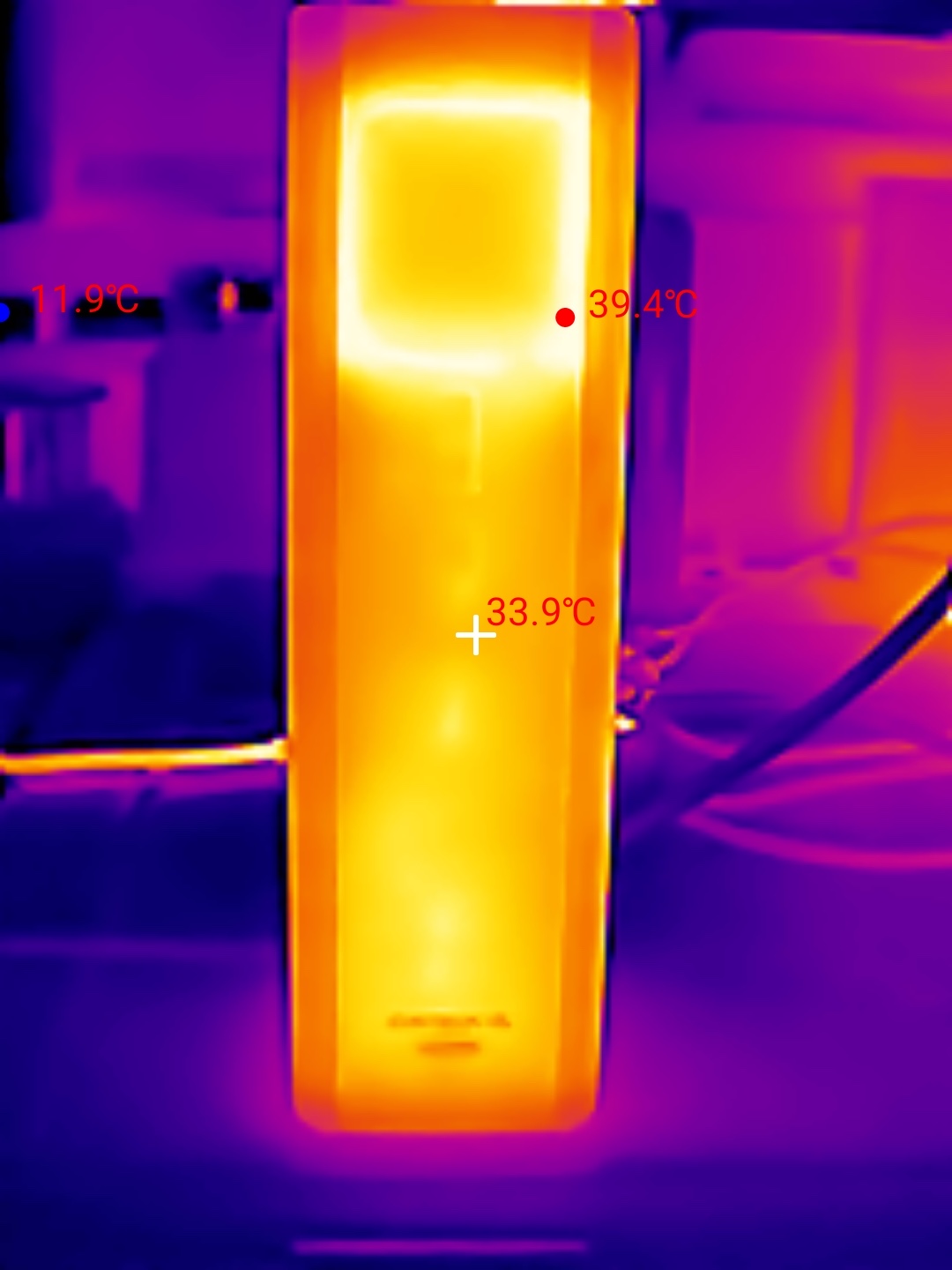
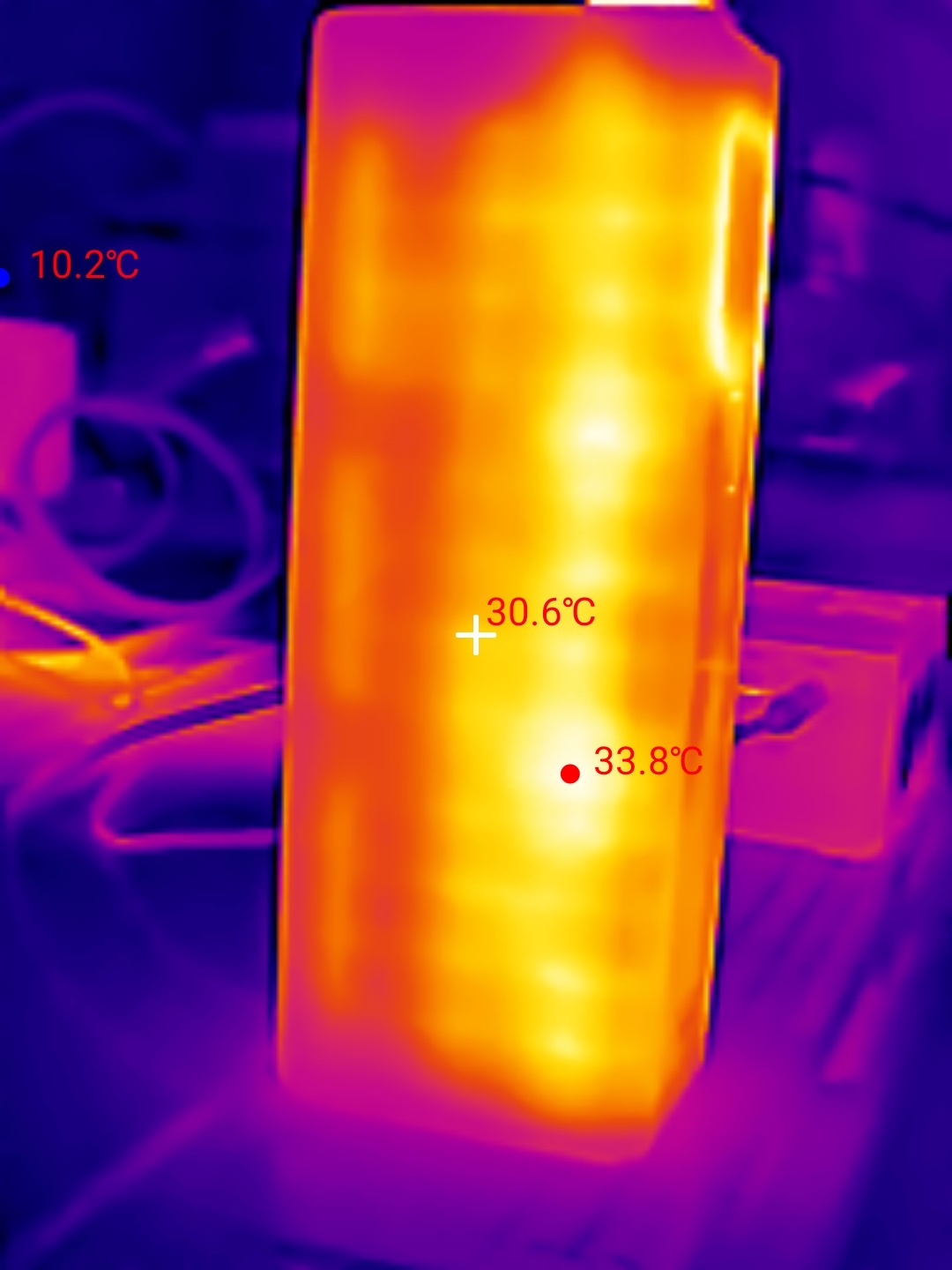
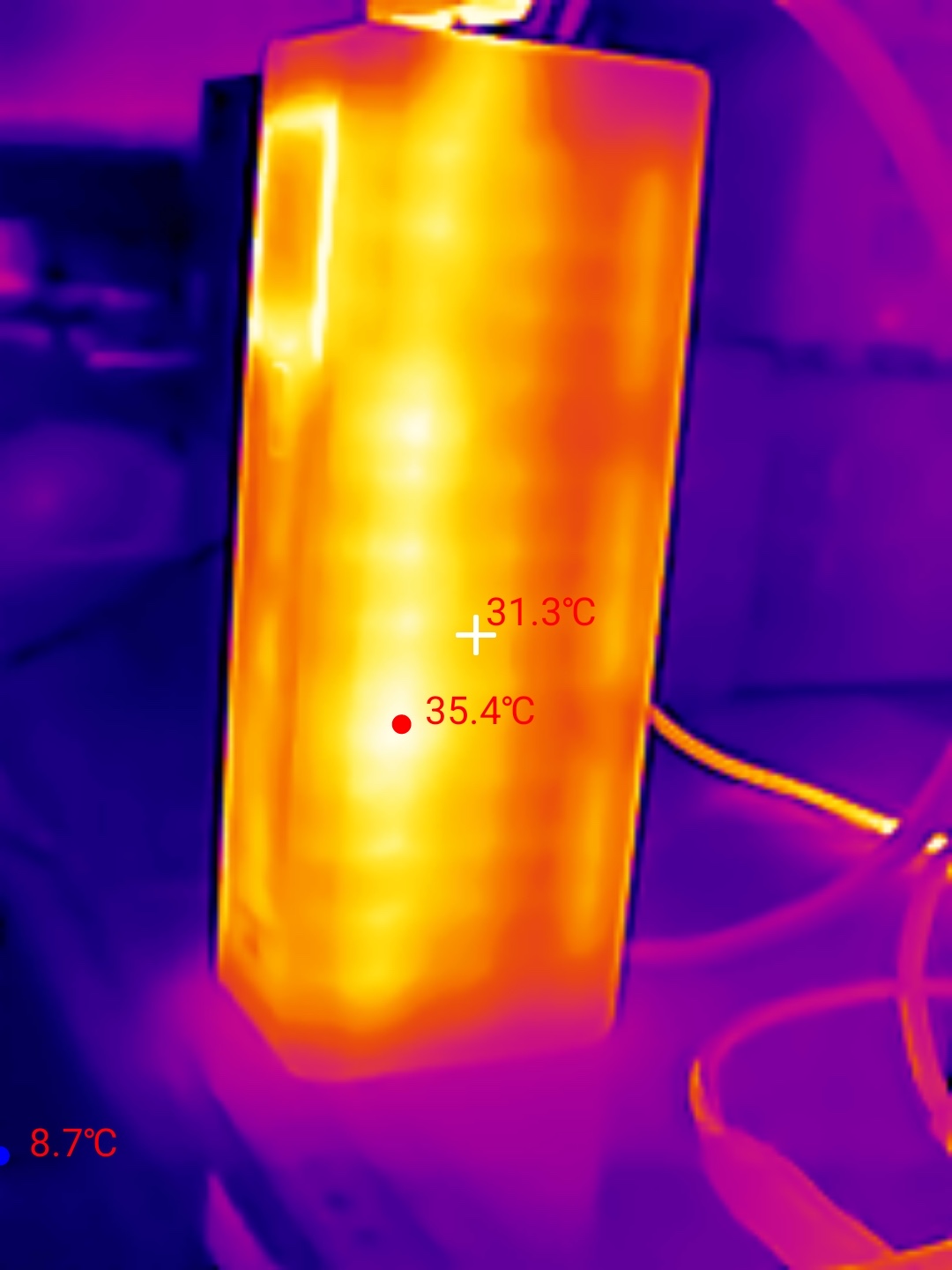
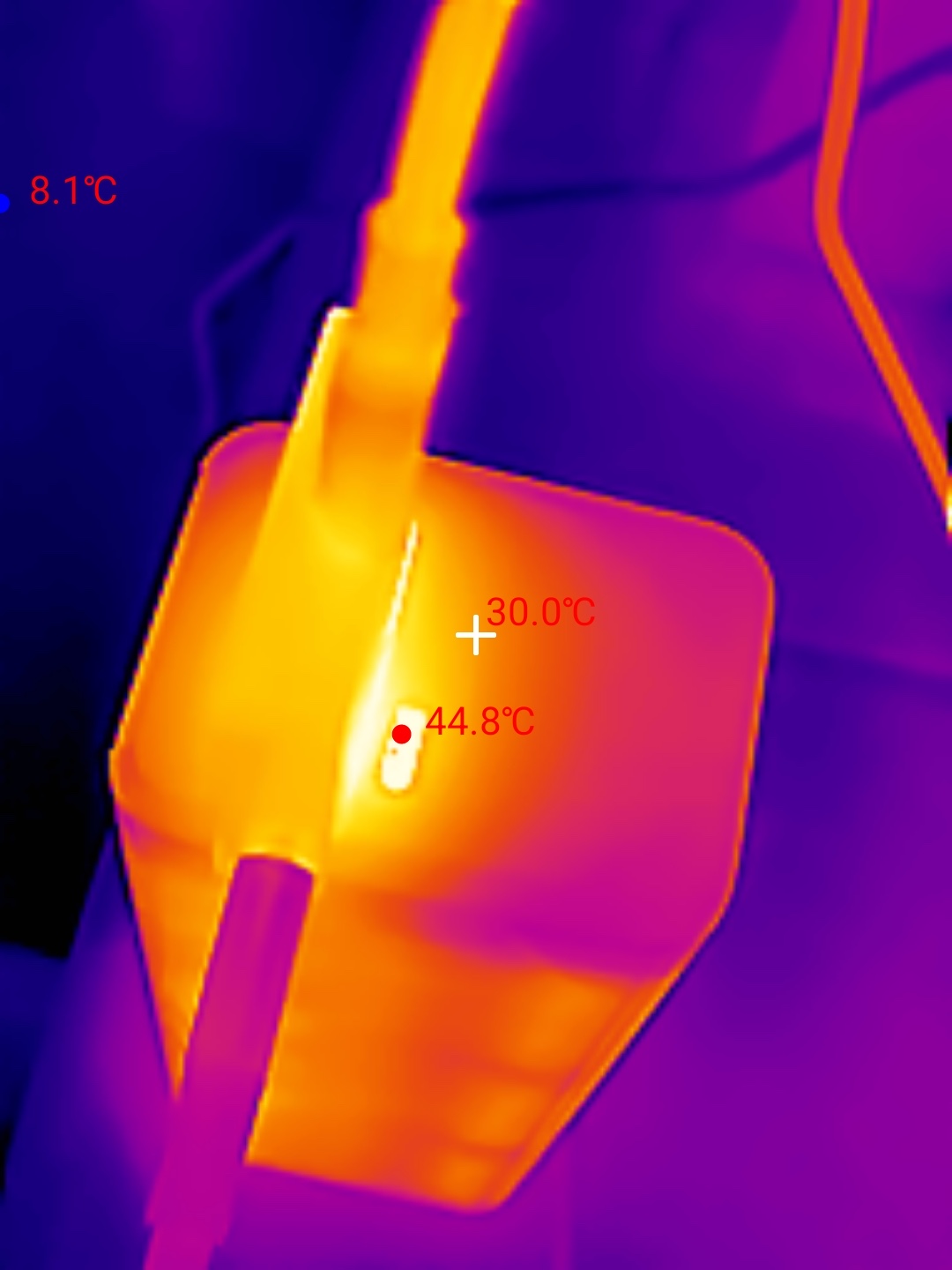
Thermal Images#
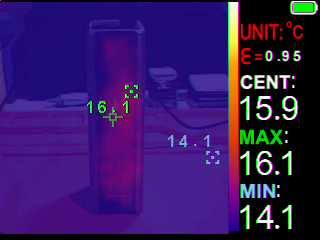
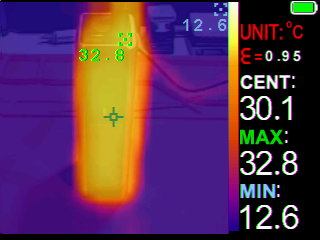
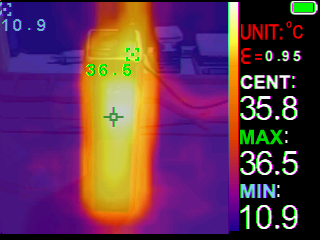
I used a Zoyi ZT-R01 IR Thermography Multimeter to take thermal images of the power bank on a silicone mat.
Room temperature: 14 C
| Time (mm:ss) | Max Temperature | Cell capacity |
|---|---|---|
| 00:00 | 16.1 C | 0% |
| 14:00 | 32.8 C | 50% |
| 20:00 | 36.5 C | 70% |
| 27:00 | 37.7 C | 90% |
| 30:00 | 36.9 C | 95% |
| 37:00 | 33.1 C | 99.99% |
| 40:30 | 32.6 C | 100% |
The temperature peaked at 38.5 C while charging the powerbank in Beast Mode (160W).
More thermal images with the Thermal Master P3 (get 10% off with code Mcmahon10):
Conclusion#
The CUKTECH 15 Ultra is built like a brick! It is heavy.
The power bank is packed with features.
The display shows you what the power bank is doing.
Each USB port supports multiple fast charging protocols.
Beast Mode allows you to quickly charge the power bank at 165W by using both USB-C ports at the same time.
This is the type of power bank that I take while glamping with a laptop. Pass-through charging from a car charger to the power bank and then to a laptop is handy for working while on the move.
I would recommend a CUKTECH PB100P or a CUKTECH 15 Air if you want something ligthweight and easy to carry while allowing you to quickly charge a device.
Pros:#
- Beast Mode!
- 140W USB-C OUT1.
- 90W USB-C OUT2.
- 33W USB-A OUT3.
- Pass-through charging.
- Low Current Discharge Mode.
- Colour display.
- Simple to use.
- 1m USB-C to USB-C 6A cable with e-marker (50V 5A, 240W EPR).
Cons:#
- No 3C mark.
- Heavy.
Price#
The CUKTECH PB200U is AU$129.99 at mostlymelbourne.com
Product page#
CUKTECH PB200U at mostlymelbourne.com
CUKTECH PB200U at amazon.com.au (affiliate link)
I may earn a commission if you use an affiliate link or a promo code. This will help fund future torch reviews and tutorials.